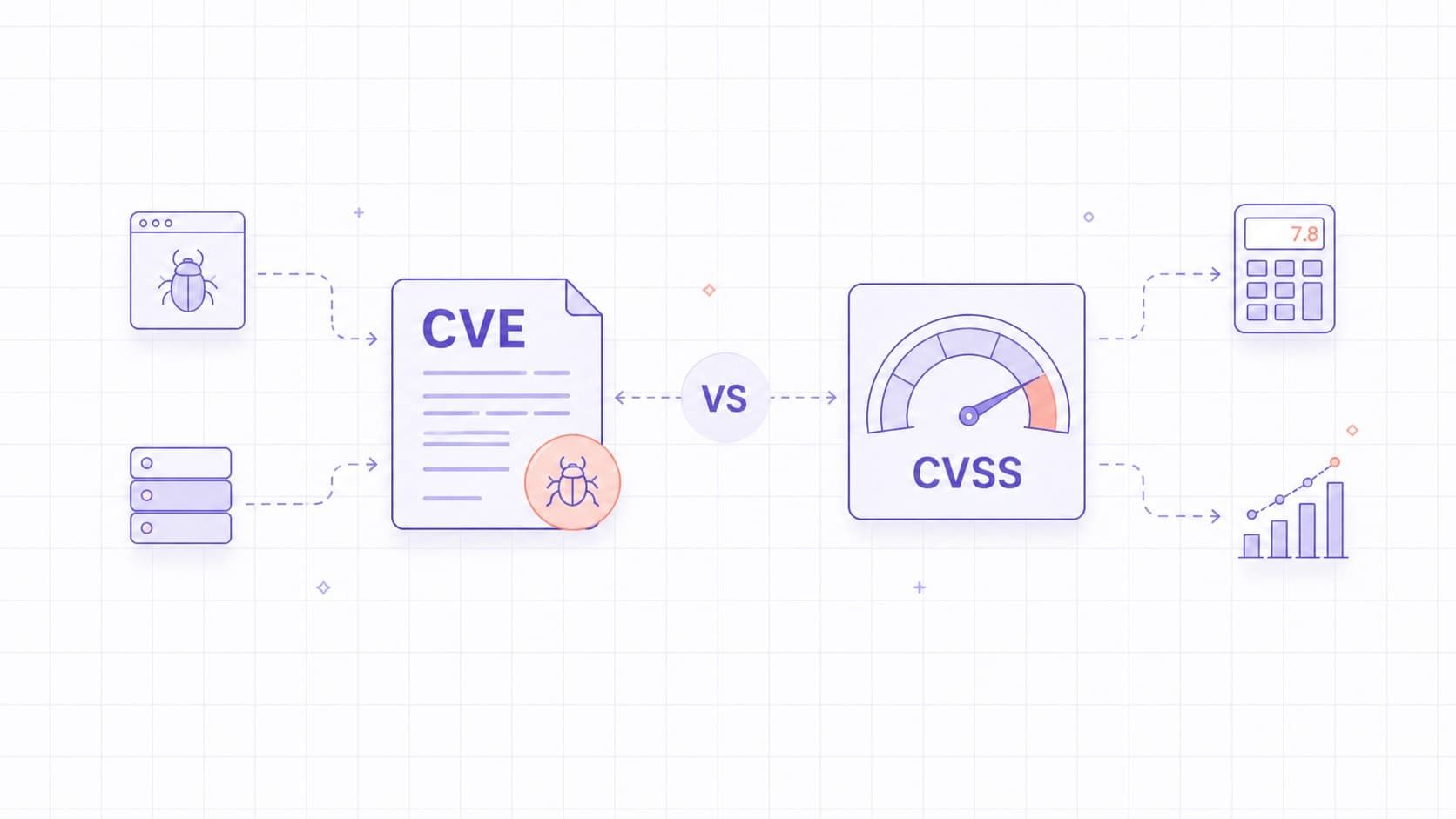
A CVE is an identifier for a publicly disclosed vulnerability. CVSS is a scoring system used to describe the technical severity of that vulnerability. CVE tells teams which issue they are discussing; CVSS helps compare how severe the issue is. The common mistake is treating either signal as a complete remediation priority. In practice, teams still need asset context, exposure, exploit activity, and business impact before deciding what to fix first.
In practice, the most common mistake is to confuse a useful reference with a useful decision. CVE helps teams talk about the same issue, and CVSS helps them describe severity consistently, but neither one tells you the full remediation order without asset context and exploitability.
CVE Definition
CVE, or Common Vulnerabilities and Exposures, is a system for identifying publicly disclosed cybersecurity vulnerabilities. Each CVE record gives teams a common reference so they can discuss the same issue across tools, advisories, and databases. The CVE Program’s mission is to identify, define, and catalog publicly disclosed cybersecurity vulnerabilities.
Each CVE follows a fixed format, such as CVE-2024-12345.
A CVE ID does not tell you how severe or exploitable the issue is. It tells you that the issue has been recorded and can now be referenced consistently. It also does not guarantee that the public record contains enough detail to remediate the issue on its own. CVE records are intentionally brief, so teams often need to follow the linked vendor advisory or project advisory to understand affected versions, fixes, workarounds, and deployment-specific limitations.
A CVE record typically includes a brief description and public references, while affected products, versions, and fix details may be clearer in the linked advisory than in the CVE text itself. The CVE Program works with CVE Numbering Authorities, or CNAs, which are authorized organizations that assign CVE IDs within their scope.
What a CVE Does Not Tell You
A CVE does not tell you how severe the issue is. It does not tell you how easy it is to exploit. It also does not tell you whether the issue is high priority in your environment.
Two CVEs can look similar in a database while representing very different operational impact. One may affect an isolated internal tool. Another may affect a public-facing production service. The CVE identifier alone does not capture that difference.
CVSS Definition
CVSS, or Common Vulnerability Scoring System, is a framework used to measure the severity of a vulnerability. It assigns a score from 0.0 to 10.0 and gives teams a standardized way to compare vulnerabilities across systems and vendors. FIRST maintains the CVSS standard, and the current version is CVSS 4.0.
The key point is simple: CVSS measures severity, not risk. A useful way to remember this is: CVE tells you what the issue is, CVSS describes its technical severity, and your environment determines how urgent it is.
That distinction matters most when two issues compete for attention. A higher score can still wait if the asset is isolated, while a lower score may need urgent action if the system is exposed, critical, or already tied to active exploitation.
NVD states this explicitly. CVSS is useful for triage and prioritization, but it should not be treated as a full business risk score.
CVSS Severity Levels
Security tools often sort vulnerabilities by severity range. In NVD, the common qualitative ranges for CVSS v3.x and v4.0 are:
- None: 0.0
- Low: 0.1-3.9
- Medium: 4.0-6.9
- High: 7.0-8.9
- Critical: 9.0-10.0.
These labels are useful for quick sorting, but the underlying vector and environment context matter more than the label alone. For example, NVD lists CVE-2021-44228, the original Log4Shell issue, with a CVSS v3.1 Base score of 10.0 Critical, while related Log4j-family issues such as CVE-2021-44832 score lower. CISA also added CVE-2021-44228 to the KEV Catalog. That is a good reminder that teams need both the technical score and exploitation context, not just the label.
What CVSS Does Not Tell You
CVSS does not fully explain whether a vulnerability is important in your environment. It does not, by itself, account for whether the affected system is internet-facing, whether strong compensating controls exist, whether attackers are actively exploiting the issue, or how critical the asset is to the business. NVD and FIRST both make clear that CVSS should not be used alone to assess risk.
That means a high CVSS score does not automatically mean high business risk. A lower score does not automatically mean the issue is safe to ignore.
Key Differences Between CVE and CVSS
CVE is about identification. CVSS is about severity scoring.
- CVE answers: "What is the issue?"
- CVSS answers: "How severe is it?"
CVE is a text identifier. CVSS is a numeric framework. CVE is used for tracking and reference. CVSS is used for prioritization and communication about severity. Together, they provide a baseline for vulnerability tracking and prioritization.
CVE vs CVSS vs CWE vs NVD
CVE, CVSS, CWE, and NVD are often mentioned together, but they do different jobs in vulnerability management.
- CVE identifies a specific publicly disclosed vulnerability. It gives teams a shared reference, such as CVE-2024-12345, so scanners, advisories, tickets, and reports can point to the same issue.
- CVSS describes the technical severity of a vulnerability. It gives the issue a score from 0.0 to 10.0 and a vector that explains how the score was calculated. CVSS helps teams compare severity, but it does not decide business risk on its own.
- CWE describes the type of weakness behind a vulnerability. For example, a CVE may be linked to a broader weakness category such as improper input validation, authentication bypass, or buffer overflow. CWE helps teams understand patterns, not just individual issues.
- NVD is a vulnerability database built on CVE records. It enriches CVE data with information such as CVSS scores, references, affected products, and searchable metadata. NVD is useful for research and triage, but teams should still check vendor advisories for the most specific remediation details.
| Term | What it answers | What it is | What it does not tell you |
|---|---|---|---|
| CVE | What vulnerability is this? | A public vulnerability identifier. | Severity, exploitability, or remediation priority. |
| CVSS | How technically severe is the vulnerability? | A vulnerability scoring framework. | Business risk or the order in which issues should be fixed. |
| NVD | Where can I find enriched vulnerability details? | A public vulnerability database. | The final risk decision for your environment. |
| CWE | What type of weakness is involved? | A software weakness classification. | A specific vulnerable instance or affected product. |
In practice, these sources work together. A team may start with a CVE ID, use NVD to review details and CVSS scoring, check CWE to understand the weakness category, and then decide priority based on exposure, exploit activity, asset importance, and available fixes.
How CVE IDs Are Assigned
CVE IDs are assigned by CVE Numbering Authorities. These can include vendors, security companies, open-source projects, CERT teams, and other authorized organizations. The CNA reviews the report, reserves a CVE ID, and publishes the record when the vulnerability is ready for public disclosure.
Not every security issue receives a CVE. The issue has to meet CVE Program rules and fall within the scope of the assigning authority.
Where to Look Up CVE Details
You can look up CVE details in several public sources:
- the CVE Program website;
- NVD;
- vendor security advisories;
- open-source project advisories and trackers;
- trusted security research publications.
It is also useful to remember that CVE and NVD are separate programs. CVE provides the identifier and record. NVD builds on CVE data and adds enrichment such as severity information and search features.
This distinction matters when descriptions, references, or scores differ. The CVE description is maintained by the CNA responsible for the record, while NVD enrichment is added separately. In practice, teams should not assume that CVE text, vendor advisory text, and NVD enrichment will always match perfectly.
Analysts should get comfortable comparing multiple sources instead of treating one page as the final answer. A CNA record, a vendor advisory, and NVD enrichment can all be useful, but they do not always serve the same purpose or arrive at the same time.
How CVSS Scores Are Calculated
CVSS scores are calculated from a defined set of metrics that describe exploitability and impact. The exact metric groups depend on the CVSS version being used.
In CVSS v3.x, the metric groups are Base, Temporal, and Environmental. In CVSS v4.0, the metric groups are Base, Threat, Environmental, and Supplemental. FIRST lists v4.0 as the current version, while NVD supports both v3.x and v4.0.
The score is also represented as a vector string, which shows the exact metric values used in the assessment.
CVSS Base, Threat, Temporal, Environmental, and Supplemental Metrics
To avoid confusion, it helps to separate current CVSS 4.0 from older but still common CVSS 3.x workflows.
In CVSS v3.x:
- Base metrics describe inherent technical severity.
- Temporal metrics adjust the score based on changes over time, such as exploit maturity or fixes.
- Environmental metrics tailor severity to a specific organization.
In CVSS v4.0:
- Base metrics still describe the core technical characteristics.
- Threat metrics refine the score using applicable threat intelligence.
- Environmental metrics tailor the score to a specific environment.
- Supplemental metrics provide extra context but do not change the final score.
Public sources such as NVD typically publish Base assessments and provide calculators so users can refine the score with additional context. In practice, this means the public score is often a starting point, not the final prioritization decision.
Why CVSS Alone Can Mislead Prioritization
If a team relies only on CVSS, it may end up fixing the wrong issues first.
A critical CVSS issue on an isolated test server may matter less than a medium-severity issue on a public-facing production system. CISA’s guidance makes this concrete: organizations should use the Known Exploited Vulnerabilities Catalog as an input to their vulnerability management prioritization framework. In other words, active exploitation evidence can change patch order even when the published CVSS score does not.
CVSS helps measure severity, but it does not automatically capture exposure, attacker activity, asset importance, or business impact. That is why teams should not use it as a decision rule by itself.
Good prioritization starts when teams move from the score to the environment. The real question is not only how severe the vulnerability looks on paper, but whether it affects a reachable asset that attackers are likely to target and the business cannot afford to lose.
Using CVE and CVSS Together
CVE and CVSS are most useful when they are combined. CVE gives you a stable reference for tracking, reporting, and linking records across tools. CVSS adds a standardized severity signal. After that, teams should add environmental and threat context, including asset criticality, exposure, compensating controls, and known exploitation activity.
Used properly, CVE tells you what the problem is, and CVSS tells you how severe it is technically. Context tells you what to do first. A practical workflow looks like this:
- Confirm the CVE and read the linked advisory.
- Check the CVSS version and vector, not just the severity label.
- Check whether the asset is exposed, business-critical, or already tied to active exploitation.
- Then assign the remediation priority and SLA.
How to Use CVE and CVSS in a Vulnerability Management Workflow
CVE and CVSS are most useful when they are part of a broader vulnerability management workflow. A CVE gives the issue a stable reference, and CVSS gives a severity signal, but teams still need to connect that information to their own assets, exposure, ownership, and remediation process.
A practical workflow usually looks like this:
- Confirm the CVE and affected product. Check which software, library, service, operating system, or component is affected, and verify whether the vulnerable version exists in your environment.
- Read the vendor advisory, not only the CVE record. CVE records are often brief. Vendor advisories usually provide more specific information about affected versions, fixed versions, workarounds, configuration notes, and upgrade paths.
- Check the CVSS score and vector. Do not look only at the severity label. The vector explains why the vulnerability received its score, including factors such as attack complexity, privileges required, user interaction, and impact.
- Look for exploitation evidence. Check whether the vulnerability appears in sources such as the CISA KEV Catalog, whether public exploit code exists, or whether trusted security sources report active exploitation. Exploitation evidence can move an issue higher in the remediation queue even when the CVSS score is not the highest.
- Add asset context. Ask whether the affected asset is internet-facing, business-critical, connected to sensitive data, or protected by compensating controls. The same CVE can have very different urgency depending on where it appears.
- Assign ownership and remediation priority. Decide who owns the asset, what action is required, and what SLA applies. A high CVSS score without an owner or fix path often turns into backlog noise.
- Validate the fix. After patching, upgrading, changing configuration, or applying a workaround, rescan or otherwise confirm that the affected asset is no longer vulnerable.
CVE and CVSS help start the decision. Exposure, exploit activity, asset importance, and ownership determine what should be fixed first.
How TopScan helps with CVE and CVSS prioritization
TopScan helps teams move beyond raw CVSS scores by adding the context that actually changes remediation priority. The platform continuously monitors external assets, web applications, APIs, and cloud-connected targets, then combines CVE references, CVSS severity, exposure, asset ownership, and workflow status in one dashboard.
For CTOs and DevOps teams without a dedicated security function, this turns long vulnerability lists into a practical view of what to fix first. A CVE gives the issue a stable reference, CVSS explains technical severity, and TopScan adds the operational context needed to decide what requires action now.
Practical Prioritization Beyond CVSS
Practical prioritization adds the context that CVSS does not provide. The most important factors usually include exposure, exploitability, asset importance, compensating controls, ownership, and the available remediation path.
| Step | Signal | What to Check | Why It Matters |
|---|---|---|---|
| 1 | CVE | Confirm the CVE ID, affected product, and affected version. | This identifies the exact vulnerability the team is evaluating. |
| 2 | CVSS | Review the score, severity rating, and vector string. | This explains the technical severity and how the score was calculated. |
| 3 | Exploitation evidence | Check KEV, public exploits, vendor advisories, and trusted threat intelligence. | Actively exploited vulnerabilities often require faster action than higher-scoring issues with no exploitation evidence. |
| 4 | Exposure | Determine whether the asset is internet-facing, reachable by attackers, or protected by strong access controls. | The same vulnerability is usually more urgent on an exposed production system than on an isolated internal asset. |
| 5 | Business context | Review asset criticality, data sensitivity, customer impact, and operational role. | Technical severity does not always reflect business impact. |
| 6 | Ownership | Identify the team responsible for the affected asset. | Remediation slows down when ownership is unclear. |
| 7 | Remediation path | Confirm whether a patch, upgrade, configuration change, mitigation, or compensating control is available. | Priority should lead to a practical remediation plan, not just a severity label. |
| 8 | Validation | Rescan or otherwise verify that the issue has been resolved. | Closing a ticket is not enough unless the fix has been confirmed. |
That means a medium-severity issue on an exposed production service may need faster action than a higher-scored issue on an isolated internal or retired system.
Practical prioritization usually comes down to a few context questions:
- Can attackers reach the affected asset from the internet?
- Does exploitation require authentication, user interaction, or special conditions?
- Is the asset business-critical or connected to sensitive data?
- Is there evidence of active exploitation, such as a KEV listing, public exploit code, vendor warnings, or trusted threat reports?
- Are there compensating controls that reduce practical risk?
- Who owns the affected asset and can apply the fix?
- Is there a clear remediation path, such as a patch, upgrade, configuration change, or workaround?
Different Real-World Risk Behind the Same CVSS Score
Two vulnerabilities with the same CVSS score can represent very different real-world risk.
A 9.8 score on a central production system is not the same as a 9.8 score on an isolated legacy asset waiting for decommissioning. CVSS cannot fully distinguish between those scenarios on its own because it does not capture the full operating context.
Real-world prioritization depends on deployment context, exposure paths, attacker interest, and existing defenses.
A simple mental model is this: the same 9.8 score on a public authentication service, a backend payroll system, and a retired internal lab asset should not lead to the same operational response. The score may match, but the exposure path and business consequence do not.
Common Mistakes When Using CVE and CVSS
The most common mistakes are straightforward:
- treating CVSS as a full risk score;
- ignoring asset importance;
- patching only by severity label;
- failing to reassess older CVEs as conditions change;
- assuming that "Critical" always means "patch first everywhere."
Another common mistake is ignoring version differences. A team may compare a v3.1 score from one tool with a v4.0 score from another and assume they are directly equivalent. That can lead to poor prioritization and confusing reports.
Conclusion
Understanding the difference between CVE and CVSS makes vulnerability management clearer and more practical.
CVE identifies the issue. CVSS describes its technical severity. Neither one should be treated as a complete substitute for environment-specific prioritization. When teams combine CVE records, CVSS data, threat intelligence, and asset context, they make better remediation decisions and reduce real exposure more effectively.
Before you prioritize a vulnerability, ask:
- Do we understand the exact CVE and the affected versions?
- Which CVSS version and vector are we looking at?
- Is the asset exposed or business-critical?
- Is there KEV or other exploitation evidence?
- Who owns the fix and how fast do we need it?