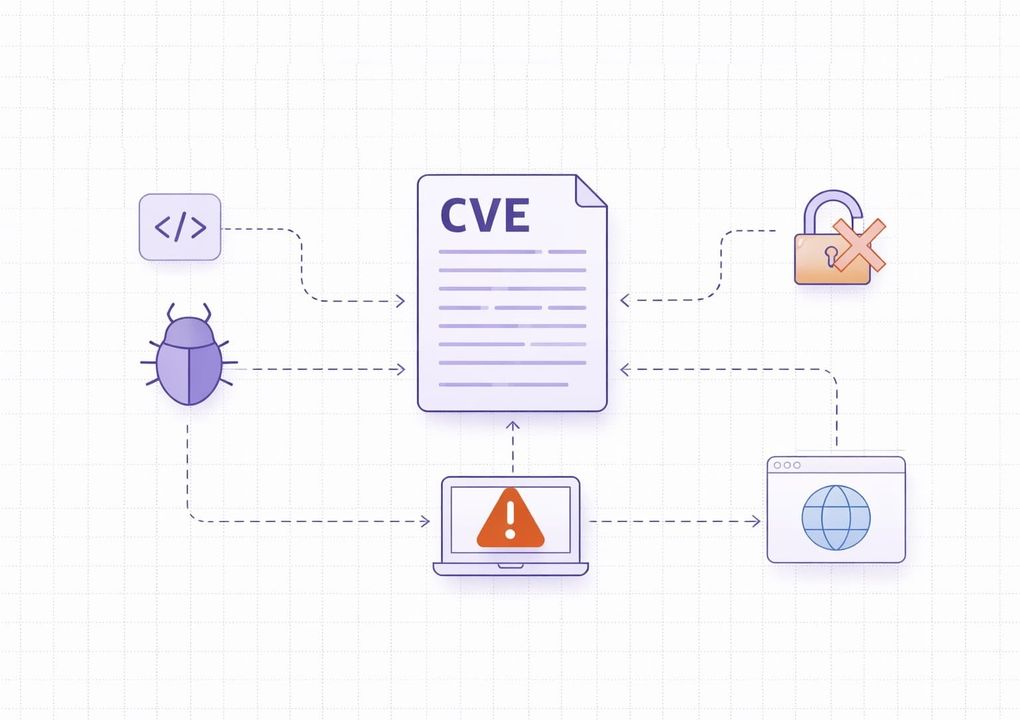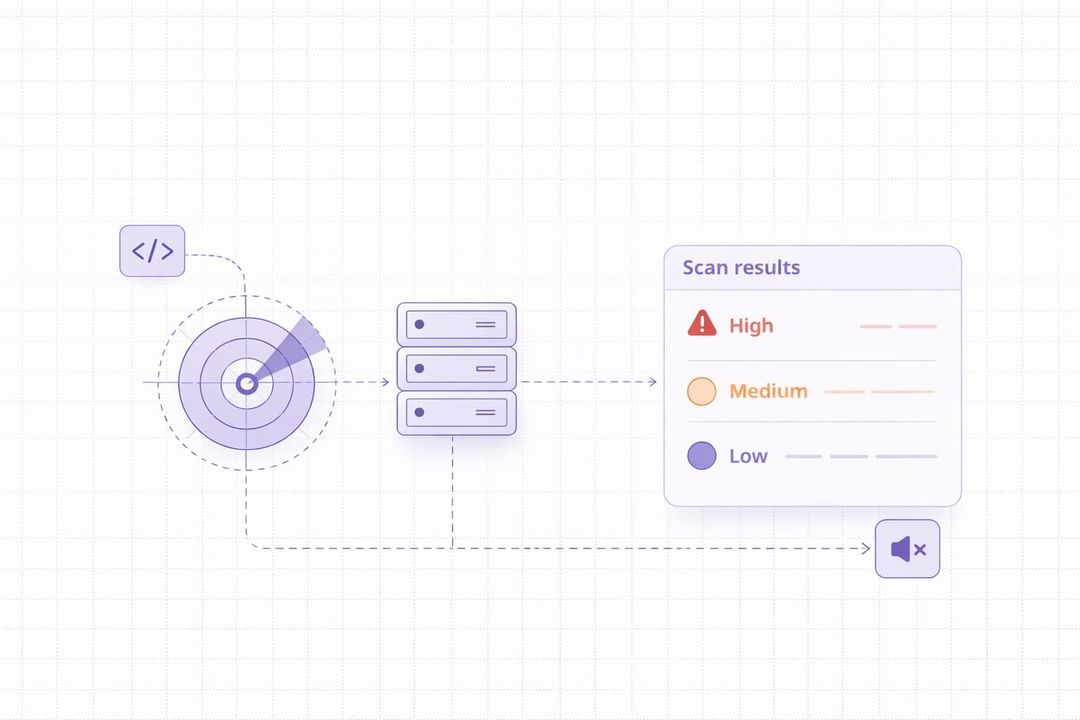

Cyberattacks are becoming more common and more dangerous. One weak spot in your network or system can lead to major damage. That’s why businesses need a way to find and fix these weak points before hackers can use them.
IBM X-Force reports that exploitation of public-facing applications is one of the leading initial access vectors, which highlights the importance of identifying exposed weaknesses early. This shows how important it is to find system flaws before they are used against you.
Timely patching and regular security checks can significantly reduce the risk of successful attacks. This is where vulnerability scanning becomes important. It helps identify vulnerabilities in your software, devices, and networks before attackers can exploit them.
What is Vulnerability Scanning
Vulnerability scanning is the process of checking computers, networks, and software for known security weaknesses. It helps identify weaknesses that attackers could exploit to gain access or launch attacks.
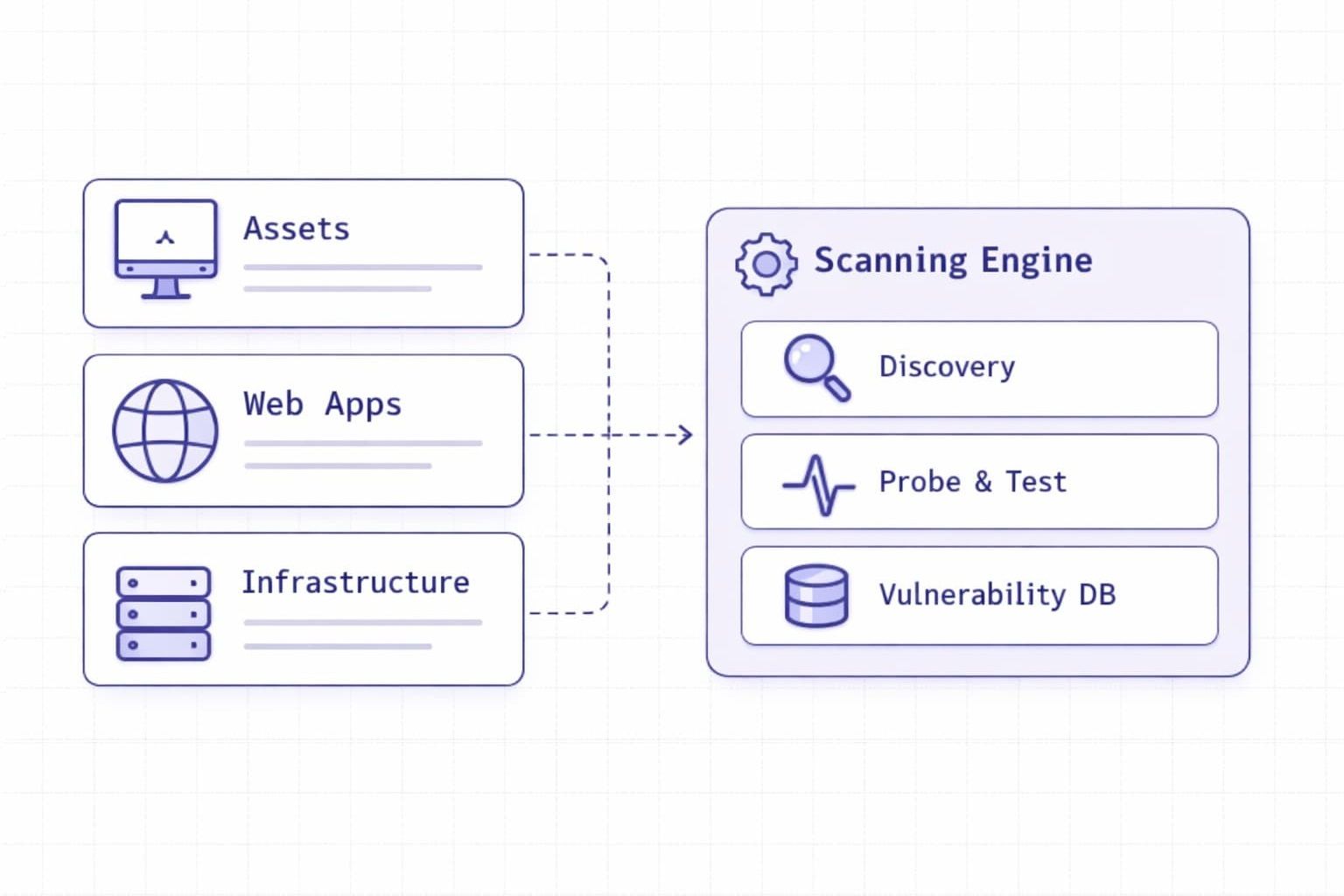
These scans are run through special tools known as vulnerability scanners. So, how does a vulnerability scanner work? Vulnerability scanners compare your systems against databases of known issues and report any matches. This allows your IT team to address issues before they can be exploited or cause damage.
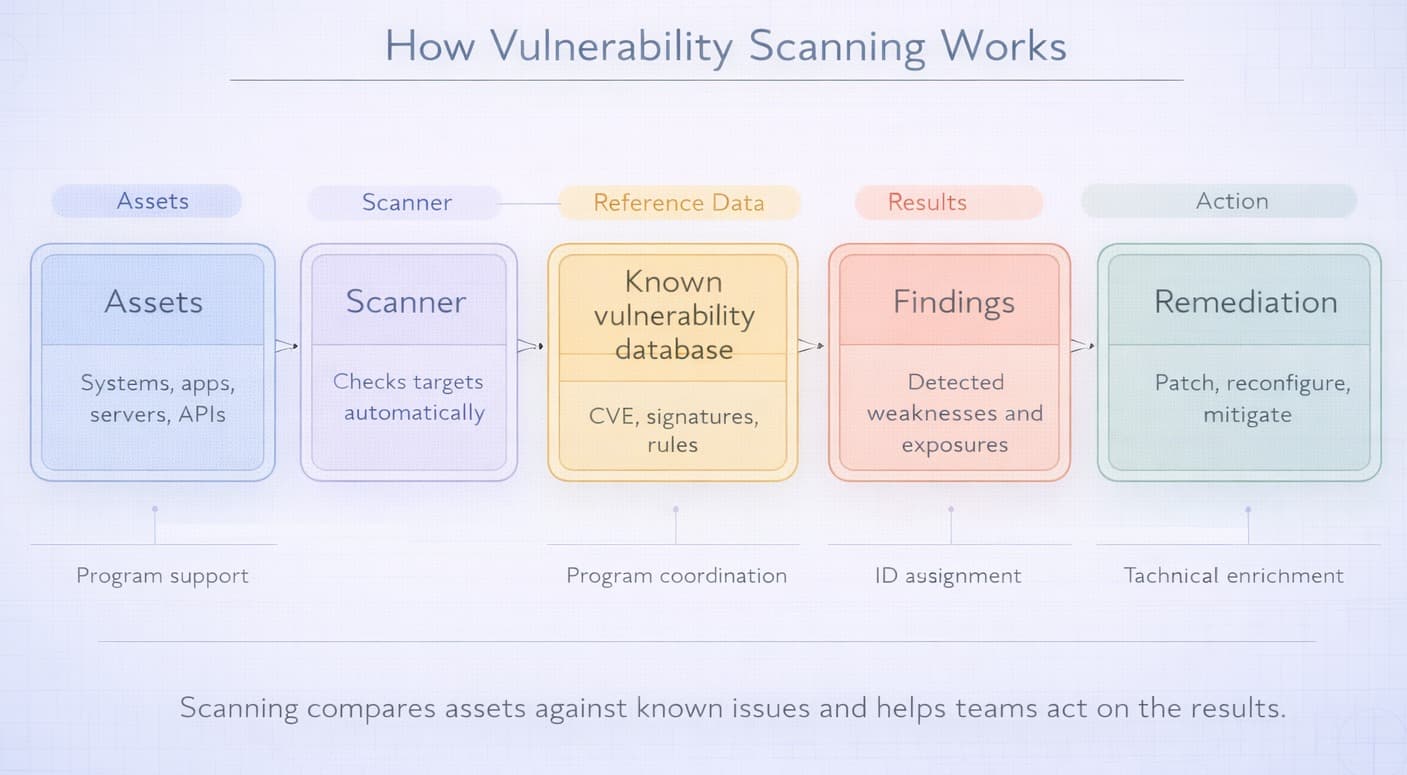
One of the first steps in protecting digital systems is vulnerability scanning. It does not fix issues on its own, but it gives you visibility into the problems that need attention. Regular scanning helps reduce risk and improve data security.
When Vulnerability Scanning Is Actually Needed
Vulnerability scanning is most useful when there is a real chance that new weaknesses have appeared or existing ones have gone unnoticed. In practice, companies should not treat scanning as a one-time setup task. It works best as a routine security activity tied to changes in infrastructure, software, and exposure.
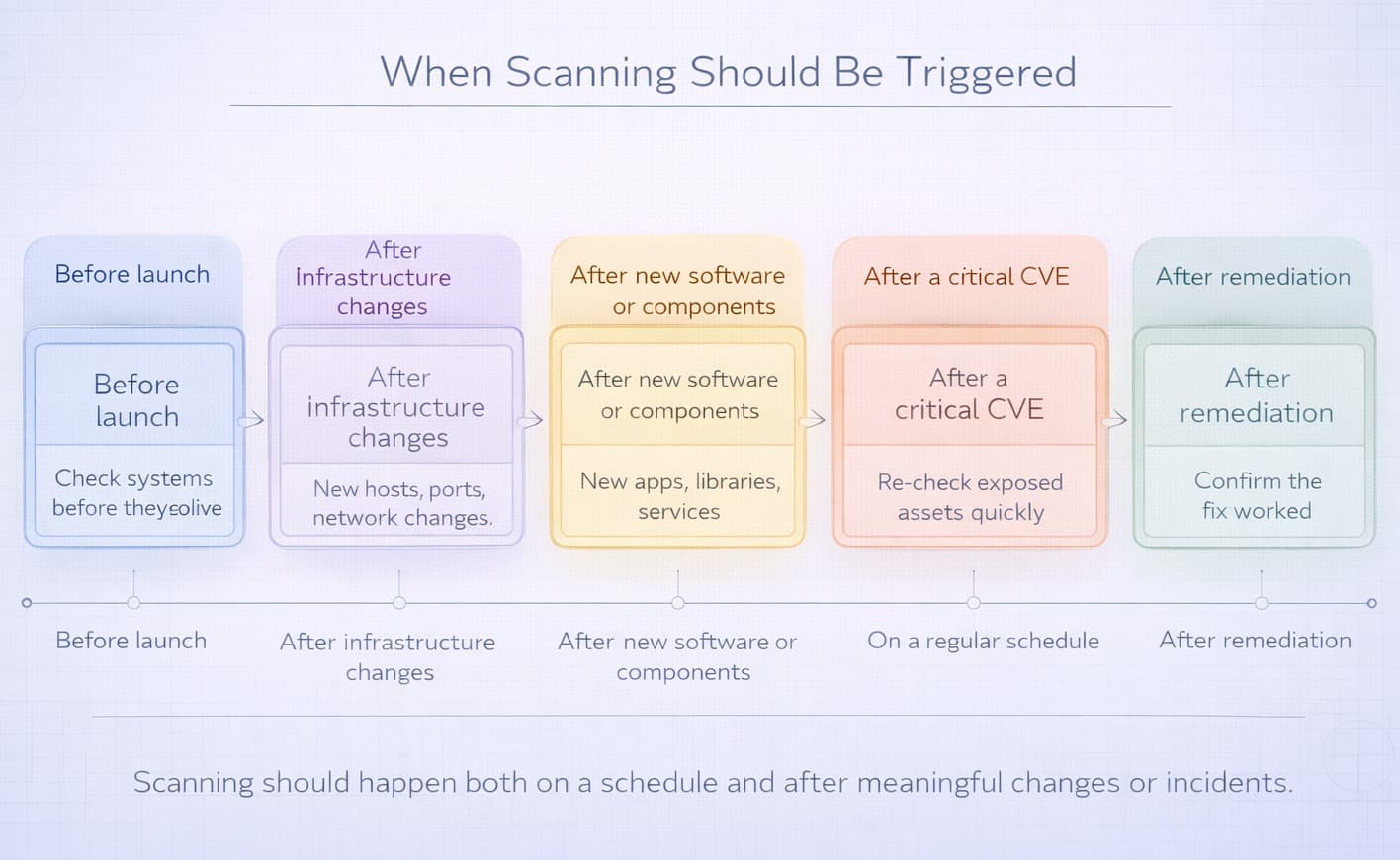
Organizations usually need vulnerability scanning in the following situations:
- before launching a new website, application, or API;
- after major infrastructure changes, such as server migrations, firewall updates, or cloud reconfiguration;
- after deploying new software, plugins, or third-party components;
- after a critical CVE affecting the company’s technology stack becomes public;
- on a regular schedule, for example weekly, monthly, or after each significant release;
- after remediation work, to confirm that the issue was actually fixed.
For example, a company may launch a new customer portal, add a public API, or move part of its infrastructure to the cloud. Each of these changes can introduce new attack paths. A timely scan helps detect exposed services, outdated components, weak configurations, or known flaws before attackers find them.
What Vulnerability Scanning Cannot Do
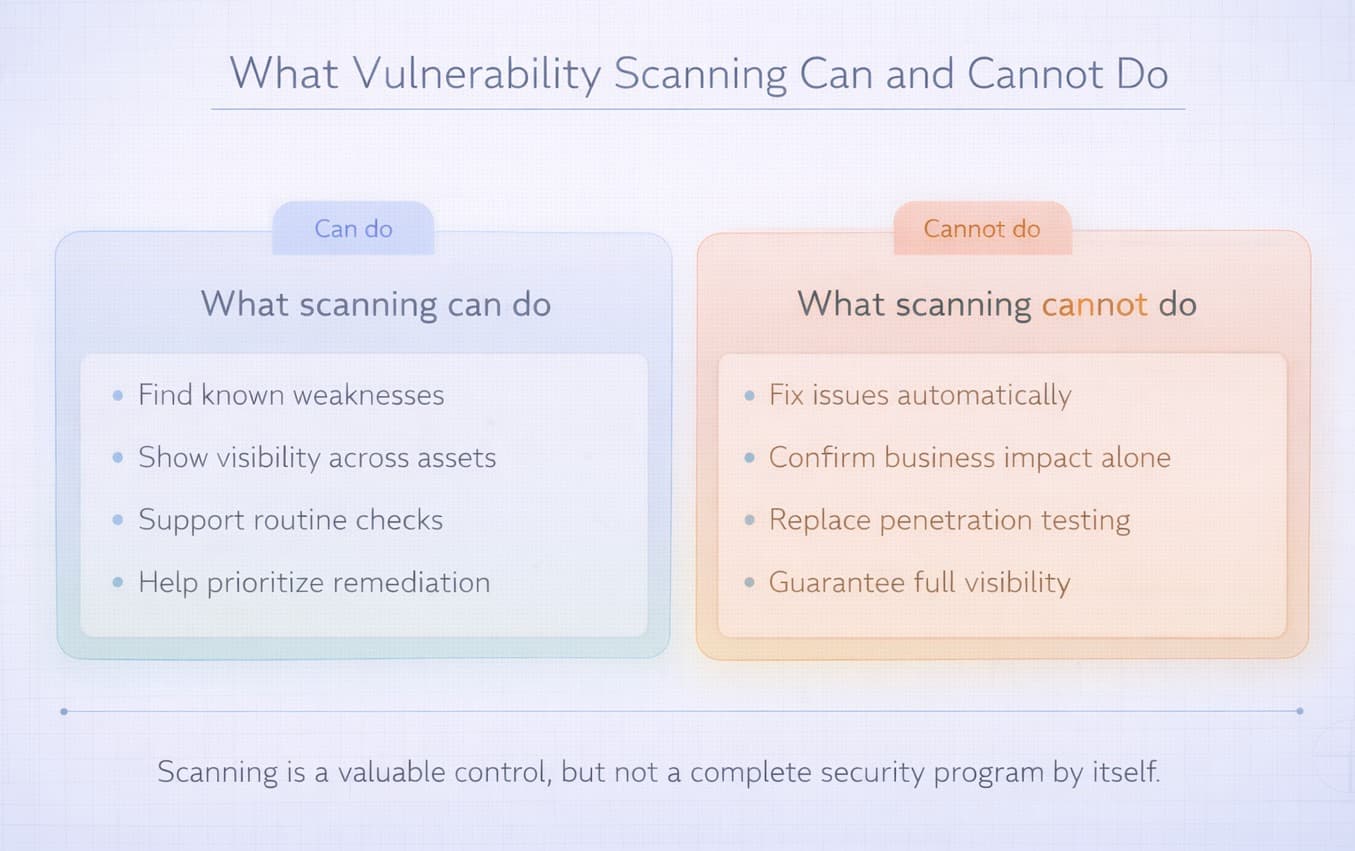
Vulnerability scanning is an important security practice, but it has clear limits. A scanner can help you discover known weaknesses, but it cannot fully protect your systems on its own. To use scan results correctly, organizations need to understand what scanning does not cover.
First, vulnerability scanning does not fix issues automatically. It can show outdated software, weak settings, exposed services, or known flaws, but the actual remediation still has to be done by people. This usually means patching systems, changing configurations, restricting access, or removing unnecessary services.
Second, vulnerability scanning does not confirm real business impact by itself. A scanner may mark an issue as severe based on technical criteria, but remediation priority should also depend on exposure, asset importance, and the likelihood of exploitation in a real environment.
Third, vulnerability scanning does not replace penetration testing. Scanners are designed to detect known weaknesses quickly and at scale. They do not think like an attacker, test chained attack paths, or reveal many business logic flaws that require manual investigation.
Finally, vulnerability scanning does not guarantee complete visibility. It may miss zero-day vulnerabilities, custom application flaws, and issues in assets that were not included in the scan scope. It can also produce false positives, which means security teams still need to validate results before acting on them.
Used correctly, vulnerability scanning gives organizations a strong starting point. But it works best as part of a broader security process that includes validation, prioritization, remediation, and follow-up checks.
Types of Vulnerability Scanning
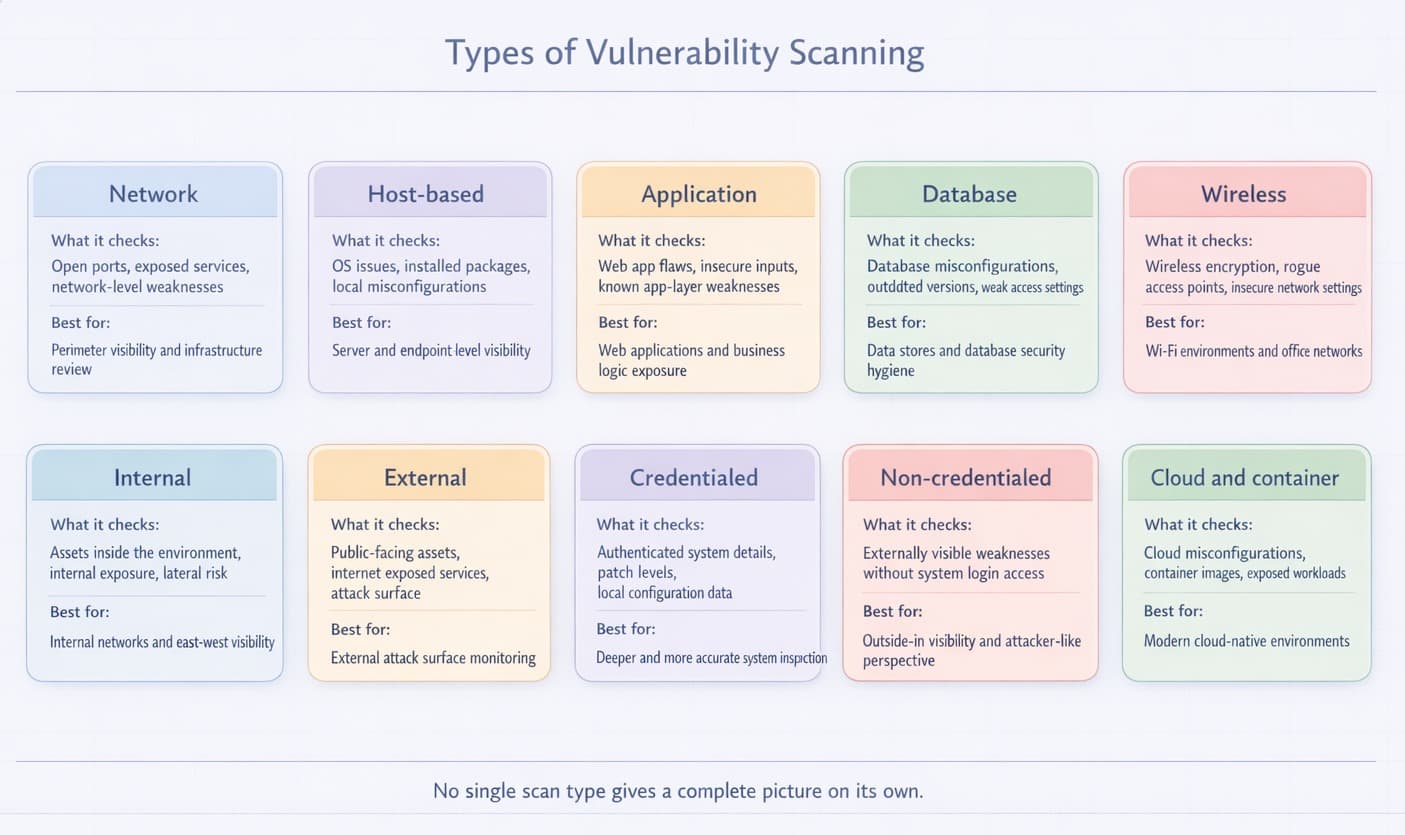
There are different types of vulnerability scans. Each type looks at a specific part of your system or network. Using the right type helps you find more issues and stay secure.
- Network scanning: Checks your network for open ports, exposed services, and other potential entry points. It helps identify devices that may be exposed to attack.
- Host-based scanning: Concentrates on a single device, such as a computer or server. It looks for known threats in the installed software, user accounts, and system settings.
- Application scanning: Examines web applications, software applications, or websites. It identifies vulnerabilities that attackers may exploit to gain access, such as SQL injection or cross-site scripting.
- Database scanning: Checks the setup of your databases. It looks for weak passwords, missing patches, and unsafe settings.
- Wireless scanning: This finds unsafe wireless networks or unknown devices. It protects against attacks through Wi-Fi.
- Internal scanning: Checks assets from inside the organization’s environment. It is useful for finding weaknesses that may not be visible from the public internet but could still be exploited by an attacker who already has internal access. This includes lateral movement risks, unpatched internal systems, and trust relationship issues between assets.
- External scanning: Focuses on assets that are exposed to the internet, such as public IPs, websites, remote access services, and APIs. It helps organizations understand what attackers can see from the outside. This is one of the most important scan types for reducing external attack surface and identifying publicly reachable weaknesses before they are exploited.
- Credentialed scanning: Uses valid login access to inspect systems from the inside. Because the scanner can see more of the system, it can detect missing patches, insecure local settings, outdated software, and other issues that are often invisible in unauthenticated scans. This type usually provides deeper and more accurate results.
- Non-credentialed scanning: Works without logging into the target system. It shows what is visible from the outside and helps identify exposed services, reachable ports, and weaknesses detectable without internal access. While it provides less depth than credentialed scanning, it is useful for understanding attacker-visible exposure.
- Cloud and container scanning: Modern environments often include cloud workloads, storage services, containers, and images. These assets can introduce risks such as misconfigured permissions, exposed storage, vulnerable packages, and insecure deployment settings. Cloud and container scanning help organizations detect these issues in dynamic environments where traditional scanning alone may not be enough.
No single scan type gives a complete picture on its own. In practice, organizations usually combine several of them to improve visibility and reduce blind spots across networks, applications, endpoints, and cloud infrastructure.
Vulnerability Scanning Process
The vulnerability scanning process usually involves several steps. These include planning the scan, running it, and watching the results closely. It also includes deciding which problems are most important to fix first. This whole cycle helps keep systems secure.
For example, a company may scan its internet-facing assets and discover that an outdated VPN gateway is exposed to the internet. The security team then reviews the finding, confirms that the issue is real and exploitable, applies the vendor patch, and runs another scan to verify that the vulnerability has been removed. This is a simple example of how the process works in practice.
- Planning and scope definition. Careful planning is the first step before scanning. Companies should list all the assets they want to assess. They should identify all relevant assets, including IP addresses, domain names, applications, and cloud resources. The next step is to decide which type of scan to perform. This could be an internal scan or an external scan. They can also choose a credentialed scan. Finally, they need to define how often scans will be run.
- Scan execution. Once the team finishes planning, they run the chosen scanner. They may use a network vulnerability scanner or another tool designed for specific systems or applications. During this step, they make sure the scanner can connect to all target systems properly. For credentialed scans, they also provide the necessary permissions so the scanner can inspect the system more deeply.
- Analysis and reporting. After the scan finishes, the real work of analysis begins. Security teams review the raw information the scanner found. They look for false positives, which are issues the scanner flagged but are not actual problems. Then, they prioritize the true vulnerabilities. This ranking is based on how severe the weakness is, often using a standard like CVSS scores. The ranking also considers exploitability and potential business impact. For example, a high CVSS score does not always mean the issue should be fixed first. A vulnerability on an internal system may be less urgent than a medium-severity issue in a public-facing application. Teams also need to validate findings carefully, because some scan results may turn out to be false positives. In practice, the best priorities are based on severity, exposure, and business impact together. Clear and easy-to-understand reports are then created. These reports help technical teams know exactly what they need to fix. It also helps management understand the overall risk profile.
- Remediation and mitigation. Next comes the remediation phase. The team takes direct action to fix the vulnerabilities found during the scan. They apply security updates called patches and upgrade outdated software. They might also adjust system settings and tighten access controls.
- Re-scanning and continuous monitoring. Fixing issues is not the final step. Organizations must run follow-up scans. These re-scans help confirm that the identified vulnerabilities were fixed successfully. Automated security scanning is not a one-time task. It is a continuous cycle. Regular scanning and monitoring are necessary to stay secure in the long run, as new threats appear all the time.
Difference Between Internal and External Vulnerability Scanning
Internal and external scans check different parts of your system. Both are important for full security.
|
Scan Type |
What It Checks |
Best Used When |
Main Advantage |
Main Limitation |
|
Internal scanning |
Internal systems, devices, services, configurations, and assets that are not directly exposed to the internet |
You want to find weaknesses inside the environment, check patch levels, review internal exposure, or reduce lateral movement risk |
Helps detect issues that external attackers cannot see but that may still be exploited after initial access |
Does not show what an outside attacker can see from the internet |
|
External scanning |
Public-facing assets such as websites, APIs, remote access services, public IPs, and exposed ports |
You want to understand your internet-facing attack surface and identify weaknesses visible to attackers from outside |
Helps reduce external exposure and find publicly reachable issues before they are exploited |
Does not provide deep visibility into internal systems or non-public assets |
In practice, organizations usually need both approaches. External scanning helps identify what attackers can see from the internet, while internal scanning helps uncover weaknesses inside the environment that could be abused after initial access.
Advantages of Vulnerability Scanning
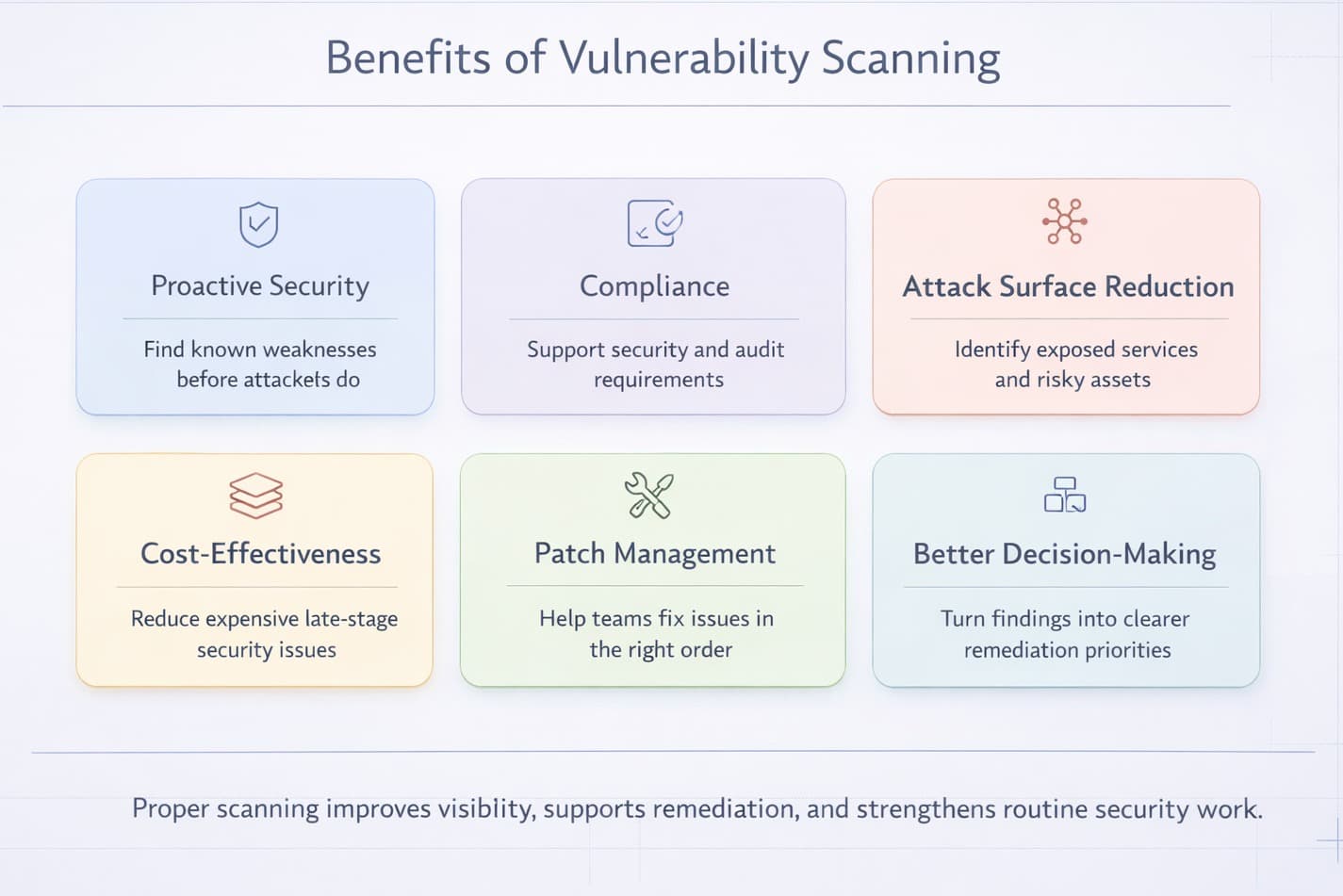
Vulnerability scanning offers several practical benefits. It helps improve security before problems arise. It also helps organizations meet regulatory and compliance requirements.
Here are the main benefits of proper vulnerability scanning:
- Proactive security: Vulnerability scans help organizations identify weaknesses before attackers do. This gives you a chance to fix problems before they can be exploited. It's like finding a small crack in a wall and fixing it before it becomes a big hole.
- Compliance adherence: Many rules and laws demand companies to check their security regularly. For example, standards and regulations such as PCI DSS and HIPAA require organizations to maintain security controls and perform regular checks. Scan cycles help businesses follow these important rules. They can also support broader security practices related to privacy frameworks such as GDPR.
- Attack surface reduction: Every weakness is an open door for an attacker. As you scan and solve these problems on a regular basis, you seal most of these doors. This reduces the attack surface. A reduced attack surface translates to less possibility of getting hacked into your systems.
- Cost-effectiveness: Handling a data breach or a cyberattack is costly. It can lead to data loss, system downtime, and reputational damage. Vulnerability scanning helps prevent many of these costly issues.
- Improved patch management: Scans will allow crystal clear information regarding the systems requiring urgent updates or patches. This assists IT teams to keep their updates in order. They can prioritize the most important fixes first.
- Informed decision-making: Vulnerability scan reports provide a realistic view of your organization’s security posture. This helps leaders make better decisions about where to invest in security. They are able to determine the greatest risks and take steps.
Examples of Vulnerability Scanning Tools
Numerous vulnerability scanners are available that can assist organizations in identifying security flaws. Some examples are the following:
|
Tool |
Best for |
Best used when |
Main strength |
Main limitation |
|
TopScan |
SMB teams that want simpler vulnerability scanning and prioritization |
You need an easier scan workflow with clearer prioritization and less manual overhead |
Combines scanning, asset visibility, and prioritized findings in a simpler workflow |
May be less suitable for teams that need very deep customization or a broader enterprise stack |
|
Nmap |
Network discovery, host detection, and port scanning |
You need to quickly see which systems are reachable and what services are exposed |
Very flexible for identifying live hosts, open ports, and exposed services |
Not a full vulnerability management platform on its own |
|
OpenVAS |
Broad vulnerability scanning with open-source tooling |
You want an open-source scanner with wider security checks and can manage the setup yourself |
Strong open-source option for vulnerability assessment |
May require more setup, tuning, and maintenance effort |
|
Nessus |
Fast vulnerability assessments across systems and applications |
You want readable results and a widely used commercial scanner for regular checks |
Good coverage for missing patches, misconfigurations, and known vulnerabilities |
Still requires a separate remediation process and operational follow-up |
|
Qualys |
Large-scale asset visibility and vulnerability management |
You need broader coverage across many assets and a more centralized workflow |
Strong visibility, reporting, and prioritization across larger environments |
May be too heavy or expensive for smaller teams with simpler needs |
The right tool depends on the organization’s size, environment, and security workflow. Smaller teams often need simpler scanning and clearer prioritization, while larger organizations may need broader asset coverage, deeper reporting, and tighter process control.
Difference Between Vulnerability Scanning, Penetration Testing, and Vulnerability Assessment
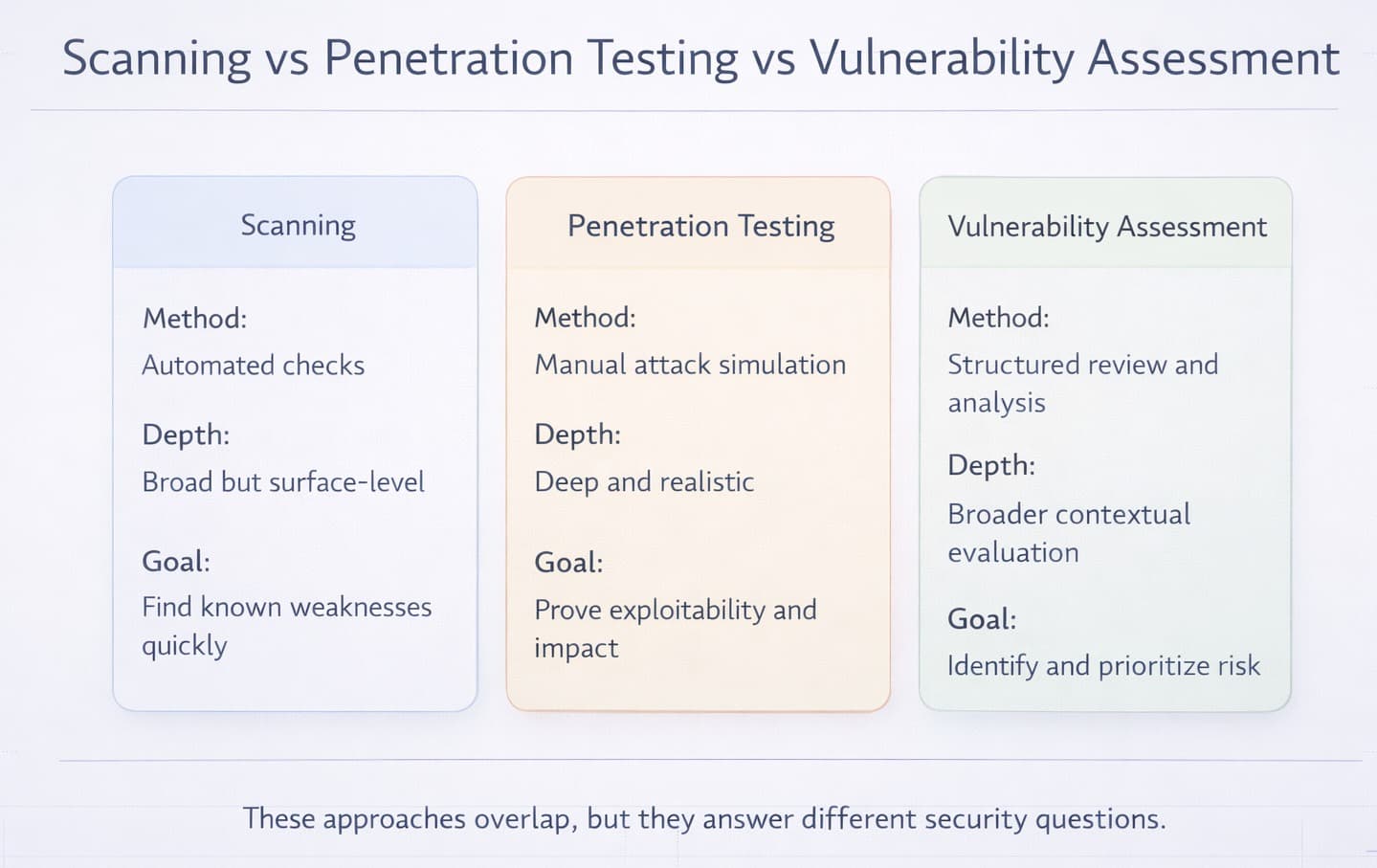
These three terms often get confused, but they are different parts of security. Vulnerability scanning automatically finds known weaknesses. Penetration testing tries to actively use those weaknesses like a real attacker. A vulnerability assessment is a broader process that includes identifying, analyzing, and prioritizing weaknesses.
|
Feature |
Vulnerability Scanning |
Penetration Testing |
Vulnerability Assessment |
|
What it does |
Finds known security weaknesses using automated tools |
Simulates real-world attacks to test defenses |
Reviews and analyzes security risks and gaps |
|
Method |
Automated scanning |
Manual or semi-automated testing by ethical hackers |
Combining scanning with manual review |
|
Depth |
Broad and surface-level |
Deep and targeted |
Medium depth; more detailed than scanning |
|
Main Goal |
Detect known vulnerabilities quickly |
Identify how attackers can exploit vulnerabilities |
Understand and prioritize risks |
|
Time & Cost |
Fast and low cost |
Slower and more expensive |
Moderate in time and cost |
|
Use Case |
Regular security checks and compliance |
Security testing before a major launch or after changes |
Risk management and security planning |
|
Ideal For |
Ongoing monitoring |
Simulating real attacks to test readiness |
Building a full risk picture with business impact insights |
Final Thoughts
Vulnerability scanning is most useful when it leads to action. Finding weaknesses is only the beginning. To reduce risk, organizations need to review scan results carefully, validate the most important findings, fix what matters first, and then confirm that remediation actually worked.
For companies that are just getting started, a simple action plan is often the best approach:
- Build a basic inventory of internet-facing assets, such as websites, APIs, public IPs, and remote access services.
- Run an initial scan to identify visible weaknesses and exposed services.
- Review the results to remove false positives and focus on the findings that create the highest real risk.
- Prioritize remediation based on severity, exposure, and business impact rather than score alone.
- Re-scan after fixes and continue scanning regularly as the environment changes.
Used this way, vulnerability scanning becomes more than a technical check. It becomes part of a repeatable security process that helps organizations improve visibility, reduce exposure, and respond to risk in a more structured way.