
Attack Surface Management
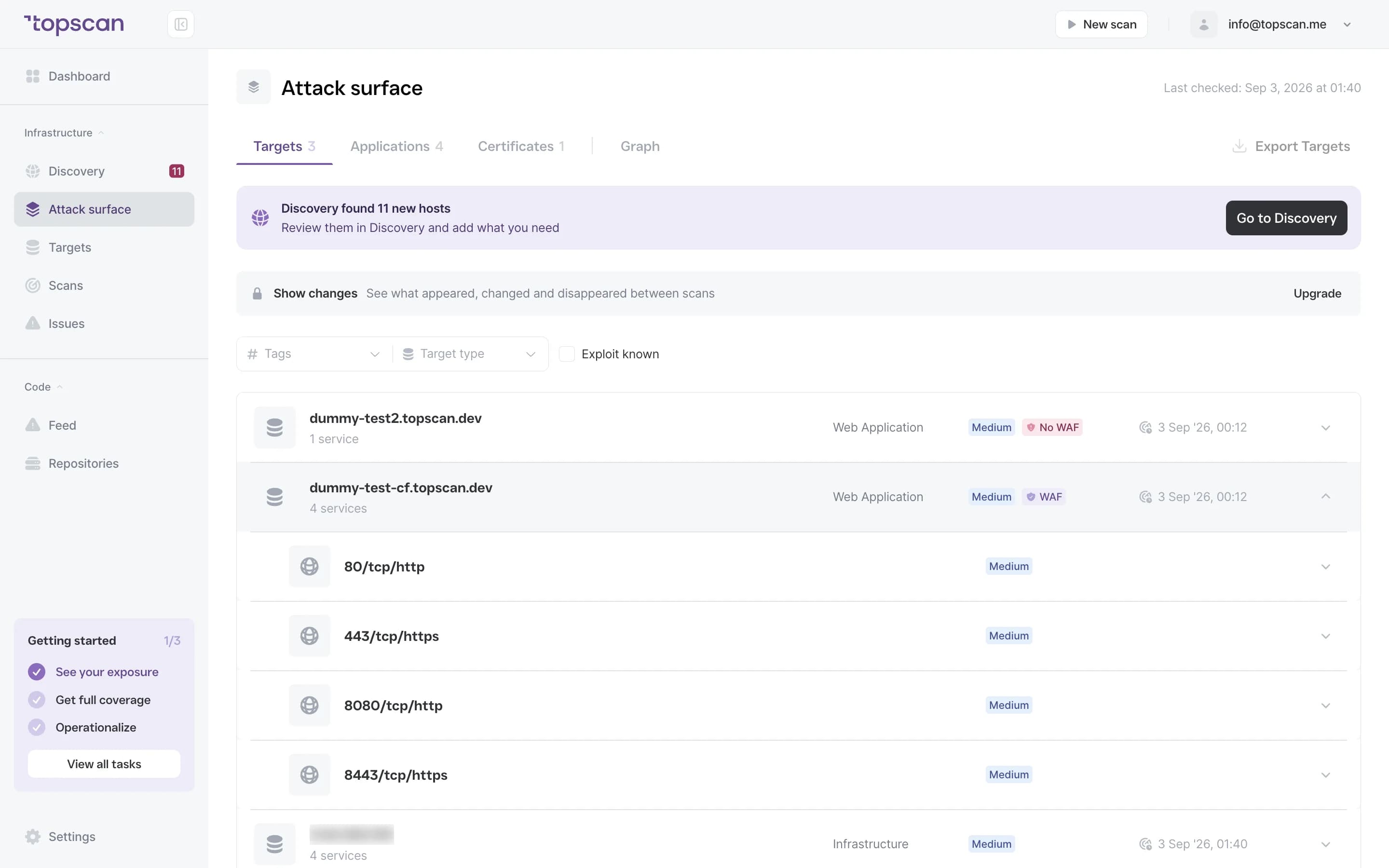
One current view of everything you expose to the internet: which hosts exist, what runs on them, how their TLS looks, and a timestamped record of how that changed.
14 days of the full Advanced plan · no card required · first results in 5–10 minutes
- Ports
- Running services
- Technologies
- TLS status
- Activity log
what every confirmed target carries in its profile
Security Challenges
Every Team Faces
What happens in practice
A deployment exposes a service that was meant to stay internal
A certificate expires and users notice before the team does
Nobody can say what the perimeter looked like last month
An audit asks for activity history that was never recorded
Leadership asks for status and assembling the answer takes a week
How Topscan handles it
Discovery finds the hosts tied to your domains and connected cloud accounts
Every confirmed target gets a profile: ports, services, technologies, TLS
Scheduled rescans keep that profile current
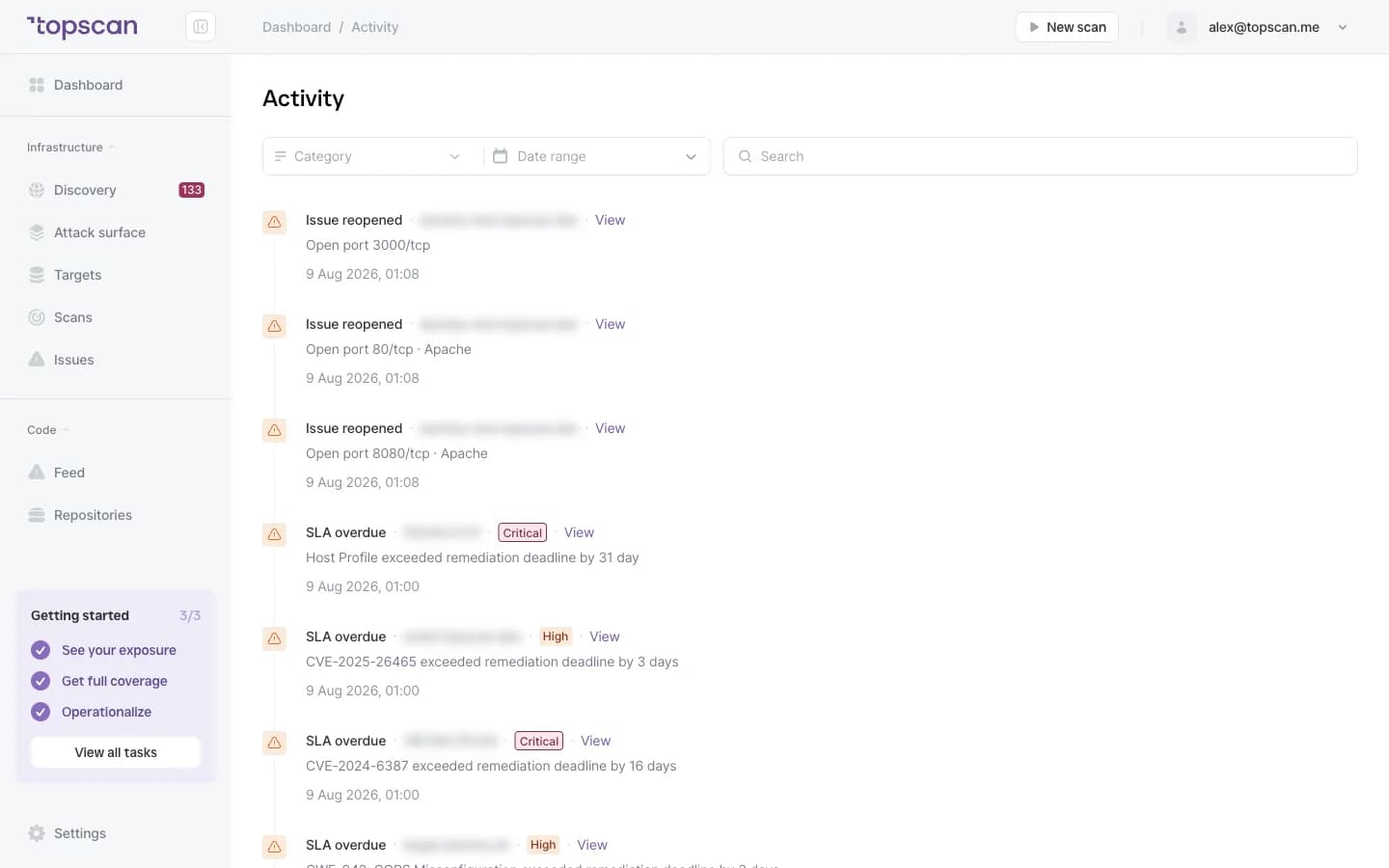
Findings and changes are timestamped in an activity log
Reporting turns that history into something you can hand to an auditor
How Attack Surface Management Works
Step 1
Add a target
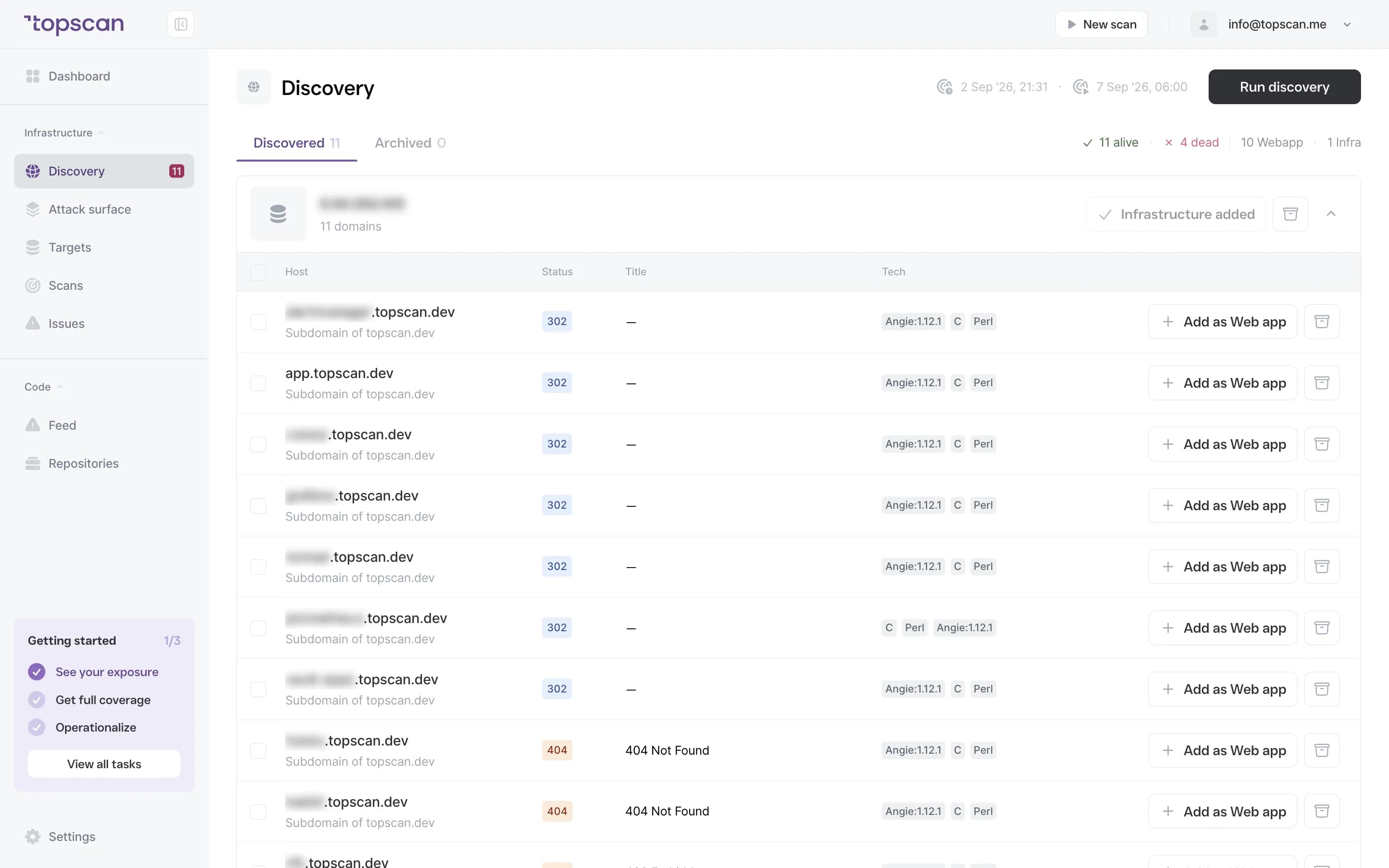
Start with a domain or an IP. Topscan maps your external environment outward from it — no manual asset list required.
- Domain & IP input
- Automatic discovery
- No inventory setup
Step 2
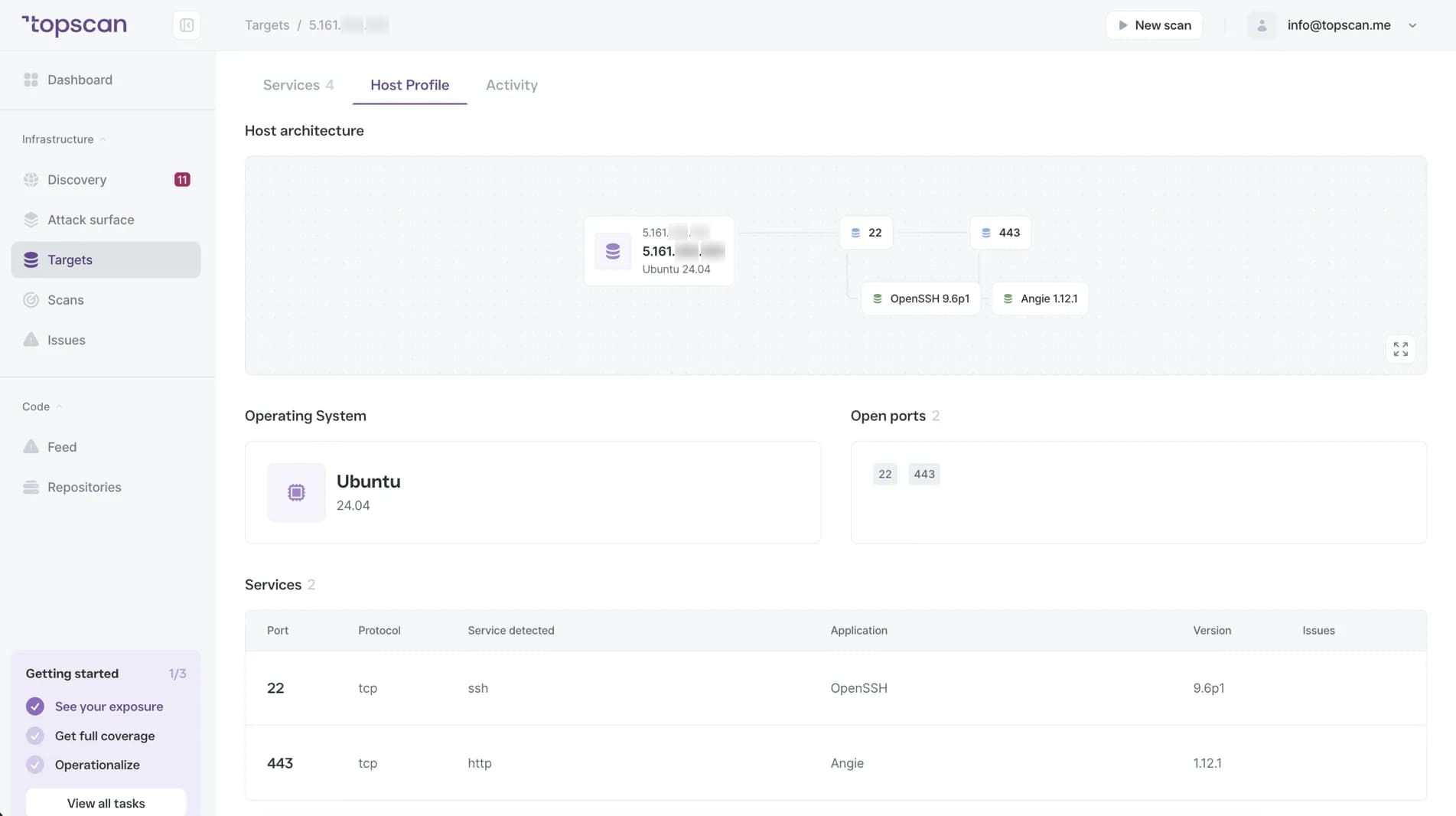
Build the host view
On the hosts you have confirmed, Topscan checks open ports, running services, detected technologies and TLS status, and puts them in one profile. Discovery itself never touches ports — that happens only on targets you approve.
- Open ports
- Running services
- Technologies
- TLS status
Step 3
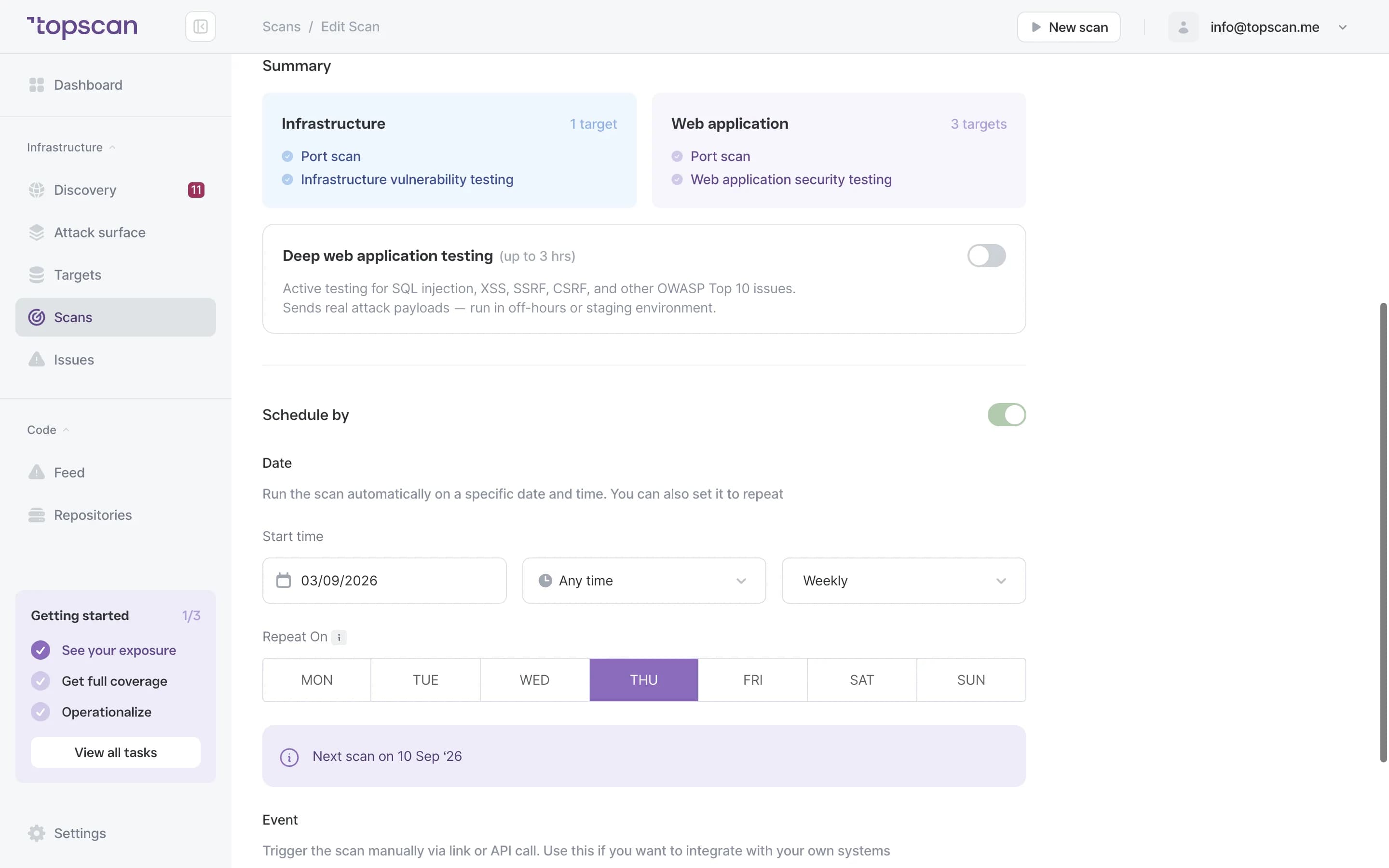
Rescan on a schedule
Targets are rechecked on a recurring schedule, so the profile reflects the infrastructure as it is now rather than as it was when you added it.
- Scheduled scanning
- Timestamped events
- New-asset reporting
Step 4
Use the history
The activity log gives you a dated trail of what was exposed and when. That is what answers an audit question, and what turns a status update to leadership into a five-minute job instead of a week of assembly.
- Activity log
- Historical host data
- Reporting
- Audit support
Features & Capabilities in one view
Host Profile
Ports, services, technologies and certificate status for each confirmed target, in one place, without gathering it by hand.
SSL/TLS tracking
Certificate dates on every discovered host, so an expiry is a warning rather than an outage. The oldest we have seen still serving traffic was two years past expiry.
Activity log
A timestamped record of external changes and findings — the artefact an auditor asks for and nobody keeps by hand.
Scheduled external scanning
Recurring checks on confirmed targets, so the picture stays current between pentests.
Who Topscan Is Built For
CTO
One view of what is exposed and what changed, without adding another fragmented workflow.
Head of DevOps
Track internet-facing assets across accounts as services and endpoints keep changing.
Senior DevOps Engineer
Find forgotten services and keep monitoring tied to the infrastructure as it actually is.
Tech Lead preparing for an audit
Use dated records and reporting to support SOC 2 or ISO 27001 preparation. Your auditor should confirm applicability.
Integrate scans into your pipeline
Trigger a scan from your own pipeline and get findings where your team already reads them.
 GitHub
 GitLab
 Slack
Slack Jira
Jira AWS
AWS- CI/CD webhook
Fair pricing for your security
One subscription covers the attack surface, your web apps and your code — against buying an ASM tool, a DAST tool and a code scanner from three vendors.
Basic
$129/ month
For small teams without cloud infrastructure — one DevOps or CTO who owns security among other things.
- 3 infrastructure hosts — an IP, a hostname or a subdomain
- 1 web application tested while it’s running
- 10 repositories scanned by SAST
Advanced
14 days free trialBest value$269/ month
For companies of 20–60 with AWS infrastructure and active CI/CD.
- 8 infrastructure hosts, 2 web applications, 20 repositories
- AWS integration — cloud assets discovered automatically
- Slack routing and Jira tickets for findings
Pro
$449/ month
For companies of 30–100 with mature DevOps, first enterprise customers and audit requirements.
- 15 infrastructure hosts, 4 web applications, 40 repositories
- Custom SLA by severity and per target, Severity Override with an audit trail
- Two-way CI/CD webhook and Attack Surface change tracking with alerts
You pay for what you monitor — not for seats, scans or findings
Discovery costs nothing: it maps your whole footprint and a licence is used only when you put a host under monitoring. Scans are never billed, so a weekly schedule costs the same as a monthly one, and the whole team reads findings on any paid plan — developers, whoever tracks remediation, and read-only seats for auditors.
In every paid plan
- External infrastructure scanning
- Static code analysis, all supported languages
- Remediation history with dates
- Role-based access control
- Attack Surface and Security Score
- Dependency scanning (SCA)
- CI/CD webhook to trigger a scan
- Unlimited scans and users
- Web application scanning
- Statuses, SLA and snooze on every finding
- Email alerts
- Free read-only seats for auditors
Walk through it before you sign up
Five clicks through the real product. No form, no demo call.
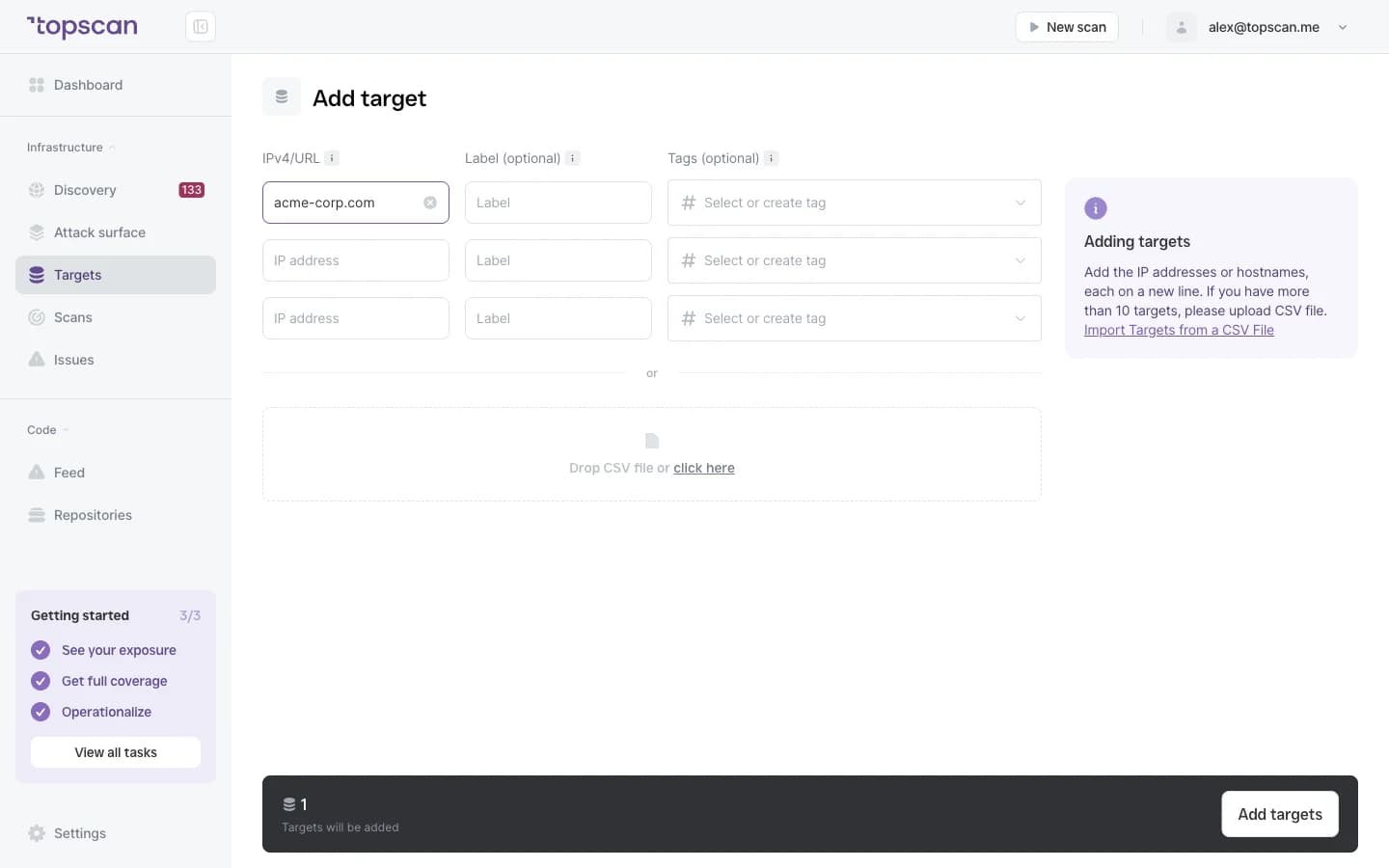
Step 1 · Add a domain
One domain is enough to start the map.
Step 1 of 5 — click the highlighted spot
FAQ
Topscan builds on the best in class scanning engines
Still have questions?
Contact usFind vulnerabilities before attackers do
Add one domain and see what answers. 14 days of the full Advanced plan, no card.
14 days of the full Advanced plan · no card required