
Static Application Security Testing
The cheapest vulnerability to fix is the one caught the day it was written. Topscan rescans your repository every time it changes, points at the exact line, and says what to do about it — without a security team to triage the output.
- Go
- Python
- JavaScript
- TypeScript
- Java
- C#
- PHP
- Ruby
- C/C++
- Kotlin
- Scala
- Rust
- Swift
plus Terraform, Dockerfile, YAML and other configs · Secrets in any file · Dependencies in every major ecosystem
Security Challenges
Every Team Faces
What happens in practice
The vulnerability was introduced in March and found in an audit in September
A scanner was tried once, produced hundreds of findings, and was never opened again
A secret gets committed, then rotated in a hurry, and the commit stays in history
Reviews catch logic, not injection paths — that’s not what human review is good at
There’s no security engineer to sort real findings from noise, so nobody sorts
How Topscan handles it
Code is rescanned when it changes, while the change is still in someone’s head
Findings name the file, the line and the fix — not a category and a severity
Results are ordered so the list can be worked through, not just read
Committed keys and tokens are flagged by a dedicated secret scanner, whatever file they land in
The same subscription covers code, cloud and attack surface, so this isn’t a separate purchase
How SAST Works
Step 1
Connect the repository
Connect GitHub or GitLab with an access token — self-managed GitLab included. Scans then run where your work already happens.
- Access token
- Read-only access
- Self-managed GitLab
- No agent
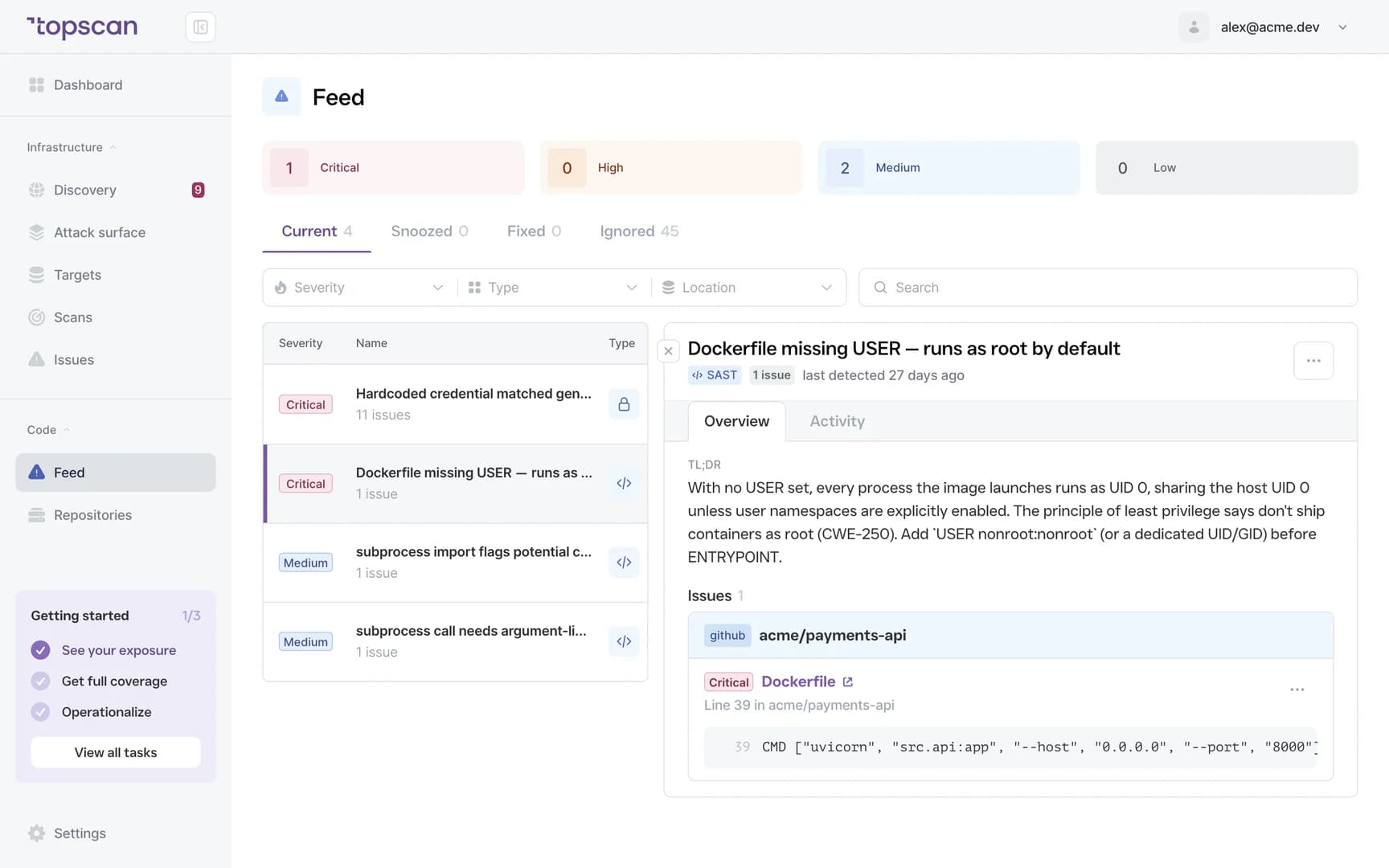
Step 2
Scan on the change, not on the calendar
Run a scan with one click, or let it run itself — on every commit, or once a day. The issues update without anyone remembering to press the button — feedback arrives while the author still remembers why the code looks like that.
- On demand
- On commit
- Daily
- Unlimited scans on paid plans
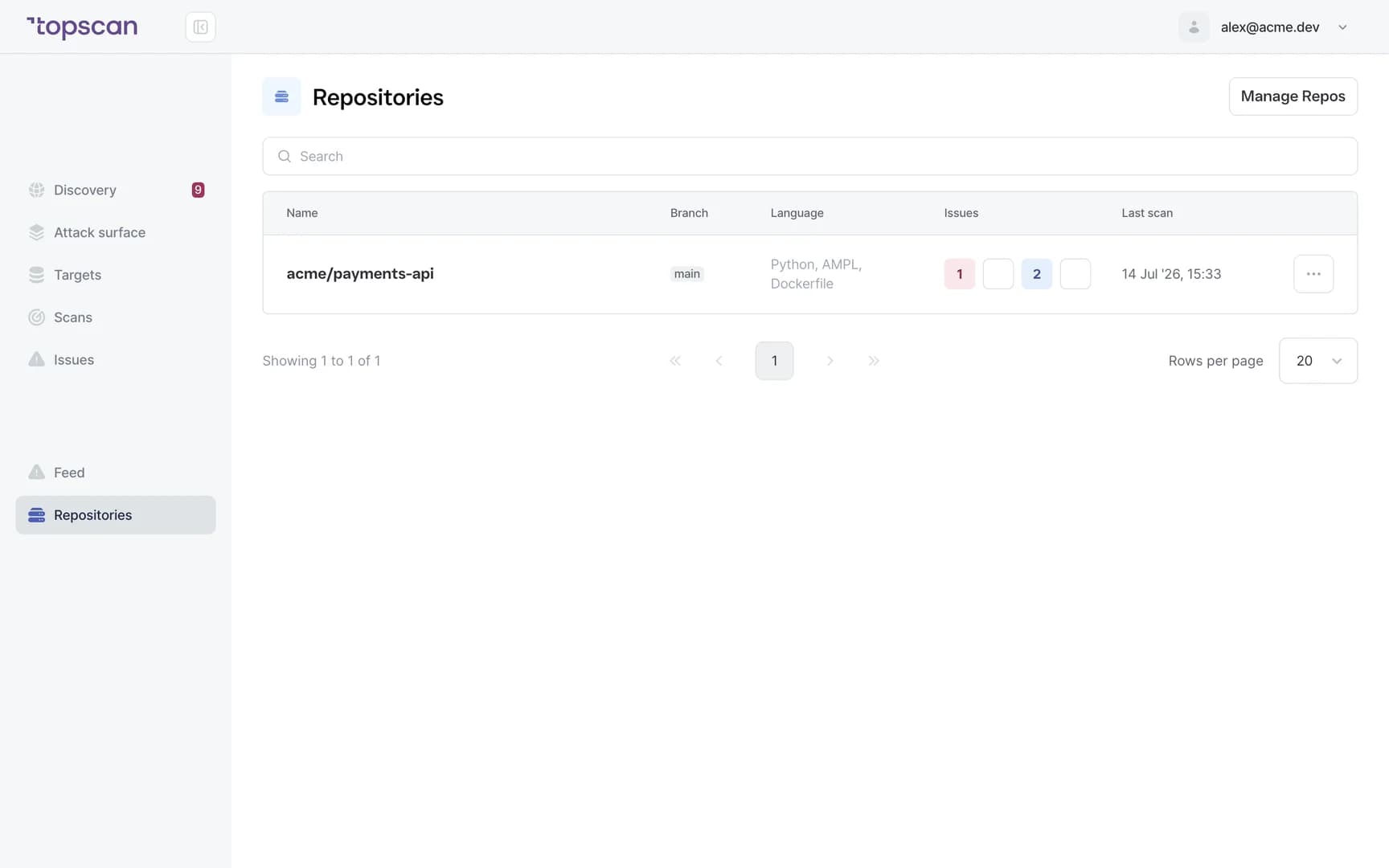
Step 3
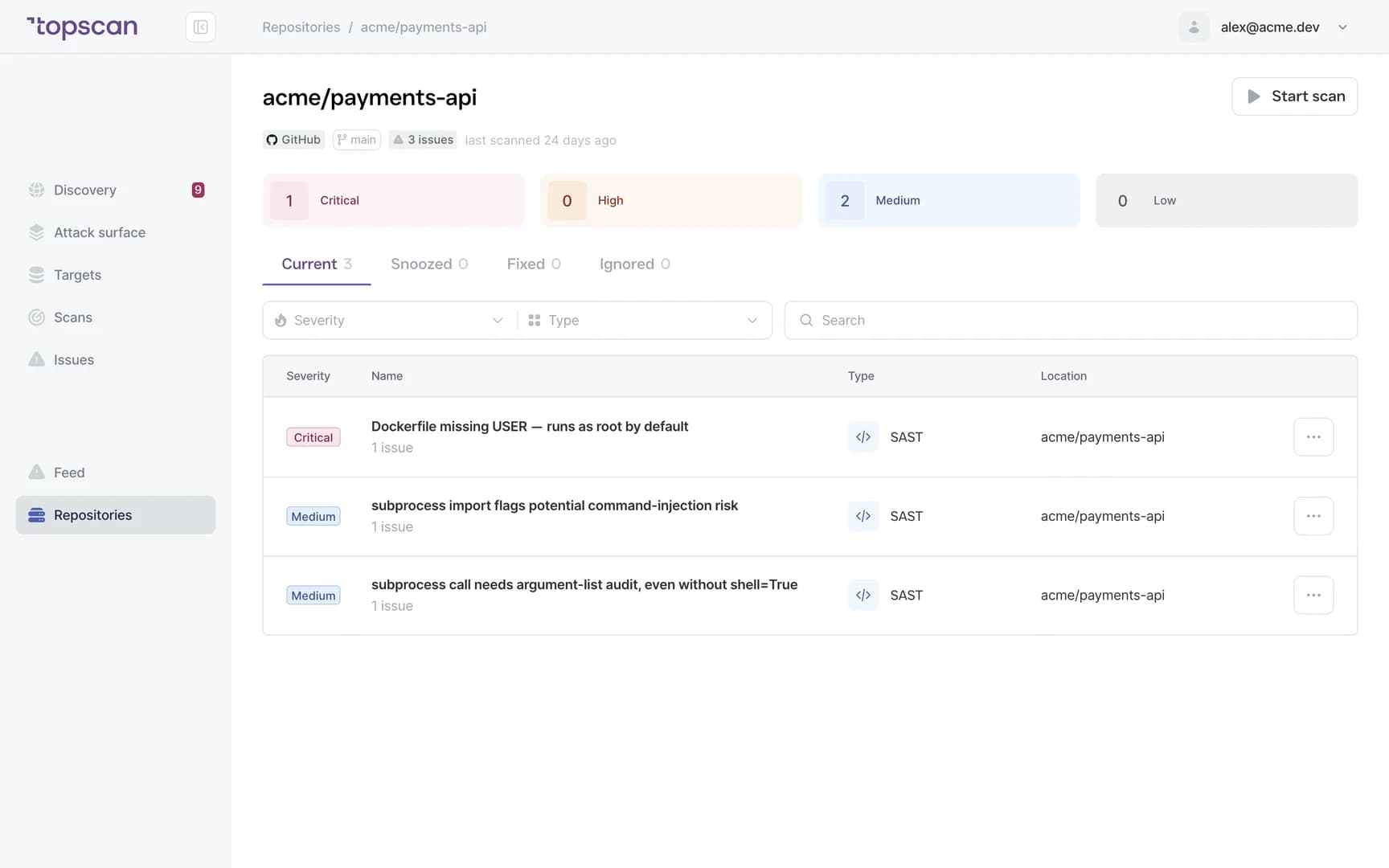
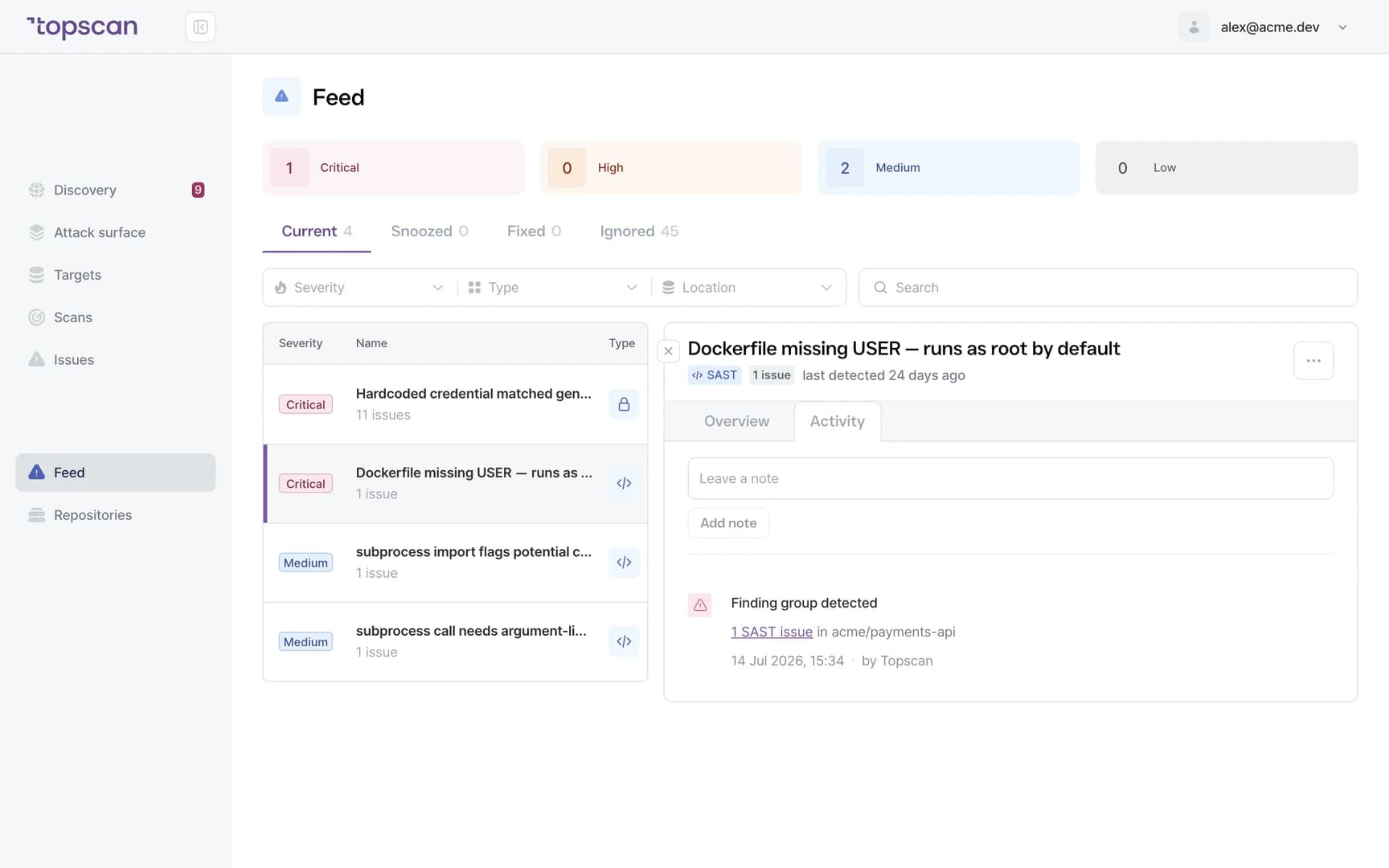
Read a finding that points at a line
Every result carries the vulnerability type, the affected file and code location, the severity in the context of your code, and what to change. That’s the difference between a report and a task.
Noise is handled before you see it: an auto-ignore layer filters out false positives and low-value findings, and severity is adjusted to context — a finding in test code or a dev-only dependency isn’t scored like one on a production path, and every downgrade states its reason.
- File & line
- Vulnerability type
- Severity
- Remediation guidance
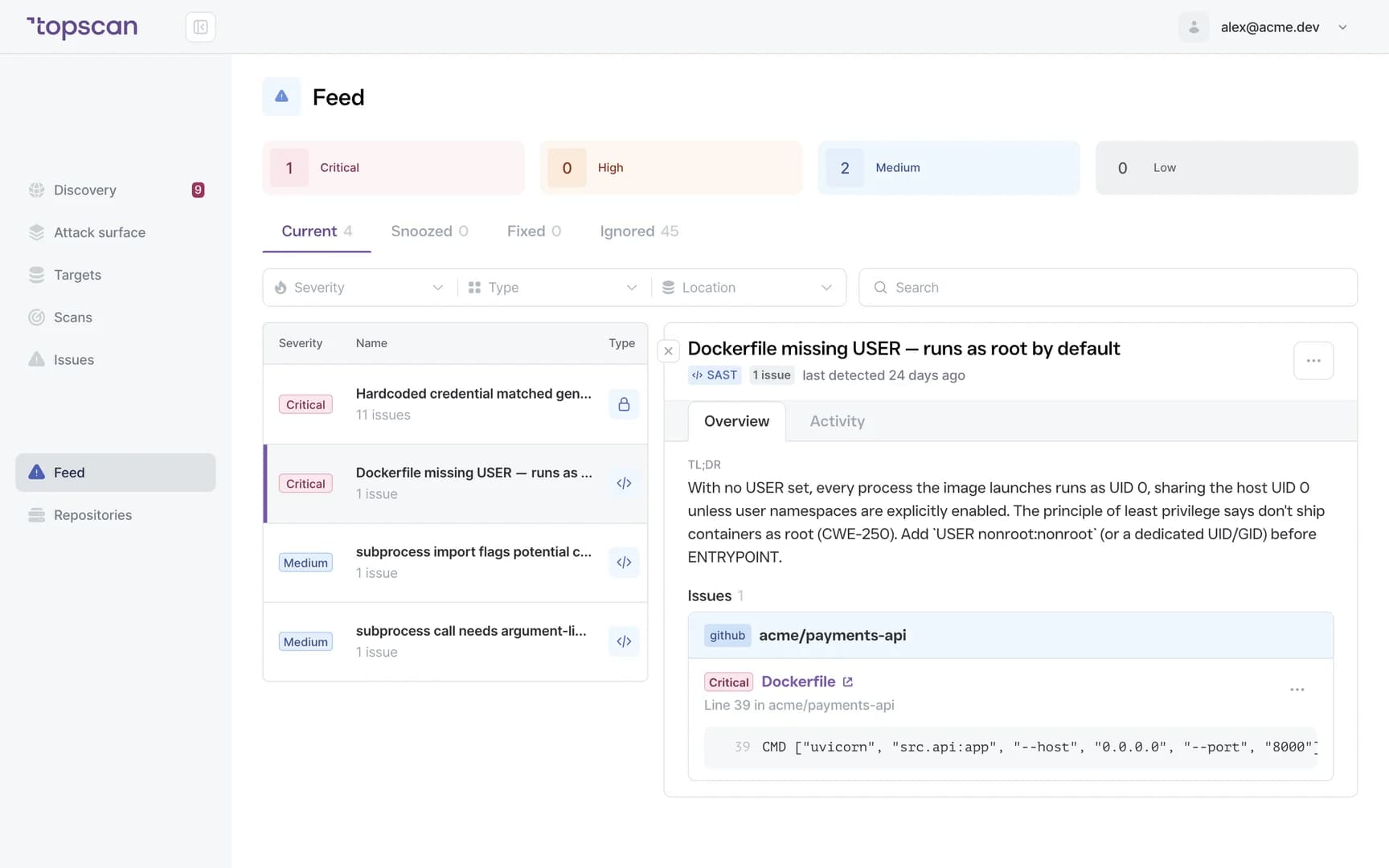
Step 4
Keep the history, not just the alert
Open findings, remediation progress and recurring patterns stay visible over time, so “we fixed that” becomes a record with a date. The same history feeds the evidence an auditor asks for — details on the Security Compliance Reporting page.
- Open findings
- Remediation progress
- Recurring patterns
- History
Features & Capabilities in one place
Checks that map to how code actually breaks
Injection paths, authentication and access-control mistakes, insecure coding patterns, committed secrets, unsafe dependencies, and the OWASP Top 10 categories those fall into.
Scans that run themselves
Connect the repository once; every time the branch updates, the issues refresh. On paid plans scans are unlimited, so nobody has to ration them — the list simply reflects the code you ship today, not the audit from last quarter.
Findings developers can act on
File, line, type, severity and fix. A developer can confirm the finding without asking what the tool meant.
One subscription with the rest of the perimeter
Code, cloud and external attack surface in one place — the same reason a small team can run this at all.
Who Topscan Is Built For
CTO without a security hire
Introduce secure-coding checks without creating a function to run them.
Engineering Manager
Catch injection paths and access-control mistakes the day they land, when fixing them costs an hour instead of a release.
Senior developer who ended up owning security
Get findings that point at a line, so the work is fixing code rather than interpreting a report.
Teams preparing for an audit
Show regular code scanning and a dated remediation record. Your auditor should confirm applicability.
Runs inside the workflow you already have
Scans run where the code lives — GitHub or GitLab — and findings reach the team in Slack or Microsoft Teams. The same subscription connects your AWS account for the rest of the perimeter. Details on the Integrations page.
 GitHub
 GitLab
 Slack
Slack MS Teams
 AWS
AWS
Fair pricing for your codebase
SAST isn’t sold separately here. The same plan that scans your repositories also watches the infrastructure and web apps they get deployed to — which is why one small team can afford to run all three.
Basic
$129/ month
For small teams without cloud infrastructure — one DevOps or CTO who owns security among other things.
- 10 repositories scanned by SAST — unlimited scans
- 3 infrastructure hosts — an IP, a hostname or a subdomain, scanned from the outside
- 1 web app tested while it’s running
Advanced
14 days free trialBest value$269/ month
For companies of 20–60 with AWS infrastructure and active CI/CD.
- 20 repositories, 8 infrastructure hosts, 2 web apps
- AWS integration — cloud assets discovered automatically and rescanned when they change
- Chat routing — findings pushed to Slack or Microsoft Teams
Pro
$449/ month
For companies of 30–100 with mature DevOps, first enterprise customers and audit requirements.
- 15 infrastructure hosts, 4 web applications, 40 repositories
- Custom SLA by severity and per target, Severity Override with an audit trail
- Two-way CI/CD webhook and Attack Surface change tracking with alerts
You pay for what you monitor — not for seats or scans
Scan as often as you like: on every commit, once a day, or on demand — the number of scans is never billed. And the whole team reads findings on any paid plan: developers, the manager tracking remediation, and read-only seats for auditors all cost nothing extra. No per-developer maths before you can roll this out.
In every paid plan, alongside SAST
- External infrastructure scanning
- Dependency scanning (SCA)
- CI/CD webhook to trigger a scan
- Attack Surface and Security Score
- Statuses, SLA and snooze
- Email alerts
- Web application scanning
- Remediation history with dates
- Role-based access control
Walk through it before you sign up
Five clicks through the real product — from connecting a repository to the dated record an auditor can read. No form, no demo call.
Step 1 · Connect
Point Topscan at a repository. GitHub or GitLab, self-managed included, connected with a read-only access token.
Step 1 of 5 — click the highlighted spot
FAQ
Topscan builds on the best in class scanning engines
Still have questions?
Contact usCatch it the day it lands, not in the audit
Connect one repository. The first scan runs on your existing code, and it costs nothing to look.