
Notifications & Alerting
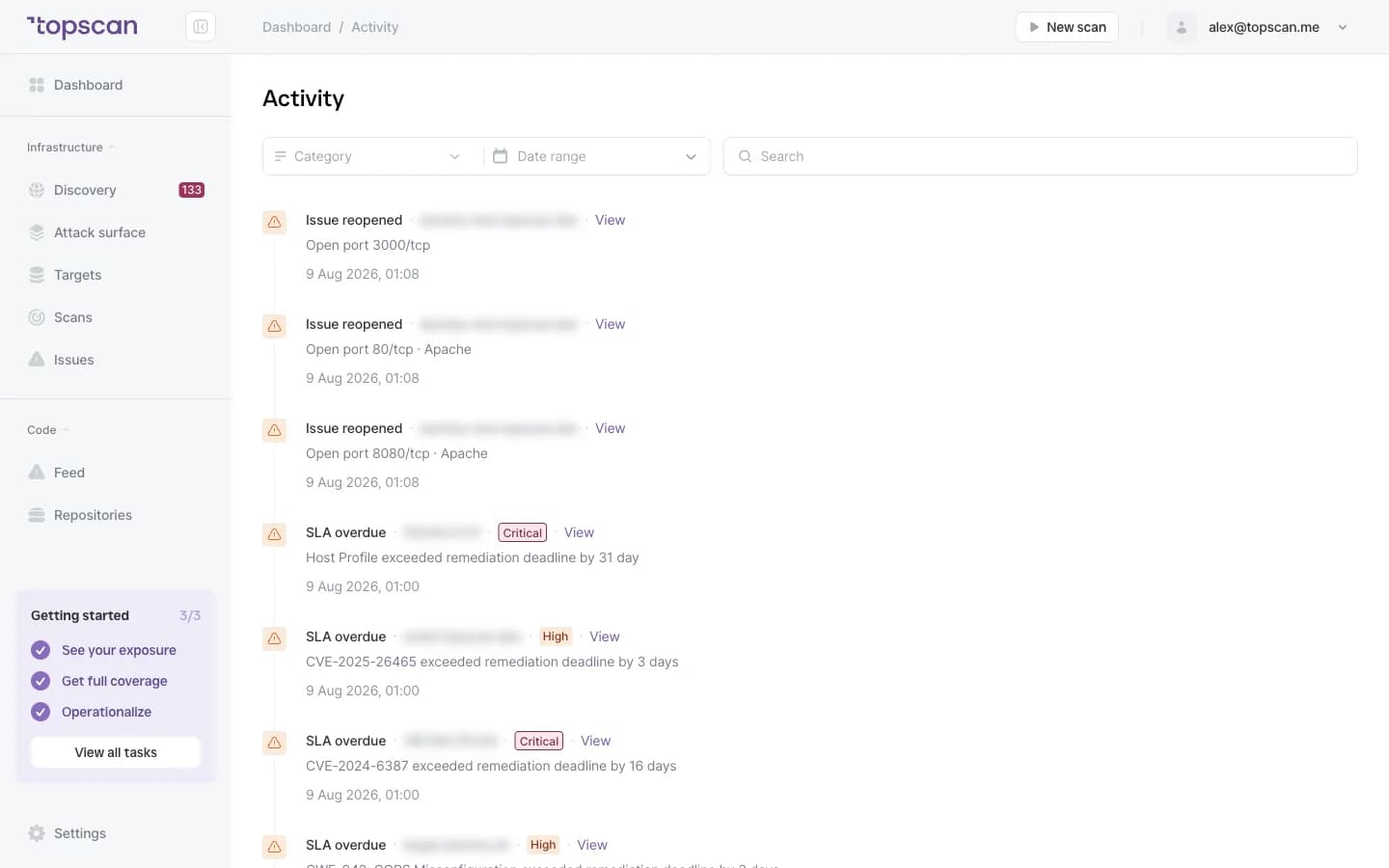
Most weeks there is nothing to tell you, and that's the point. Topscan stays quiet until something actually changed on your perimeter — a new finding, a severity that moved, an issue that came back, a deadline that passed — and then it says so in the channel you already read.
14 days of the full Advanced plan · no card required · first results in 5–10 minutes
- New finding
- Severity changed
- Reopened
- SLA overdue
the events that raise an alert today
Security Challenges
Every Team Faces
What happens in practice
A finding lands in a dashboard, and the dashboard gets opened next quarter
The problem surfaces through a customer email instead of a scan
An issue was closed, came back with the next release, and nobody noticed
A remediation deadline passes quietly
Every tool wants a channel, so the team mutes all of them
How Topscan handles it
New findings reach your channel while they're still cheap to fix
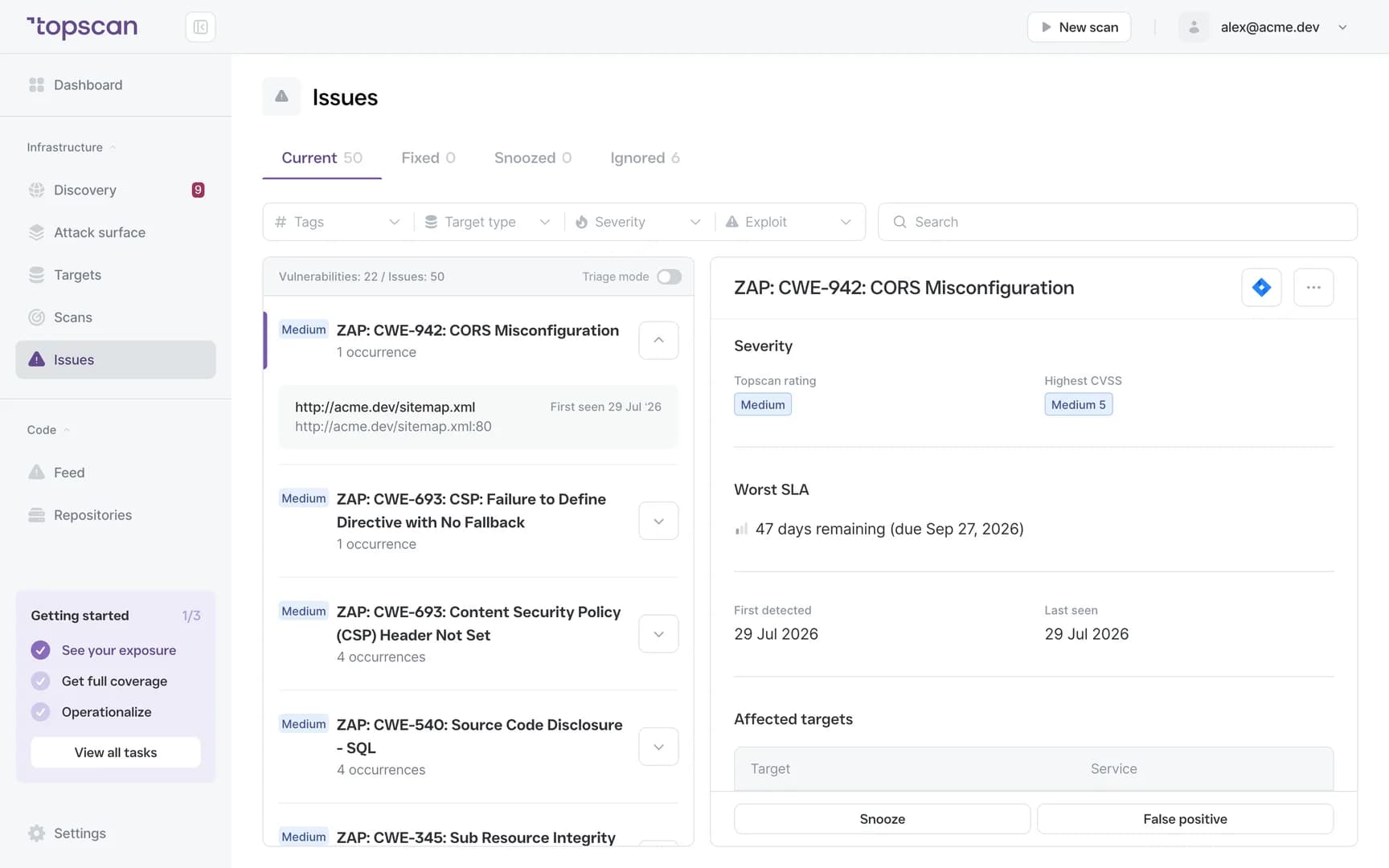
Alerts carry the affected asset, the type, the severity and a direct link
A reopened issue is flagged as reopened, not as new
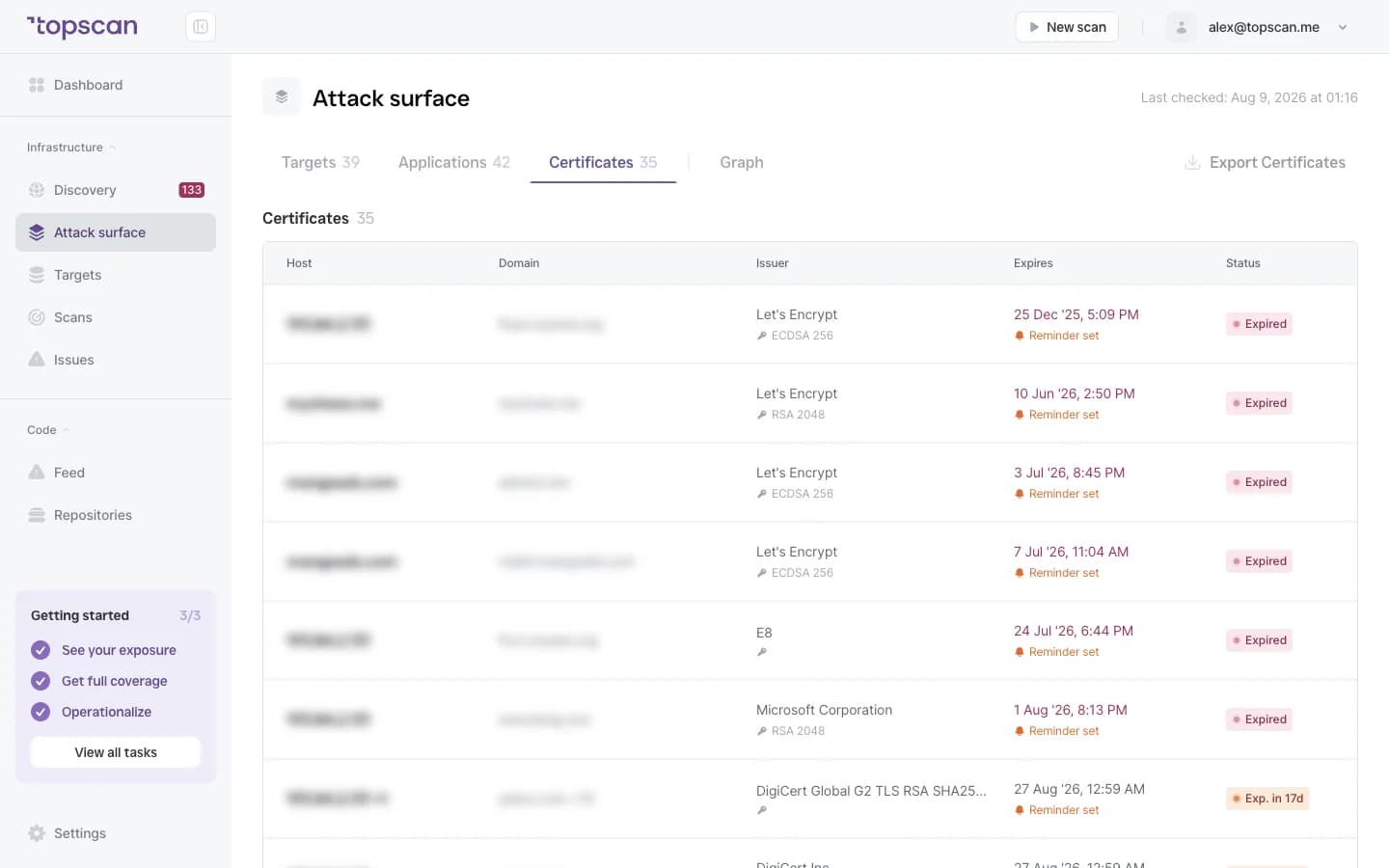
Overdue remediation deadlines are surfaced on their own
Alerts fire on change, so a standing list of open items doesn't generate daily noise
How Alerting Works
Step 1
Choose the events worth an interruption
Four things raise an alert today: a newly detected vulnerability with the scan that found it, a severity that changed, an issue that reopened, and a remediation deadline that passed. You pick which of them travel, and where.
- New finding
- Severity change
- Reopened
- SLA overdue
Step 2
Send it where the team actually looks
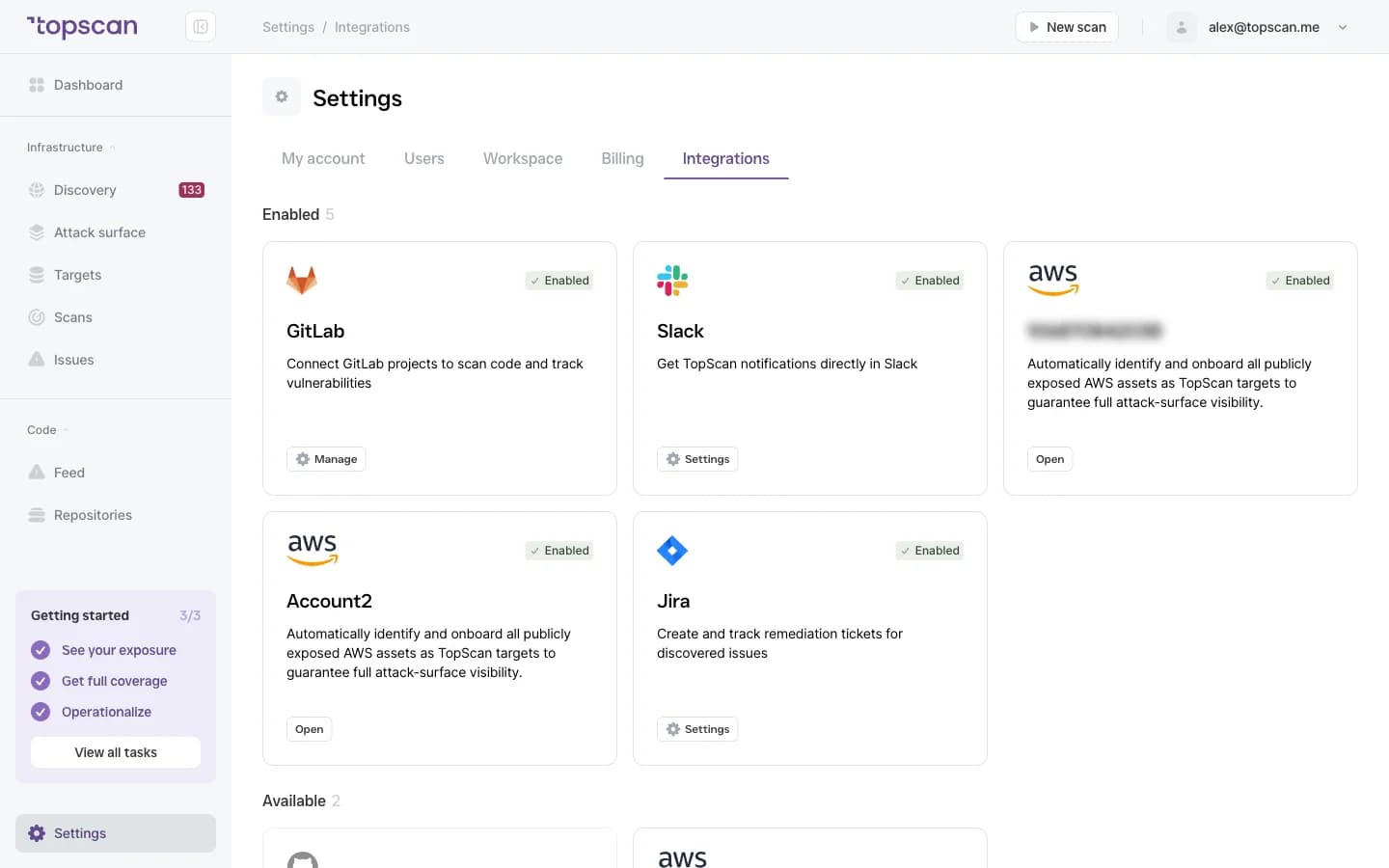
Email reaches everyone; Slack reaches the channel the team already has open. Email alerts are on every plan, Slack starts on Advanced.
- Email on every plan
- Slack from Advanced
Step 3
Get the finding, not a notification about a finding
Every alert carries what's needed to act: the affected asset or URL, the type of issue, the severity, the current remediation status and a direct link. No raw scanner output, and no report that has to be opened to find out whether it matters.
- Affected asset & URL
- Issue type
- Severity
- Direct link
Step 4
Deadlines that don't slip quietly
A passed deadline is its own event, so an issue can't age out of everyone's attention just because it stopped being new. Overdue items are surfaced separately from the stream of new findings.
- SLA overdue
- Reopened flagged
- Change, not existence
Features & Capabilities in one place
Alerts on what changed, not on what exists
The trigger is a change: a new finding, a severity that moved, an issue that came back. A standing list of open items doesn't generate a message every day.
Overdue remediation surfaced separately
A deadline that passed is its own event, so an issue can't disappear into a long list just because it stopped being new.
A reopened issue is marked as returning
Recurrence is information. An issue that comes back is flagged as the same issue rather than arriving as something new.
Alerts that carry the work
Asset, type, severity, status and a direct link — enough to act without opening another tool.
Who Topscan Is Built For
Head of DevOps
Hear about a new exposure the week it appears, in the channel your team already watches.
Senior DevOps / Platform Engineer
Know when a deadline passed or an old issue came back, without checking.
CTO
Know that nothing is waiting in a dashboard for someone to open it.
Teams preparing for an audit
Overdue remediation and reopened issues are surfaced as they happen, so the record you hand an auditor doesn't need reconstructing. Your auditor should confirm applicability.
Alerts arrive where your team already looks
Email on every plan, Slack from Advanced. The same destinations as the rest of Topscan.
 GitHub
 GitLab
 Slack
Slack Jira
Jira AWS
AWS- CI/CD webhook
Fair pricing for your team
Email alerts are part of every plan. Slack routing starts on Advanced at $269 a month, together with Jira and AWS.
Basic
$129/ month
For small teams without cloud infrastructure — one DevOps or CTO who owns security among other things.
- 3 infrastructure hosts — an IP, a hostname or a subdomain
- 1 web application tested while it’s running
- 10 repositories scanned by SAST
Advanced
14 days free trialBest value$269/ month
For companies of 20–60 with AWS infrastructure and active CI/CD.
- 8 infrastructure hosts, 2 web applications, 20 repositories
- AWS integration — cloud assets discovered automatically
- Slack routing and Jira tickets for findings
Pro
$449/ month
For companies of 30–100 with mature DevOps, first enterprise customers and audit requirements.
- 15 infrastructure hosts, 4 web applications, 40 repositories
- Custom SLA by severity and per target, Severity Override with an audit trail
- Two-way CI/CD webhook and Attack Surface change tracking with alerts
You pay for what you monitor — not for seats, scans or findings
Discovery costs nothing: it maps your whole footprint and a licence is used only when you put a host under monitoring. Scans are never billed, so a weekly schedule costs the same as a monthly one, and the whole team reads findings on any paid plan — developers, whoever tracks remediation, and read-only seats for auditors.
In every paid plan
- External infrastructure scanning
- Static code analysis, all supported languages
- Remediation history with dates
- Role-based access control
- Attack Surface and Security Score
- Dependency scanning (SCA)
- CI/CD webhook to trigger a scan
- Unlimited scans and users
- Web application scanning
- Statuses, SLA and snooze on every finding
- Email alerts
- Free read-only seats for auditors
Walk through it before you sign up
Five clicks through the real product. No form, no demo call.
Step 1 · Pick the events
New finding, severity change, reopened, overdue.
Step 1 of 5 — click the highlighted spot
FAQ
Topscan builds on the best in class scanning engines
Still have questions?
Contact usHear about it the week it appears
Add one domain and one channel. The first scan takes about five minutes.
14 days of the full Advanced plan · no card required