
Cloud Infrastructure Scanning
Cloud drift never starts with a mistake. It starts with a quick change in staging and a temporary service left public. Connect an AWS account once and Topscan keeps a live inventory of what faces the internet — and scans nothing until you approve it.
14 days of the full Advanced plan · no card required · first results in 5–10 minutes
- EC2 instances
- Route 53 hosted zones
- All regions
- Several accounts
what an AWS connection discovers today
Security Challenges
Every Team Faces
What happens in practice
A new resource appears and never makes it into the inventory
A security group rule opens something that was closed last week
A service goes public for a demo and stays public for a quarter
Production, staging and dev live in separate accounts, so nobody sees the whole picture
Cloud findings sit in their own console, away from everything else the team tracks
How Topscan handles it
New external-facing resources are discovered as they appear, with no manual tracking
Every asset waits for your approval before anything is scanned
Approved assets are rechecked on a schedule, not at the next audit
Several AWS accounts live in one workspace
Cloud findings appear in the same list as the rest of the perimeter
How Cloud Scanning Works
Step 1
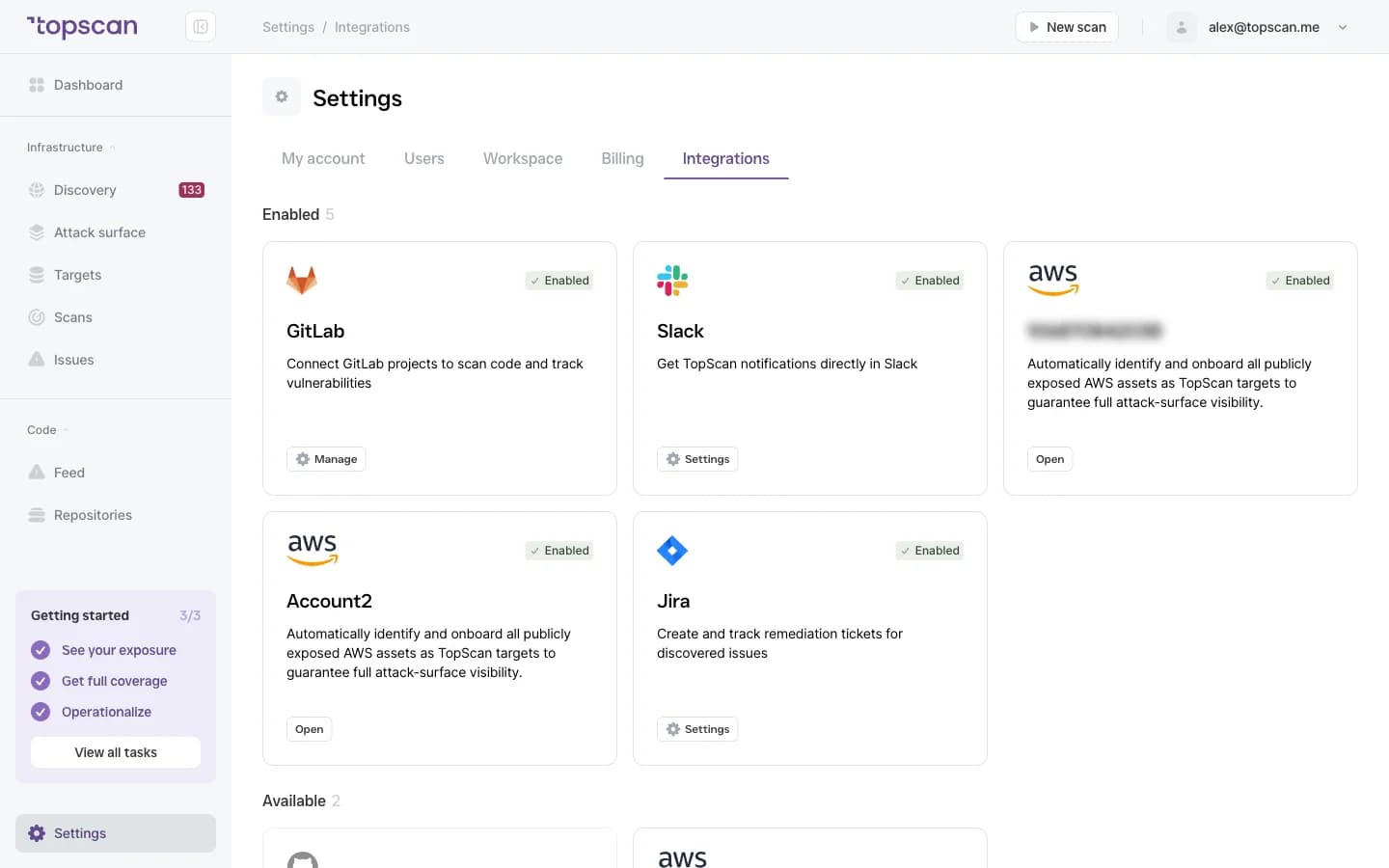
Connect the account
Link an AWS account with an access key and secret. The credentials go straight into an encrypted vault, and we verify the connection by reading back the account identity — nothing else is touched at this stage.
Topscan then builds an inventory of EC2 instances across every region and your Route 53 hosted zones, and keeps it current as the environment changes.
- Access key & secret
- Encrypted vault
- EC2 & Route 53
- Multi-account workspace
Step 2
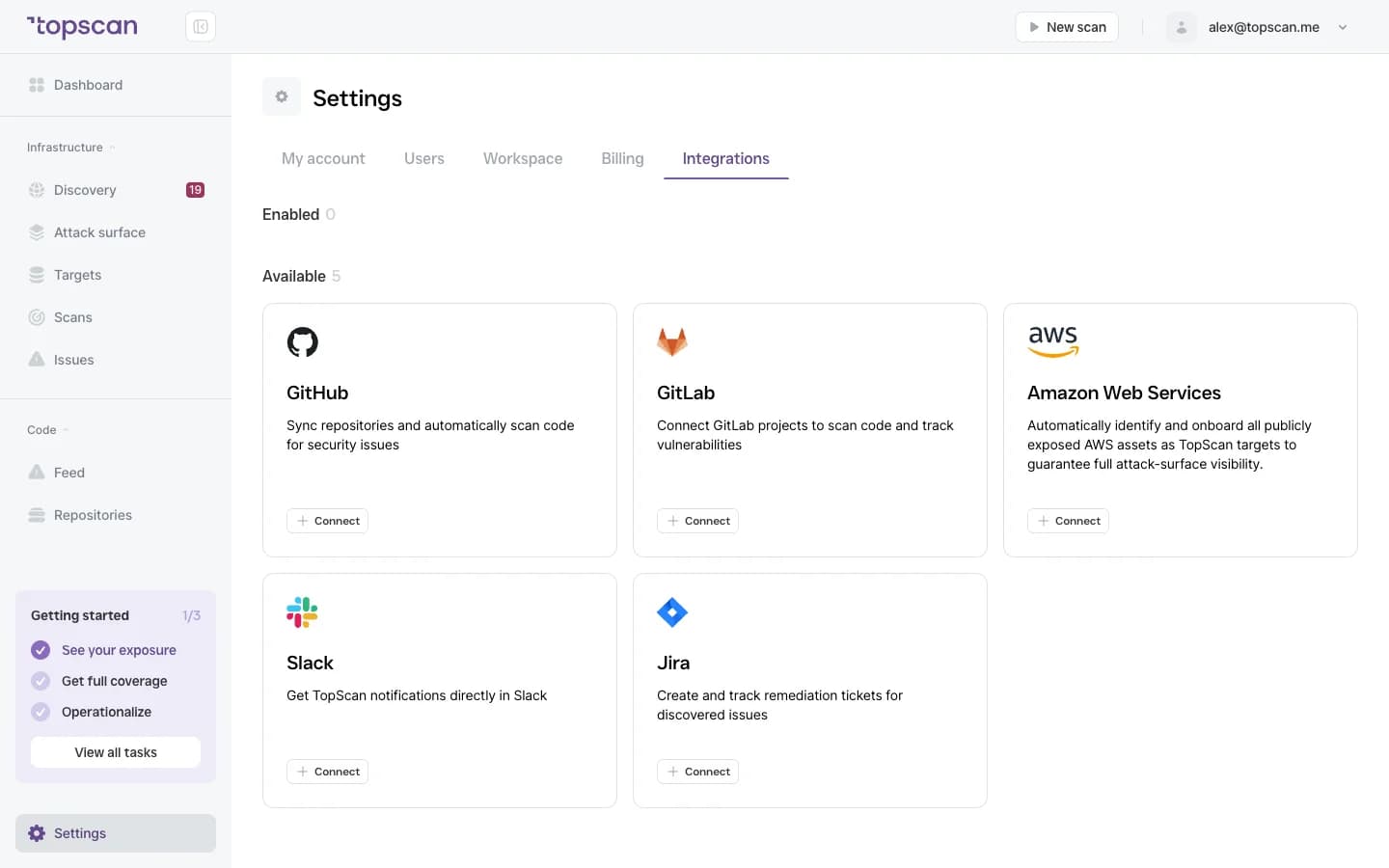
Approve before anything is scanned
A new resource arrives in a review queue and you decide whether it enters the schedule. Nothing is scanned until you approve it — change control stays on your side, and a scan never surprises a system that isn't supposed to receive one.
Approval is also what starts the meter: an approved resource becomes an ordinary infrastructure host at $4 a month.
- Review queue
- Approval required
- Nothing scanned unapproved
Step 3
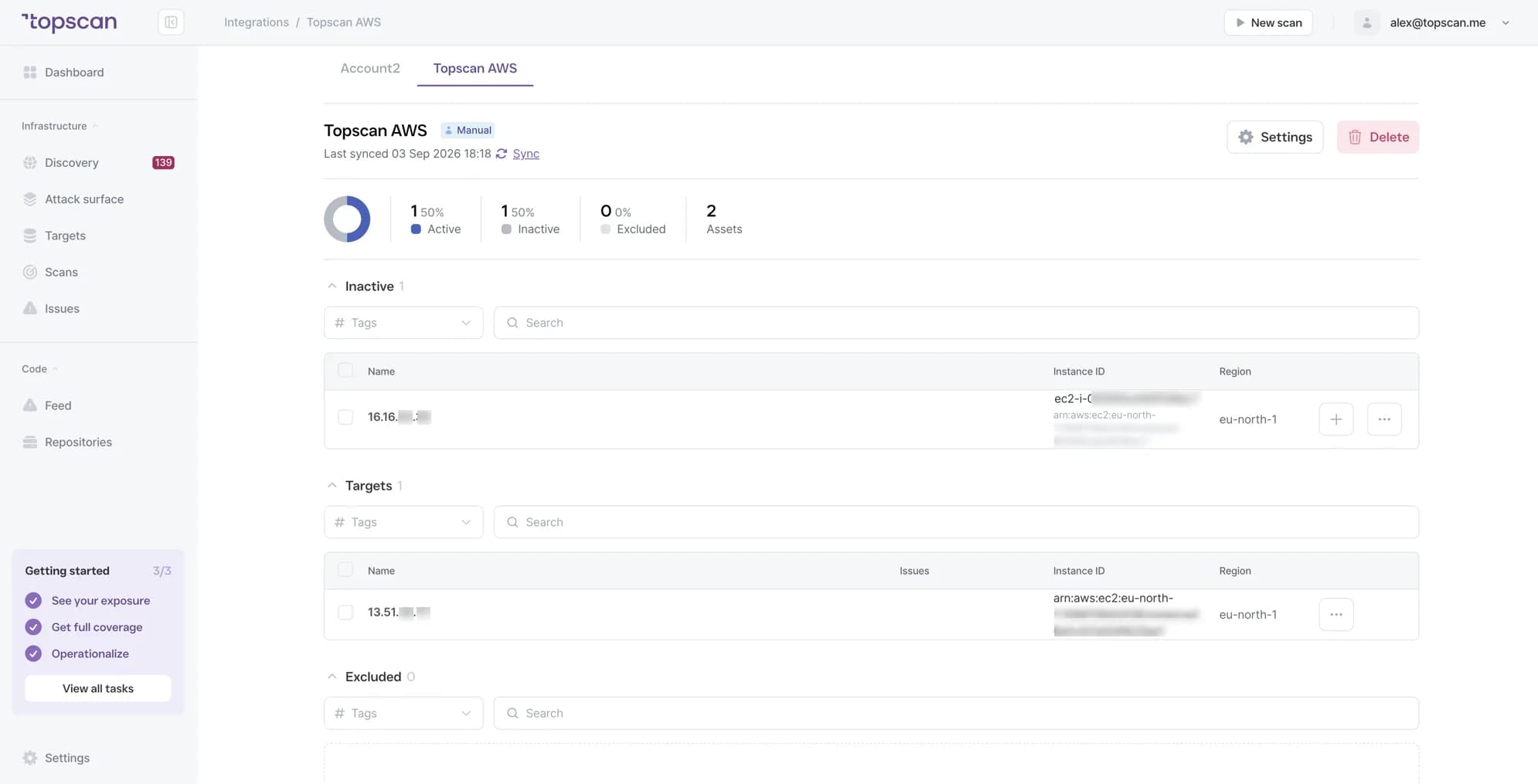
Recheck on a schedule
Approved assets are checked regularly, so the picture reflects the environment as it is now rather than as it was when the account was connected. Findings arrive in the same list as everything else — with severity, deadline and history.
- Recurring checks
- Unified findings
- Severity & SLA
Step 4
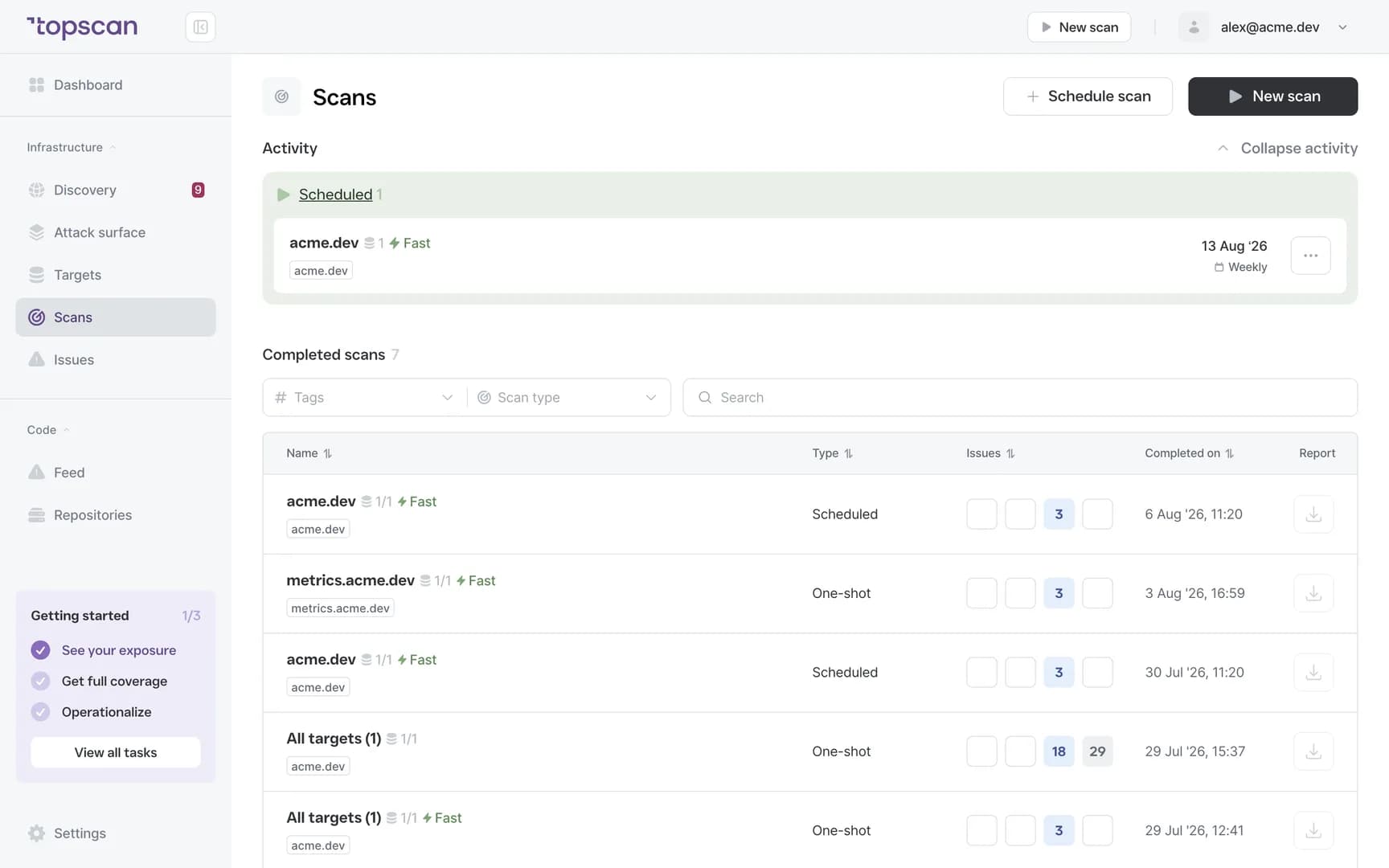
One list for cloud and everything else
Cloud results sit alongside your external infrastructure in one view, with the same Security Score and the same remediation deadlines. There's no separate cloud console to keep open, and no separate process to remember.
- Unified dashboard
- Security Score
- SLA tracking
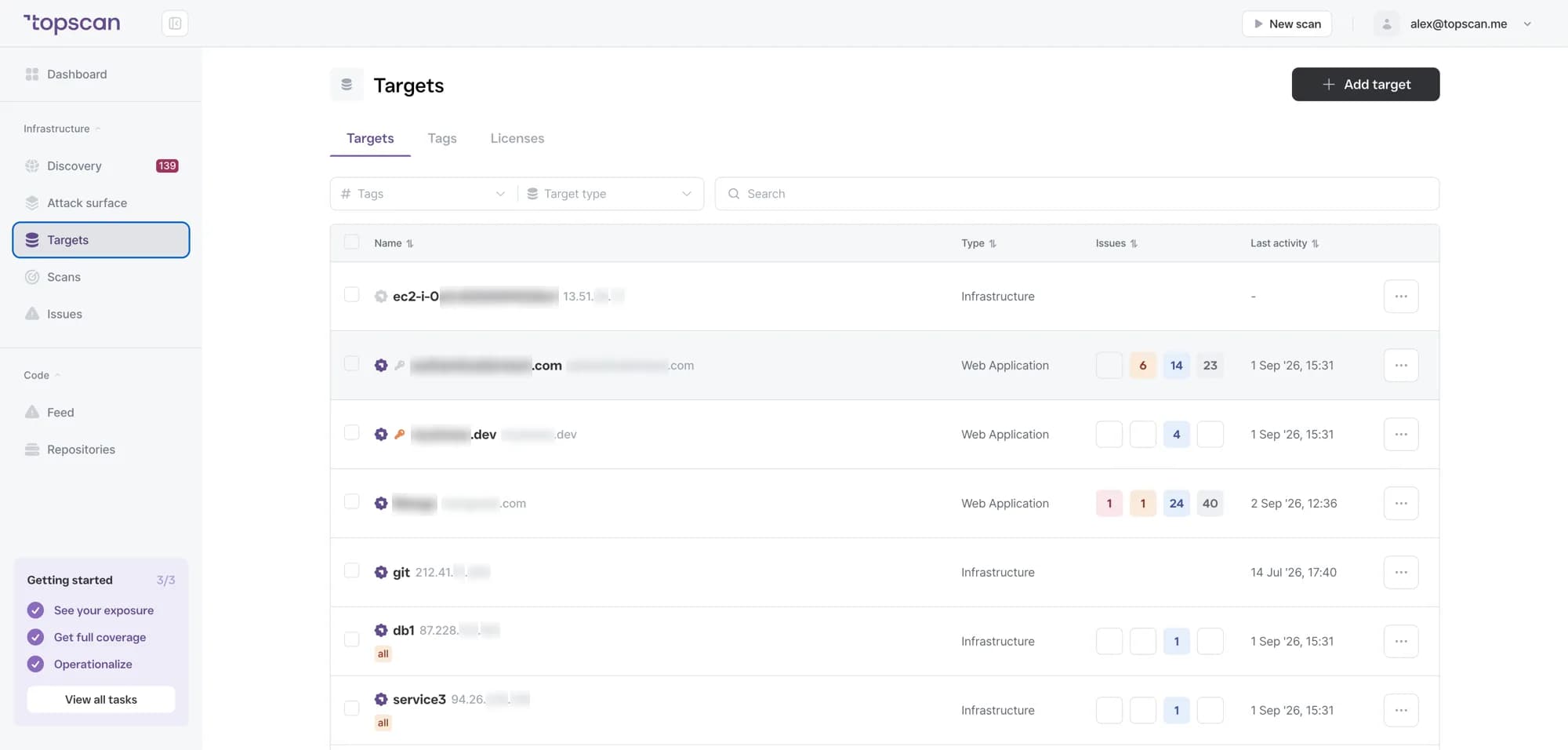
Features & Capabilities in one place
Discovery that keeps pace with the account
New EC2 instances and Route 53 zones enter the inventory as they appear — including the ones nobody wrote down.
Approval before scanning
Discovery identifies what exists; nothing is probed until your team signs off. That boundary is deliberate and it's the same rule across all of Topscan.
Several AWS accounts, one workspace
Production, staging and development accounts in one place, so the whole footprint can be seen and explained without switching consoles.
Cloud findings in the same workflow
One issue list, one Security Score, one set of deadlines — cloud is not a separate report.
Who Topscan Is Built For
AWS teams without a security lead
One place to review exposure, approve assets and track what needs fixing — without adding a role to the team.
Teams moving from on-prem to cloud
Migration changes the footprint weekly. New resources stay visible while the environment is still moving.
Organizations with several AWS accounts
Production, staging and development in one workspace, which also makes the answer to «what do we expose» explainable to someone outside the team.
Teams preparing for a review
Ongoing monitoring builds a dated record that supports SOC 2 or ISO 27001 preparation. Your auditor should confirm applicability.
Cloud findings go where your team already works
New assets and findings reach your chat and your tracker, and scans can be triggered from your pipeline.
 GitHub
 GitLab
 Slack
Slack Jira
Jira AWS
AWS- CI/CD webhook
Fair pricing for your cloud
Cloud integration starts on Advanced — so for a connected AWS account the entry point is $269 a month, not $129.
Basic
$129/ month
Small teams without cloud infrastructure.
- 3 infrastructure hosts, 1 web application, 10 repositories
- External scanning, Attack Surface and Security Score
- No cloud integration on this plan
Advanced
14 days free trialBest value$269/ month
The entry plan for anyone connecting an AWS account.
- 8 infrastructure hosts, 2 web applications, 20 repositories
- AWS integration — EC2 and Route 53 discovered automatically
- Slack routing and Jira tickets for findings
Pro
$449/ month
For companies of 30–100 with mature DevOps, first enterprise customers and audit requirements.
- 15 infrastructure hosts, 4 web applications, 40 repositories
- Custom SLA by severity and per target, Severity Override with an audit trail
- Two-way CI/CD webhook and Attack Surface change tracking with alerts
Connecting an account is free — approving a resource is what costs
Building the inventory costs nothing, however many resources the account holds. A resource becomes billable only when you approve it for monitoring, and then it is an ordinary infrastructure host at $4 a month. Scans and users stay unlimited on paid plans.
In every paid plan
- External infrastructure scanning
- Static code analysis, all supported languages
- Remediation history with dates
- Role-based access control
- Attack Surface and Security Score
- Dependency scanning (SCA)
- CI/CD webhook to trigger a scan
- Unlimited scans and users
- Web application scanning
- Statuses, SLA and snooze on every finding
- Email alerts
- Free read-only seats for auditors
Walk through it before you sign up
Five clicks through the real product. No form, no demo call.
Step 1 · Connect an account
An access key, stored in an encrypted vault.
Step 1 of 5 — click the highlighted spot
FAQ
Topscan builds on the best in class scanning engines
Still have questions?
Contact usSee what your account exposes before someone else does
Connect one AWS account. Discovery takes minutes and nothing is scanned without your approval.
14 days of the full Advanced plan · no card required