
External Vulnerability Scanning
Your external perimeter changes every week, and nobody has a free afternoon to walk it. Topscan scans everything of yours that faces the internet on a schedule, orders the findings by what to fix first, and keeps one number you can show upward.
14 days of the full Advanced plan · no card required · first results in 5–10 minutes
- ~16 hostnames found
- ~10 answering
- most teams expect 3–4
what the first scan turns up at a company your size
Security Challenges
Every Team Faces
What happens in practice
Security work keeps losing to releases, incidents and infrastructure changes
A service goes up that nobody wrote down, and nothing flags it
Something exposed last month was fine last month — nobody rechecked
Raw scanner output arrives with no order to work in, so it stays unread
Leadership asks how things stand and the honest answer takes a week to assemble
How Topscan handles it
Discovery maps domains, subdomains, IPs and the services answering on them
Scans run on a recurring schedule, so nothing depends on someone remembering
Every finding names the affected target, its severity and the fix
Findings arrive in an order of work, CRITICAL first, each with a remediation deadline
One security score and a remediation history answer the upward question in a minute
How External Scanning Works
Step 1
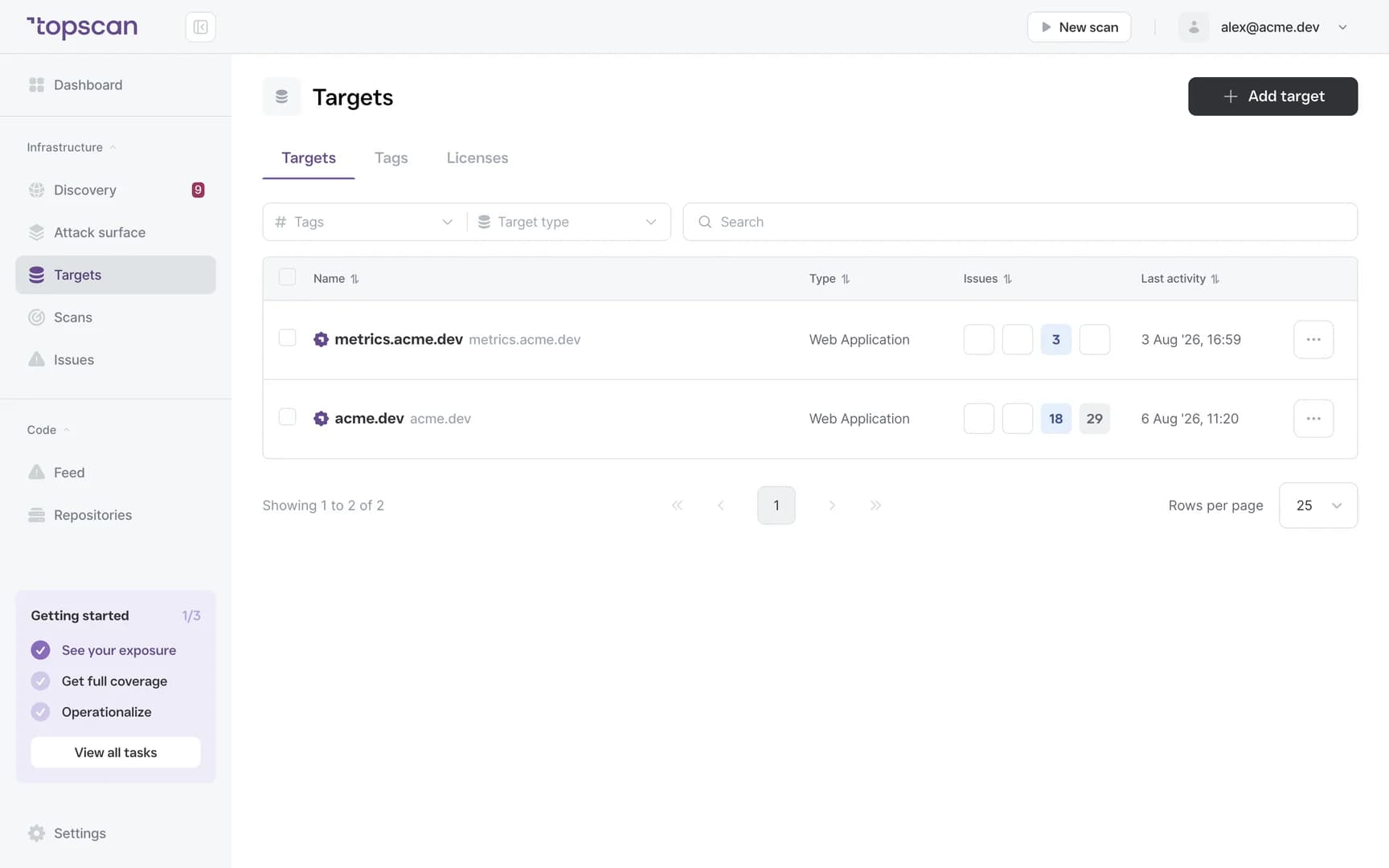
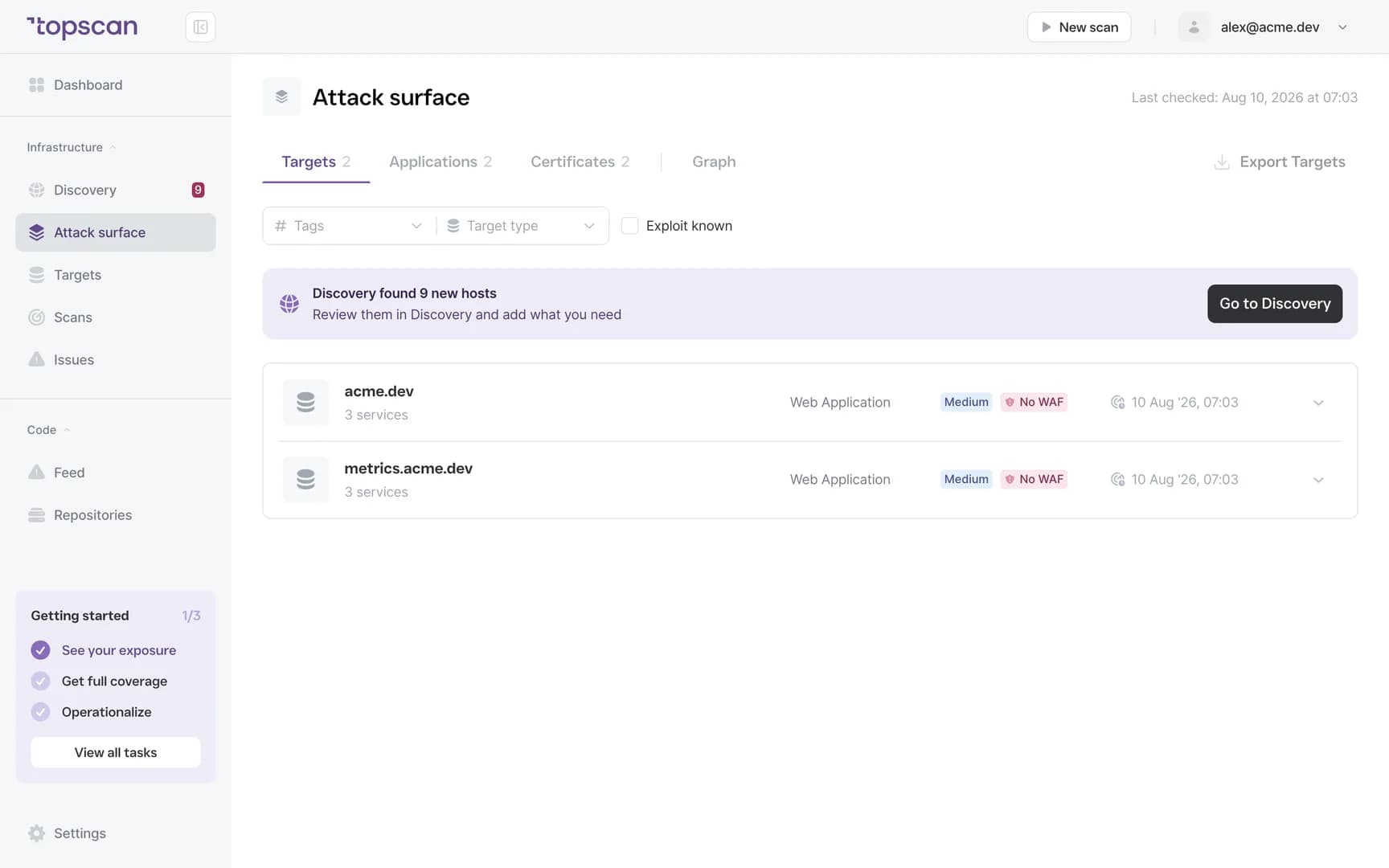
Map what faces the internet
Add your domains and IP addresses. Discovery maps outward from there using public certificate transparency logs, DNS and one ordinary HTTP request per host, and gives you the hostnames that exist, which of them answer and what runs on them.
In companies of your size that list usually comes to around sixteen names, with about ten answering. Most teams expect three or four.
- Domains, subdomains & IPs
- Services answering
- Technology detection
Step 2
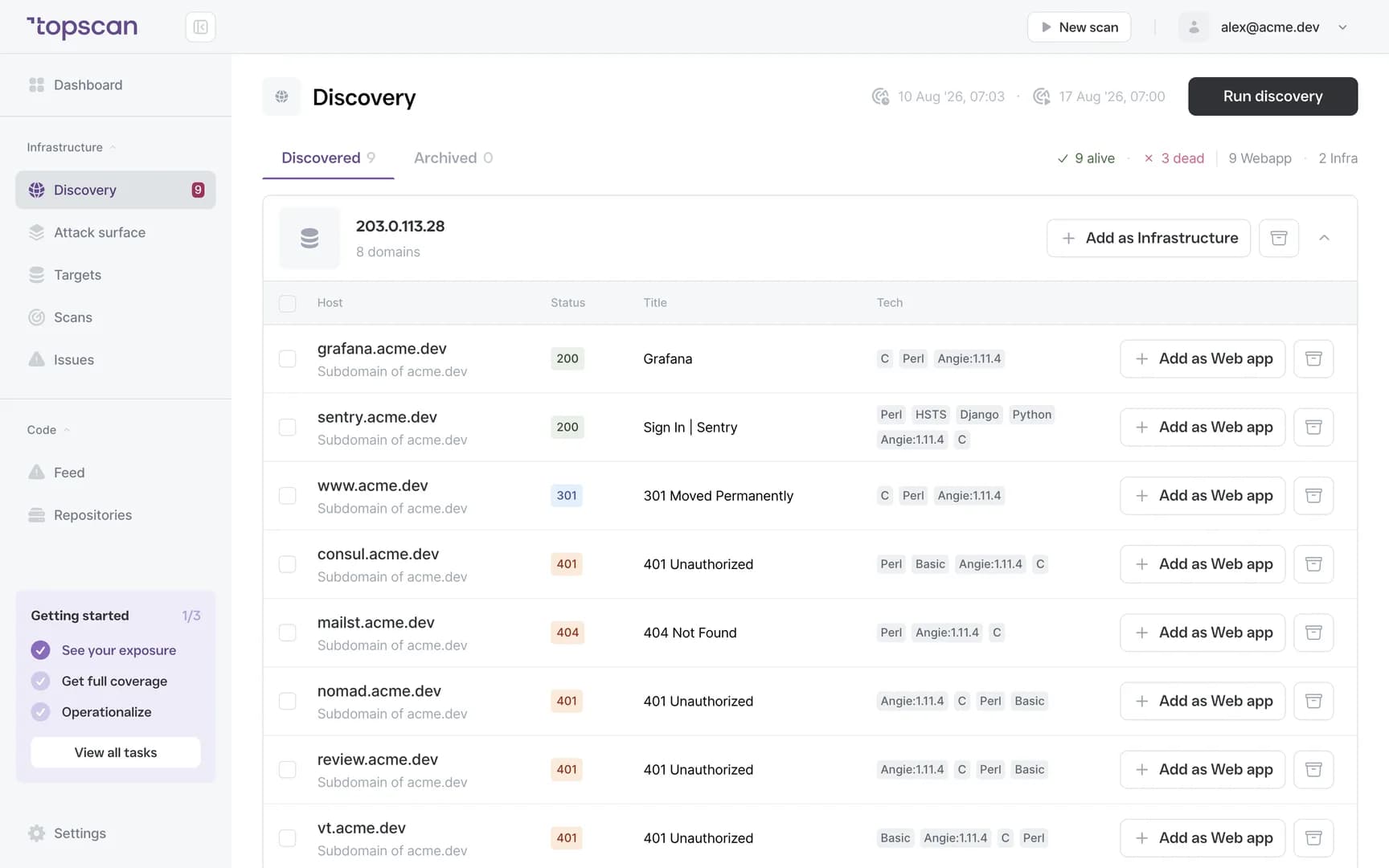
Confirm the targets, then scan them
You choose which discovered hosts become monitored targets. Port checks and active templates run only on targets you have explicitly confirmed — discovery itself never touches ports. Confirming a target is also how you state you are authorised for it.
- Review queue
- Confirm before scanning
- Open ports on confirmed targets
Step 3
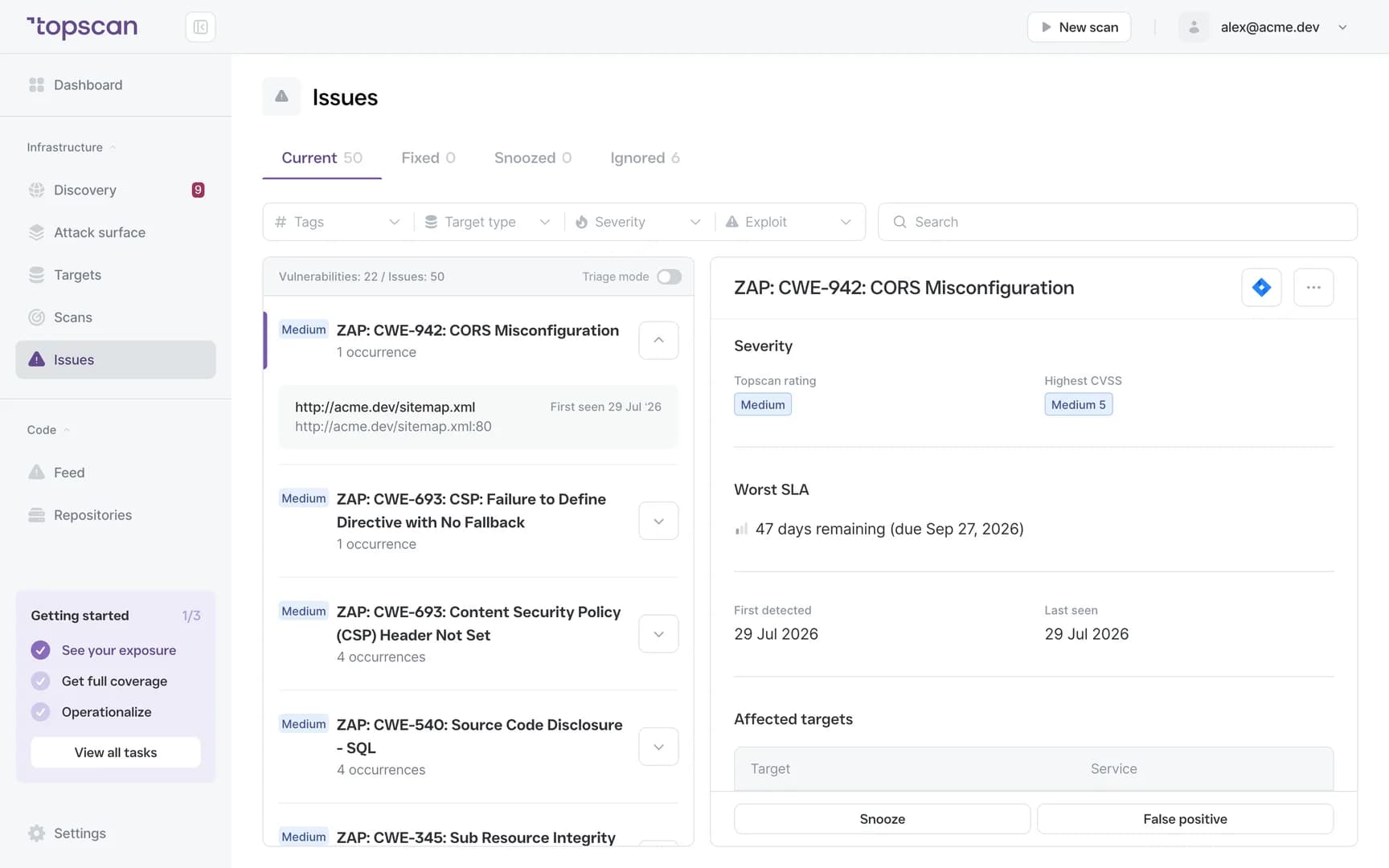
Fix in a useful order
Instead of raw scanner output you get findings ordered CRITICAL to LOW, each with the affected target, what was found, a recommended fix and a remediation deadline. Every result carries the evidence it came from, so the engineer who owns it can confirm it in a browser before touching anything.
- CRITICAL to LOW ordering
- Recommended fix
- Remediation deadline
Step 4
Scan again, and see what moved
The schedule is the product. Between two scans four days apart, half of one team’s short-lived hosts had disappeared on their own and the rest were still answering — which is exactly why a list made once is already wrong.
Remediation history and a single security score from 0 to 100 turn that into something you can put in front of a board without translating scanner output.
- Recurring scans
- Security Score 0–100
- Remediation history
- Audit evidence
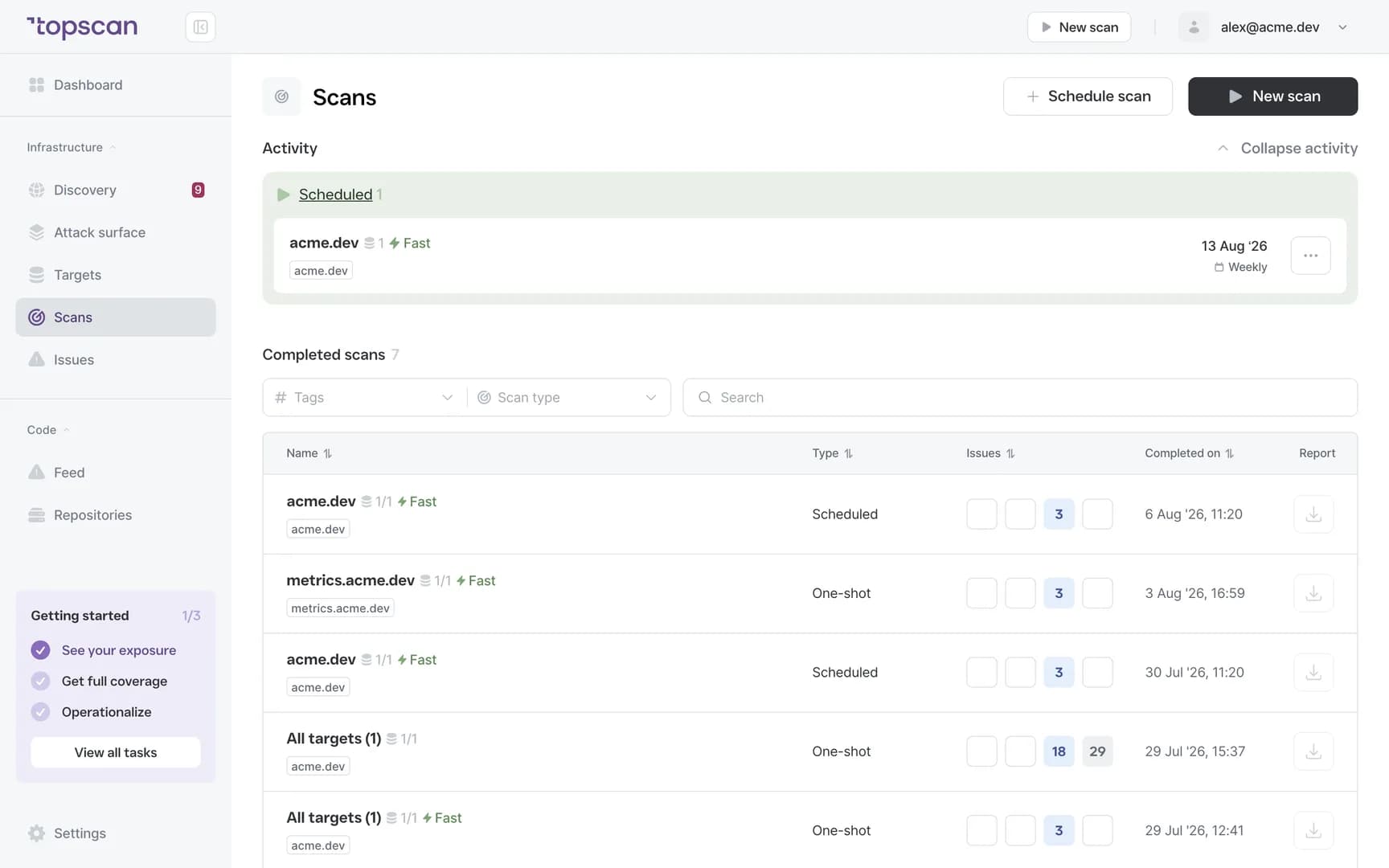
Features & Capabilities in one workflow
External footprint discovery
Domains, subdomains, IPs and the services answering on them, mapped outward from public certificate transparency logs and DNS — including the assets nobody wrote down.
Recurring scans on confirmed targets
New exposures are found on the schedule, not at the next audit. What went up this week is reported this week.
Findings in an order of work
Severity ranking, the affected target, a recommended fix and a deadline — so the list can be worked through instead of read.
One number for upward reporting
A security score from 0 to 100 plus remediation history: current status, trend, and the fixes behind it, without walking anyone through raw output.
Who Topscan Is Built For
CTO at a software company
When security has no dedicated owner, get recurring visibility into what’s exposed and a clear list of what to fix first.
Head of DevOps
Infrastructure moves fast. Track new services, cloud instances and public assets as they appear, not after someone stumbles on them.
Teams preparing for an audit
Use monitoring activity and remediation history to support SOC 2 or ISO 27001 preparation instead of rebuilding evidence at the last minute. Your auditor should confirm applicability.
Anyone reporting upward
Show a CEO or a board one score, the trend, and the fixes behind it — not a scanner export.
Findings go where your team already works
Scans trigger from your own pipeline and results arrive in the tools your engineers already have open — no extra dashboard to keep watch on.
 GitHub
 GitLab
 Slack
Slack Jira
Jira AWS
AWS- CI/CD webhook
Fair pricing for your perimeter
One plan covers the external perimeter, your web apps and your code — which is why one small team can afford to run all three.
Basic
$129/ month
For small teams without cloud infrastructure — one DevOps or CTO who owns security among other things.
- 3 infrastructure hosts — an IP, a hostname or a subdomain
- 1 web application tested while it’s running
- 10 repositories scanned by SAST
Advanced
14 days free trialBest value$269/ month
For companies of 20–60 with AWS infrastructure and active CI/CD.
- 8 infrastructure hosts, 2 web applications, 20 repositories
- AWS integration — cloud assets discovered automatically
- Slack routing and Jira tickets for findings
Pro
$449/ month
For companies of 30–100 with mature DevOps, first enterprise customers and audit requirements.
- 15 infrastructure hosts, 4 web applications, 40 repositories
- Custom SLA by severity and per target, Severity Override with an audit trail
- Two-way CI/CD webhook and Attack Surface change tracking with alerts
You pay for what you monitor — not for seats, scans or findings
Discovery costs nothing: it maps your whole footprint and a licence is used only when you put a host under monitoring. Scans are never billed, so a weekly schedule costs the same as a monthly one, and the whole team reads findings on any paid plan — developers, whoever tracks remediation, and read-only seats for auditors.
In every paid plan
- External infrastructure scanning
- Static code analysis, all supported languages
- Remediation history with dates
- Role-based access control
- Attack Surface and Security Score
- Dependency scanning (SCA)
- CI/CD webhook to trigger a scan
- Unlimited scans and users
- Web application scanning
- Statuses, SLA and snooze on every finding
- Email alerts
- Free read-only seats for auditors
Walk through it
before you sign up
Five clicks through the real product. No form, no demo call.
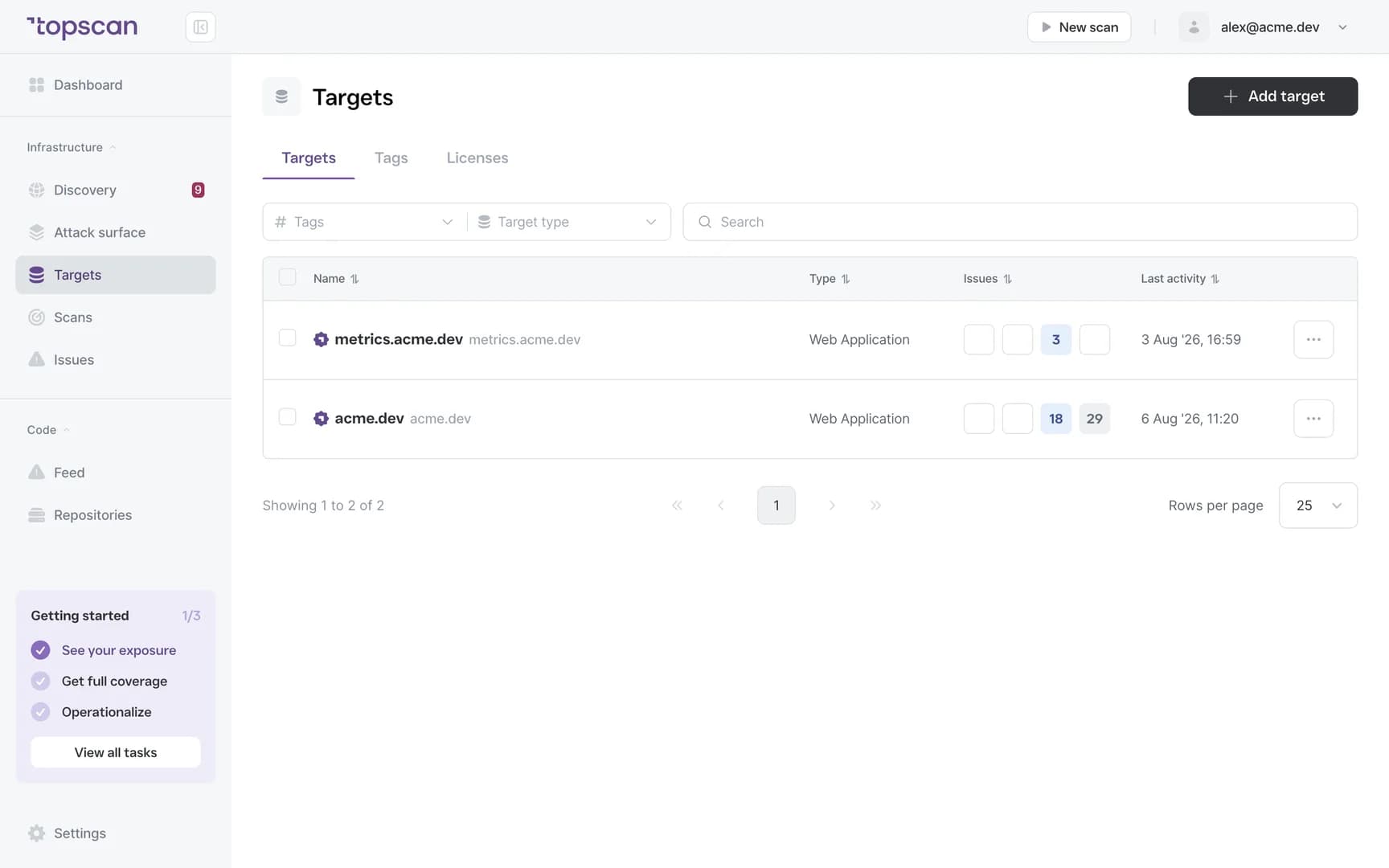
Step 1 · Add a target
Point Topscan at a domain or an IP. Nothing else to prepare.
Step 1 of 5 — click the highlighted spot
FAQ
Topscan builds on the best in class scanning engines
Still have questions?
Contact usSee what answers on your perimeter this week
Add one domain. The first map takes about five minutes, and it costs nothing to look.
14 days of the full Advanced plan · no card required