
Security Compliance Reporting
Nobody has ever enjoyed rebuilding six months of scan history the week an auditor asks for it. Topscan keeps the record as you go — what was scanned, what was found, what was fixed and how long it took — so the evidence is a by-product of the work instead of a project of its own.
14 days of the full Advanced plan · no card required · first results in 5–10 minutes
- Free read-only seats for auditors
- Every scan kept while you subscribe
- Status and time to fix on every finding
what an auditor asks for — and what it costs to give them access
Security Challenges
Every Team Faces
What happens in practice
Scans happened, but nothing recorded when or against what
Evidence is reassembled from screenshots and someone's memory
A customer security review lands mid-sprint and takes a week to answer
Nobody can show that a finding from March was actually fixed
The spreadsheet tracking remediation was last accurate two releases ago
How Topscan handles it
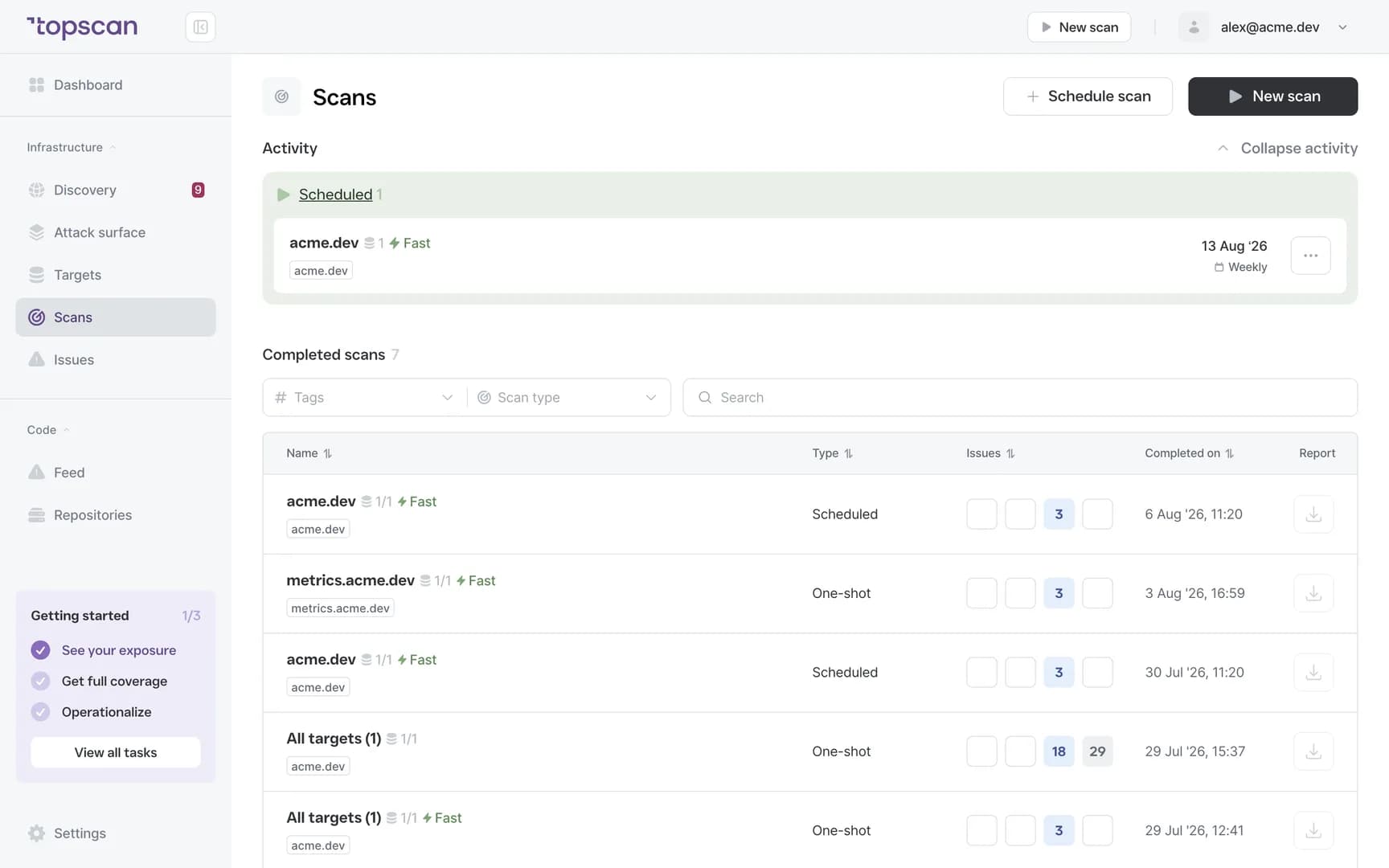
Every scan is stored with its date, its target and what it found
Findings keep their severity, affected asset and remediation status over time
Remediation is timestamped, so «fixed in April» is a record rather than a claim
Overdue and reopened issues stay visible instead of quietly ageing out
Auditors get their own free read-only seats — no export ritual, no screenshots
How Compliance Reporting Works
Step 1
Scan on a schedule, or before releases
The record starts with the scanning you were going to do anyway: recurring checks on your confirmed targets, plus runs triggered from your pipeline before a release. Nothing extra to remember, because reporting isn't a separate activity here.
- Recurring scans
- Pre-release runs
- No separate reporting workflow
Step 2
Everything is kept with its date attached
Each scan is stored with its date and target, the vulnerabilities found, their severity, the affected assets and URLs, and the remediation status at that moment. That's the difference between «we scan regularly» and being able to show it.
History is kept for as long as your subscription is active — there is no rolling window that quietly drops the period an auditor wants to see.
- Scan date & target
- Findings & severity
- Kept while you subscribe
Step 3
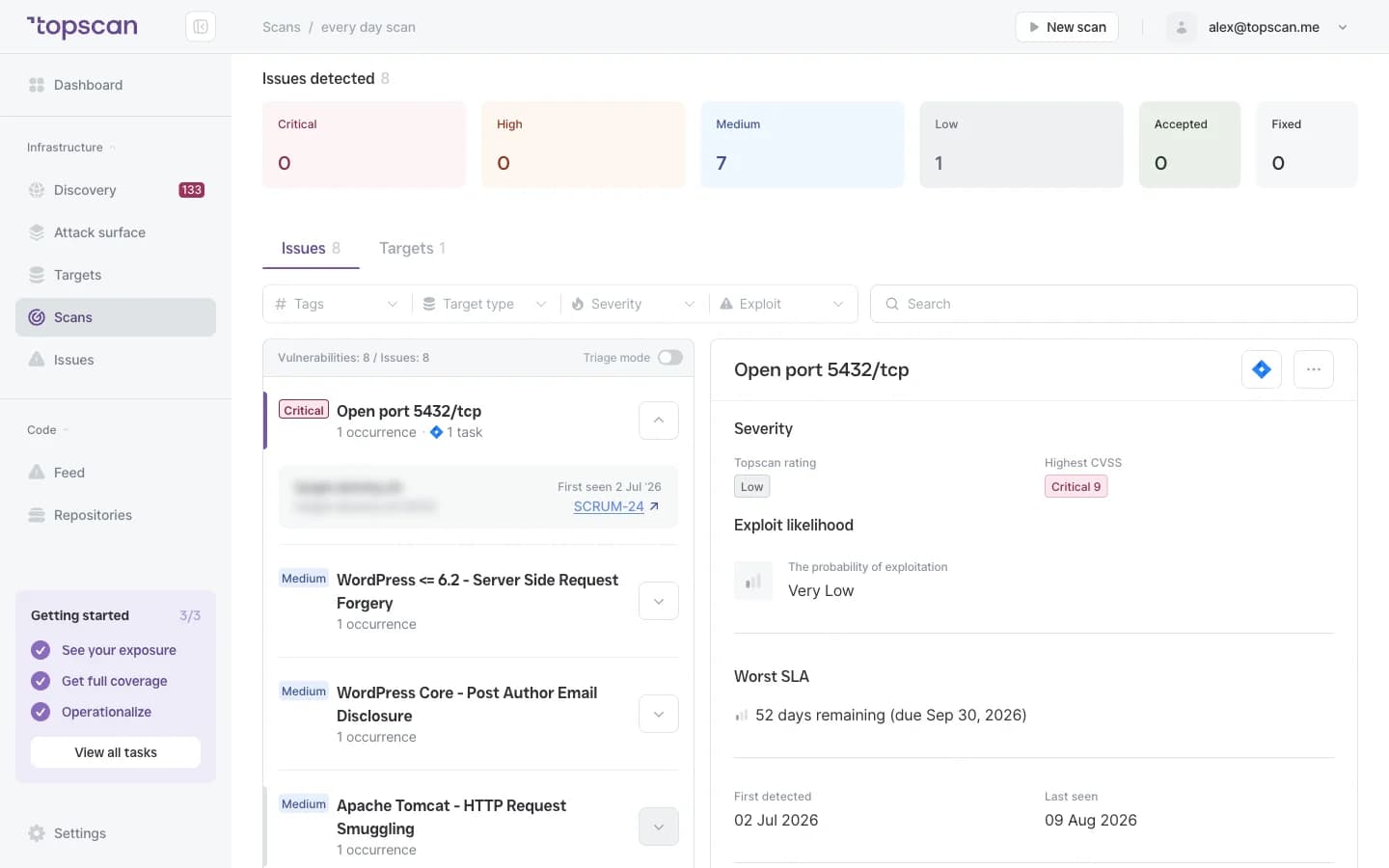
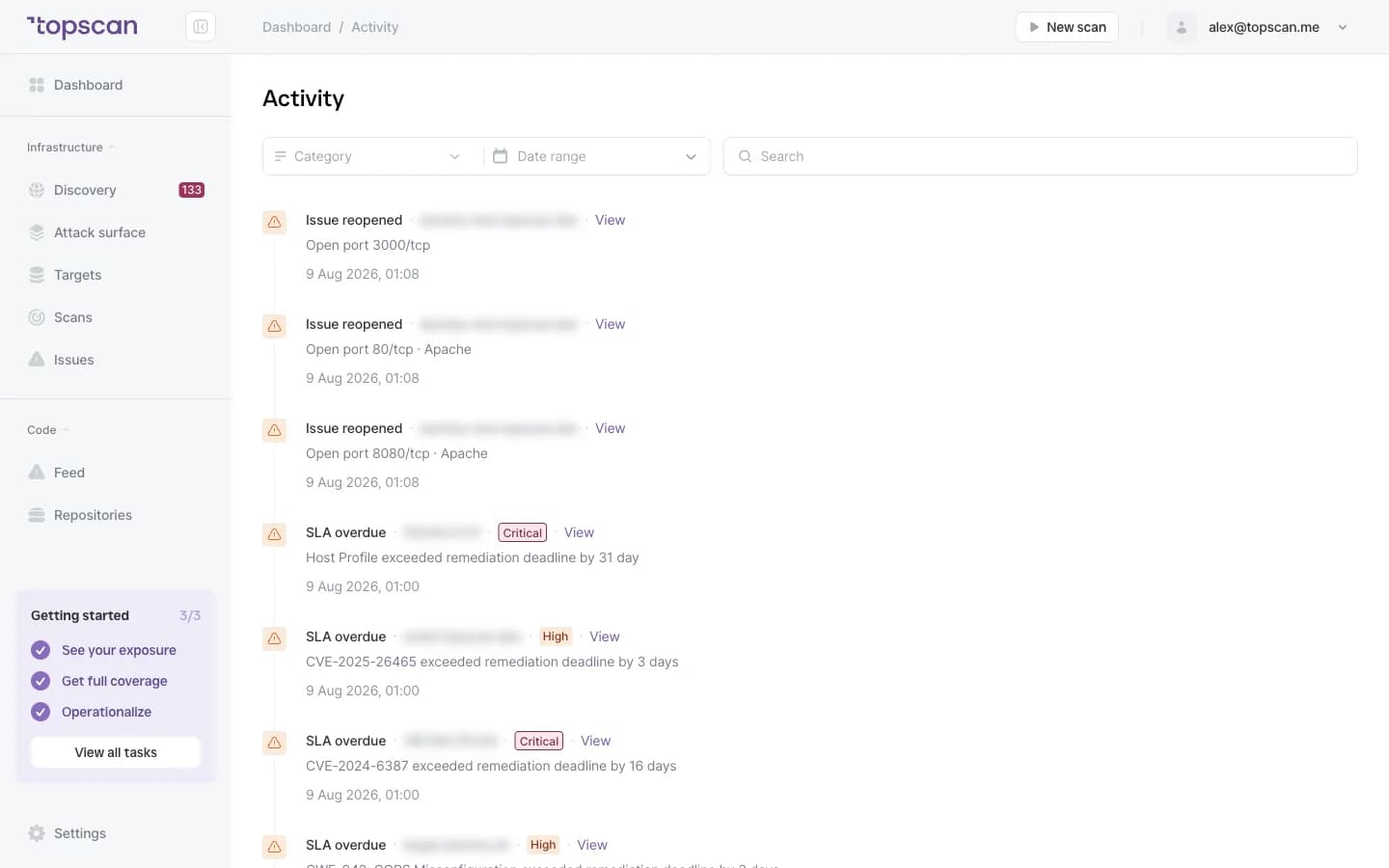
Watch the clock on remediation
A finding carries its remediation deadline, and the time it actually took is recorded when it closes. Overdue items and issues that reopened are surfaced separately, which is exactly the pattern an auditor asks about: not «do you find things», but «what happens after you find them».
- Remediation deadlines
- Time to fix
- Overdue & reopened tracked
Step 4
Hand it over without a fire drill
Invite the reviewer to a free read-only seat and they read the record themselves, or export it — the scan and remediation history goes out as PDF for a report and CSV for anyone who wants the raw rows.
Either way nobody is assembling a folder of screenshots the week before the audit.
- Free auditor seats
- PDF report
- CSV export
- Scan & remediation history
Features & Capabilities in one place
A record that writes itself
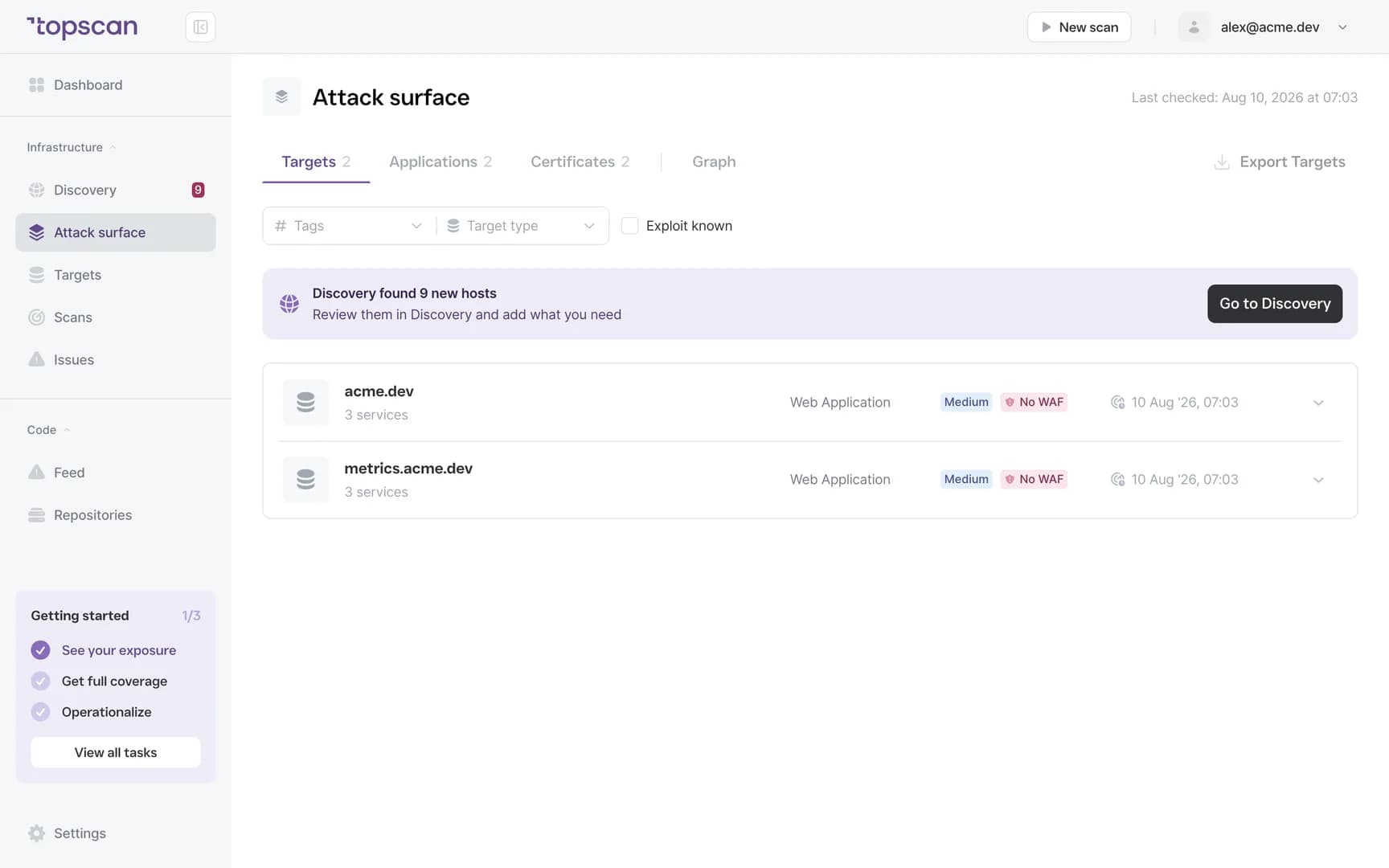
Scan history, findings, severities and remediation status accumulate from ordinary use. There is no reporting step to skip when the week gets busy.
History that outlasts the audit cycle
Everything is kept for as long as your subscription is active, so a reviewer asking for the last twelve months gets the last twelve months.
Time-to-fix, not just find-rate
Remediation deadlines and the time each finding actually took are kept — the part of the story that says the process works.
Read-only seats for auditors on paid plans
The person reviewing you can read the record directly. Paid plans allow unlimited users on your side, so nobody is sharing a login to produce evidence.
Who Topscan Is Built For
CTO going through SOC 2 or ISO 27001 preparation
Produce the scanning and remediation evidence the process asks for, without adding a reporting workflow on top of engineering work.
Teams answering customer security reviews
A due-diligence questionnaire arrives mid-sprint. Answer it from a record that already exists rather than assembling one.
Head of DevOps
See unresolved and overdue items across targets without maintaining a spreadsheet that goes stale after two releases.
Anyone reporting upward
Show what was found and fixed over time, with dates, instead of a scanner export nobody can read.
Findings and their history go where the work happens
Scans trigger from your pipeline, findings reach your chat, and the remediation record follows them.
 GitHub
 GitLab
 Slack
Slack Jira
Jira AWS
AWS- CI/CD webhook
Fair pricing for your evidence
On paid plans read-only seats for auditors are free, users are unlimited and scans are unlimited — so scanning often enough to satisfy a reviewer doesn't change the bill.
Basic
$129/ month
For small teams without cloud infrastructure — one DevOps or CTO who owns security among other things.
- 3 infrastructure hosts — an IP, a hostname or a subdomain
- 1 web application tested while it’s running
- 10 repositories scanned by SAST
Advanced
14 days free trialBest value$269/ month
For companies of 20–60 with AWS infrastructure and active CI/CD.
- 8 infrastructure hosts, 2 web applications, 20 repositories
- AWS integration — cloud assets discovered automatically
- Slack routing and Jira tickets for findings
Pro
$449/ month
For companies of 30–100 with mature DevOps, first enterprise customers and audit requirements.
- 15 infrastructure hosts, 4 web applications, 40 repositories
- Custom SLA by severity and per target, Severity Override with an audit trail
- Two-way CI/CD webhook and Attack Surface change tracking with alerts
You pay for what you monitor — not for seats, scans or findings
Discovery costs nothing: it maps your whole footprint and a licence is used only when you put a host under monitoring. Scans are never billed, so a weekly schedule costs the same as a monthly one, and the whole team reads findings on any paid plan — developers, whoever tracks remediation, and read-only seats for auditors.
In every paid plan
- External infrastructure scanning
- Static code analysis, all supported languages
- Remediation history with dates
- Role-based access control
- Attack Surface and Security Score
- Dependency scanning (SCA)
- CI/CD webhook to trigger a scan
- Unlimited scans and users
- Web application scanning
- Statuses, SLA and snooze on every finding
- Email alerts
- Free read-only seats for auditors
Walk through it before you sign up
Five clicks through the real product. No form, no demo call.
Step 1 · Open the scan history
Every run, with its date and its target.
Step 1 of 5 — click the highlighted spot
FAQ
Topscan builds on the best in class scanning engines
Still have questions?
Contact usStart the record today, not the week before the audit
Add one domain. Everything after that is kept with a date on it.
14 days of the full Advanced plan · no card required