
SSL/TLS Certificate Monitoring
Certificates don't expire on the domain you watch — they expire on the subdomain you forgot. Topscan finds every certificate across your external footprint, checks what state each one is in, and tells you weeks before one runs out.
14 days of the full Advanced plan · no card required · first results in 5–10 minutes
- 200 days — March 2026
- 100 days — 2027
- 47 days — March 2029
the CA/Browser Forum schedule (ballot SC-081v3) that makes manual tracking impossible
Security Challenges
Every Team Faces
What happens in practice
A certificate expires on a host nobody remembered owning
The renewal reminder was in someone's calendar, and that someone moved teams
Automated issuance is configured, but nobody confirms the renewal actually ran
A new cloud resource never makes it onto the monitoring list
A host still accepts a TLS version that was deprecated years ago
How Topscan handles it
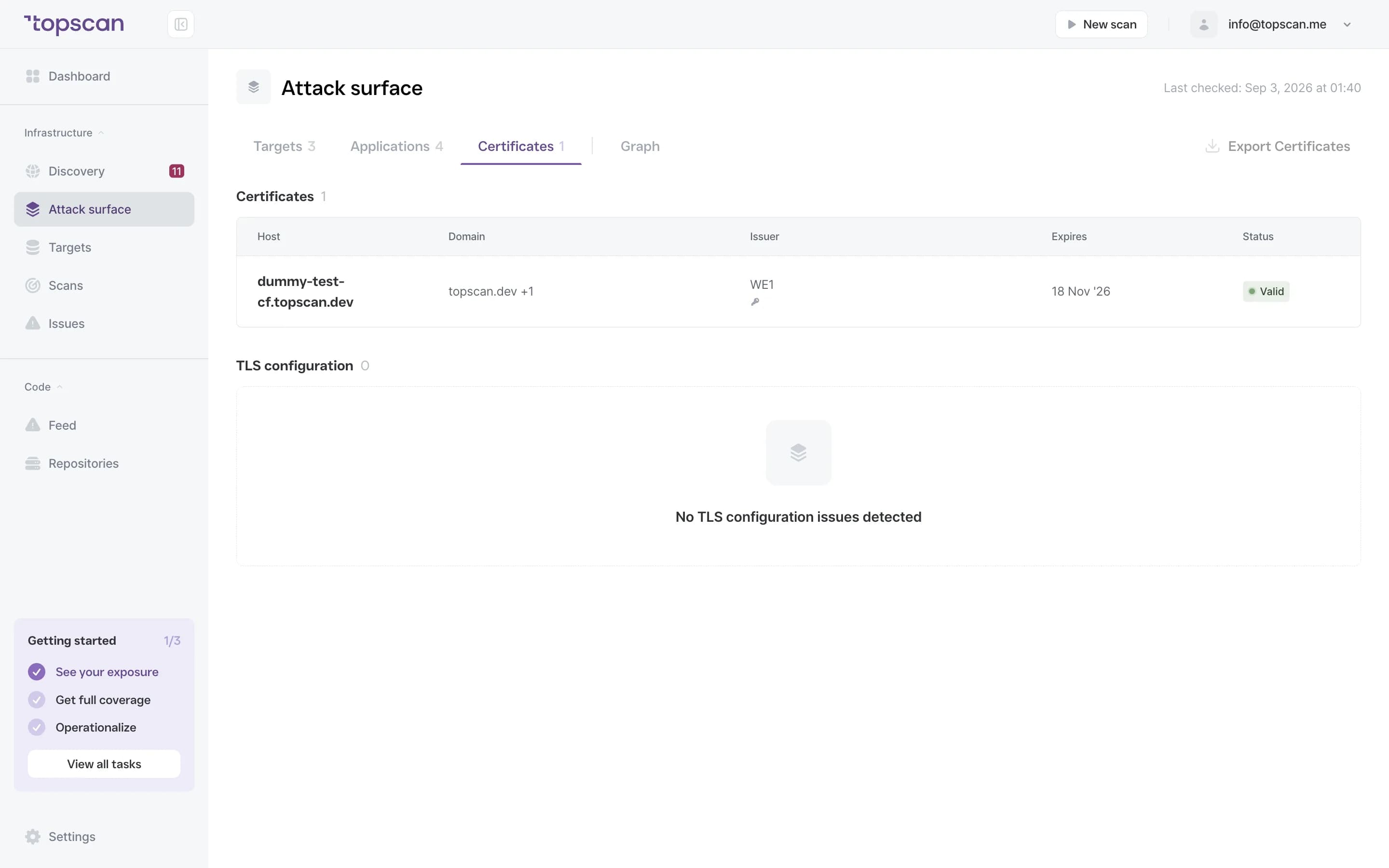
Certificates are discovered across every subdomain added as a target
Alerts go out at 30, 14 and 7 days
Deprecated TLS versions and weak cipher suites are reported alongside the dates
Connected cloud accounts are covered automatically, for registered resources
One view shows valid, expiring and expired across the whole footprint
How Certificate Monitoring Works
Step 1
Find the certificates, including the ones you'd never list
Discovery maps your external footprint from public certificate transparency logs and DNS, then reads the certificate on every host that answers. There's no list to curate: a subdomain that appeared this week is monitored this week.
In companies of your size, about one in five has a certificate that already expired on a host still answering — and the oldest we've seen was nearly seven years past its date.
- No curated list
- All subdomains
- Cloud-connected accounts
Step 2
Watch the date, and the configuration behind it
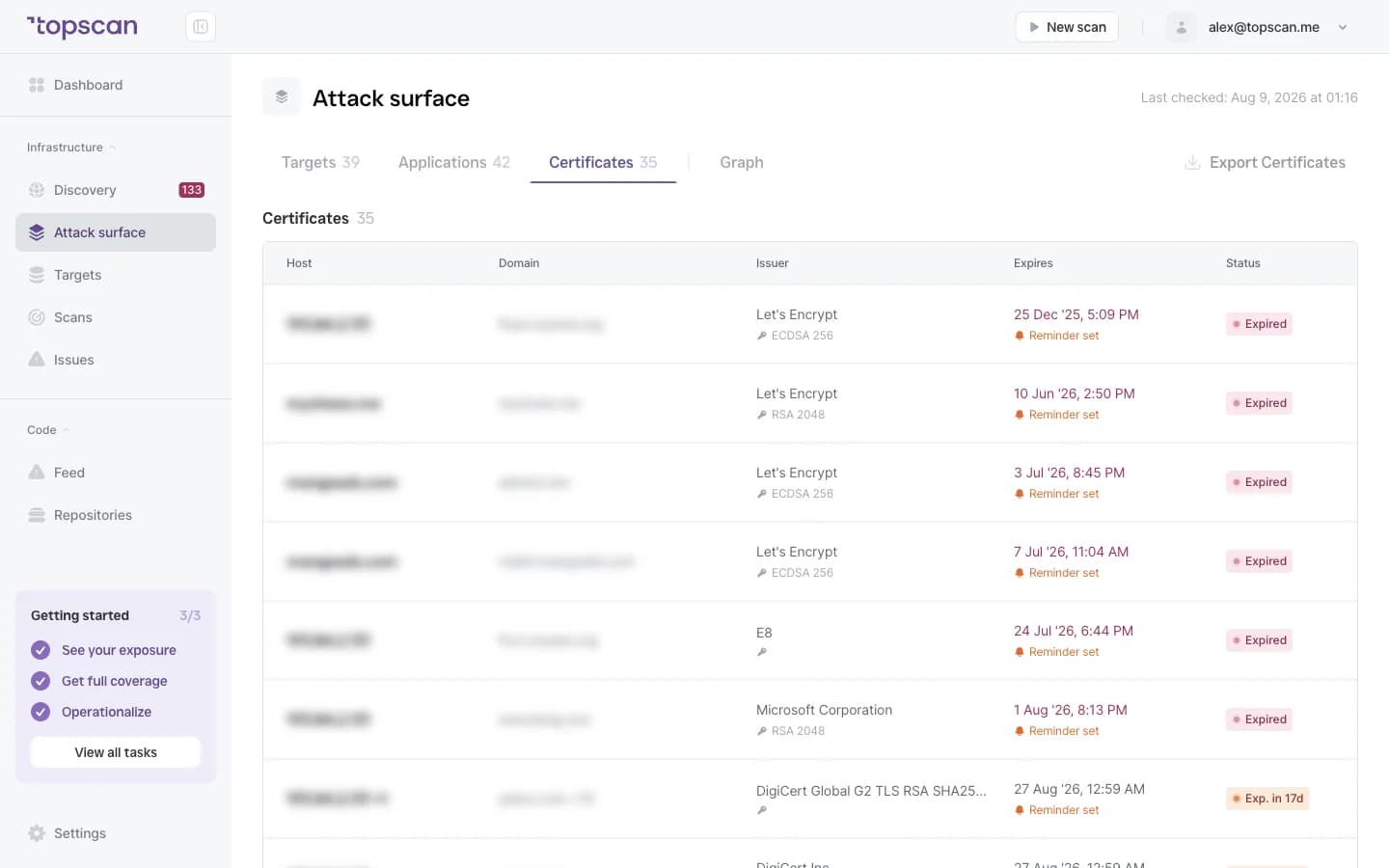
Each certificate is tracked for how long it has left, and the host serving it is checked for whether it still accepts deprecated TLS versions or weak cipher suites — the settings that fail a customer security review even when the certificate itself is fine.
- Expiry date
- TLS 1.0 / 1.1
- Weak cipher suites
Step 3
Get told early enough to be boring
Warnings fire at 30, 14 and 7 days before expiry — and they arrive in the channel your team already reads instead of waiting for someone to log in. Each threshold fires once per certificate, so a weekly scan doesn't repeat itself.
The point is that renewal stays a task, not an incident.
- 30 / 14 / 7 days
- Email & Slack
- One alert per threshold
Step 4
Keep one view of the whole footprint
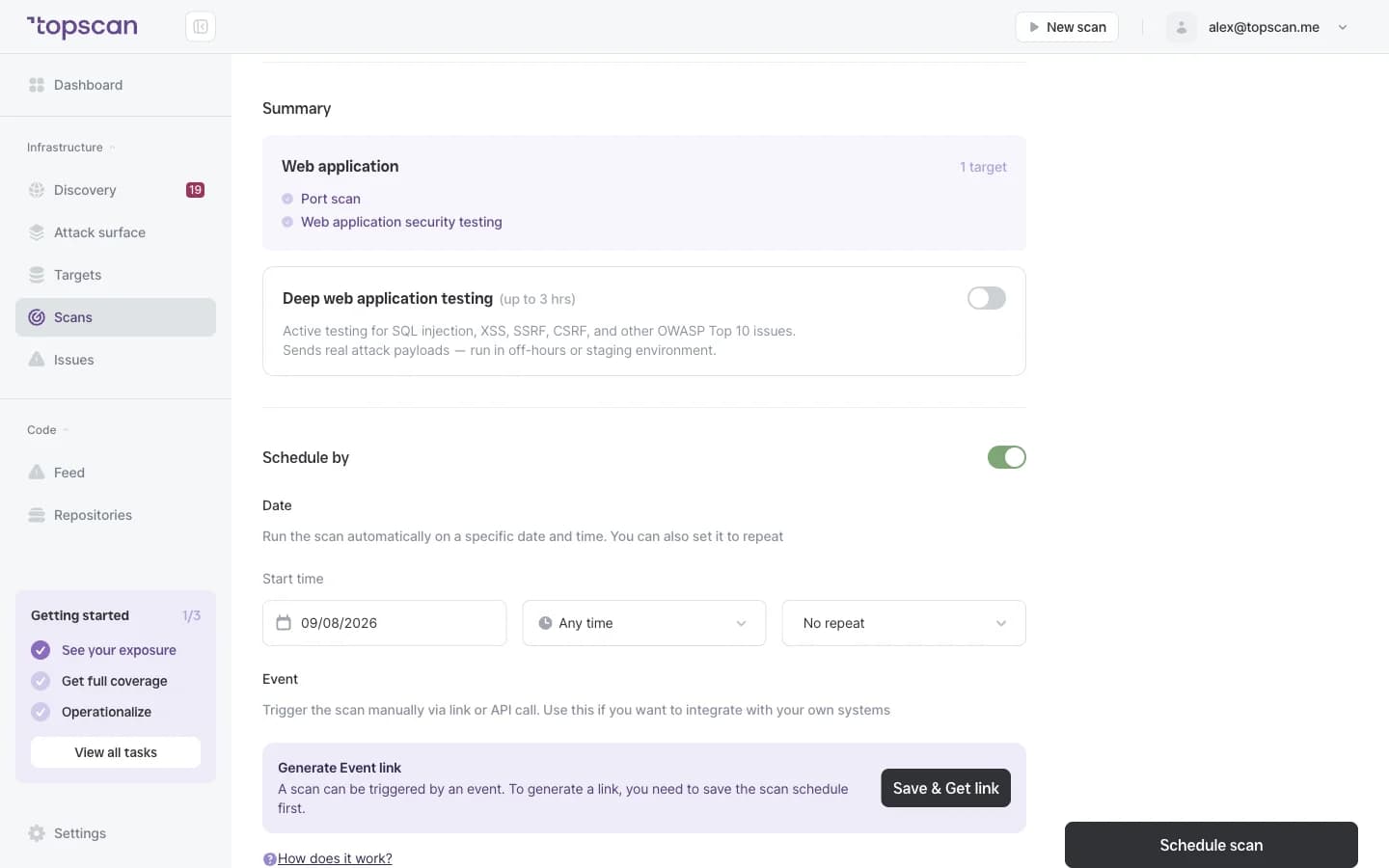
Every certificate in one place with its status — valid, expiring soon, expired — filterable by domain and date. That's also the view that answers a certificate question from an auditor or a customer security review without assembling anything.
- Status labels
- Filters by domain & date
- Ready for review
Features & Capabilities in one view
Automatic discovery, no list to maintain
Certificates are found across every subdomain and every connected cloud account. Newly added hosts enter monitoring on their own.
Staged alerts before expiry
30, 14 and 7 days, delivered where your team already works — so renewal happens on a Tuesday rather than at midnight.
Deprecated TLS reported with the date
A host still accepting TLS 1.0 or 1.1, or negotiating a weak cipher suite, is reported alongside the certificate it serves.
Renewal that's verified, not assumed
Automated issuance means a certificate gets created. Monitoring means knowing the renewal actually ran and the new subdomain was covered.
Who Topscan Is Built For
DevOps and infrastructure teams
Uptime is your problem, and it breaks on the host added after your last manual review. Alerts arrive before expiry, not during an incident.
CTO at a growing company
Certificate visibility without hiring for it — so an expired certificate doesn't turn into a conversation with the board you didn't plan for.
Teams using Let's Encrypt or automated issuance
Issuance is a good starting point. It doesn't confirm the renewal ran or that the new subdomain was covered. This monitors the actual state.
Teams preparing for an audit
Certificate health is part of what reviewers ask about, and the record accumulates from daily monitoring. Your auditor should confirm applicability.
Warnings arrive where your team already looks
Email and chat for the alert — the same destinations as the rest of Topscan.
 GitHub
 GitLab
 Slack
Slack Jira
Jira AWS
AWS- CI/CD webhook
Fair pricing for your footprint
Certificate monitoring isn't a separate line on the bill: every host you monitor is checked, with no per-certificate charge.
Basic
$129/ month
For small teams without cloud infrastructure — one DevOps or CTO who owns security among other things.
- 3 infrastructure hosts — an IP, a hostname or a subdomain
- 1 web application tested while it’s running
- 10 repositories scanned by SAST
Advanced
14 days free trialBest value$269/ month
For companies of 20–60 with AWS infrastructure and active CI/CD.
- 8 infrastructure hosts, 2 web applications, 20 repositories
- AWS integration — cloud assets discovered automatically
- Slack routing and Jira tickets for findings
Pro
$449/ month
For companies of 30–100 with mature DevOps, first enterprise customers and audit requirements.
- 15 infrastructure hosts, 4 web applications, 40 repositories
- Custom SLA by severity and per target, Severity Override with an audit trail
- Two-way CI/CD webhook and Attack Surface change tracking with alerts
You pay for what you monitor — not for seats, scans or findings
Discovery costs nothing: it maps your whole footprint and a licence is used only when you put a host under monitoring. Scans are never billed, so a weekly schedule costs the same as a monthly one, and the whole team reads findings on any paid plan — developers, whoever tracks remediation, and read-only seats for auditors.
In every paid plan
- External infrastructure scanning
- Static code analysis, all supported languages
- Remediation history with dates
- Role-based access control
- Attack Surface and Security Score
- Dependency scanning (SCA)
- CI/CD webhook to trigger a scan
- Unlimited scans and users
- Web application scanning
- Statuses, SLA and snooze on every finding
- Email alerts
- Free read-only seats for auditors
Walk through it before you sign up
Five clicks through the real product. No form, no demo call.
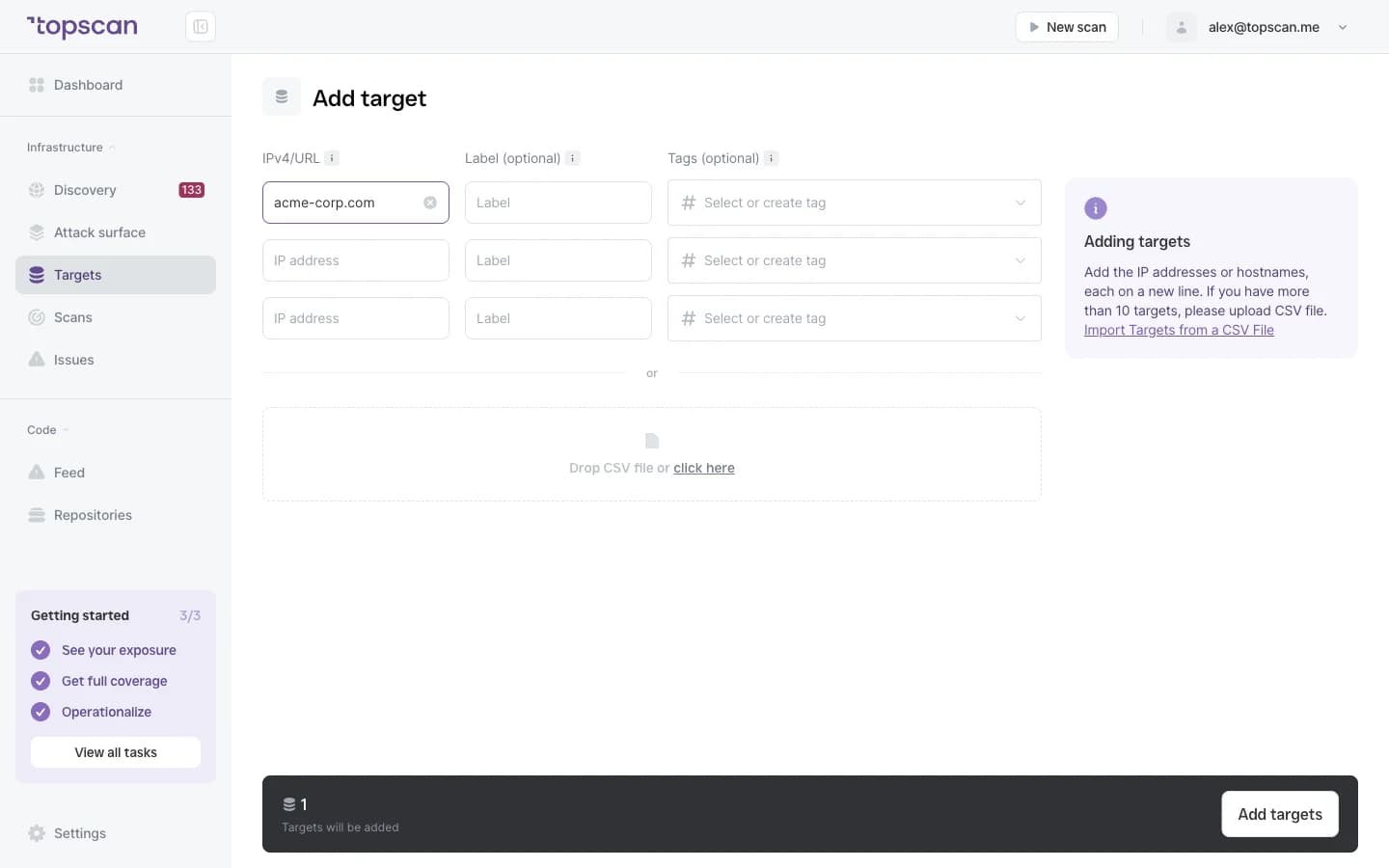
Step 1 · Add one domain
Discovery reads the certificate on every host that answers.
Step 1 of 5 — click the highlighted spot
FAQ
Topscan builds on the best in class scanning engines
Still have questions?
Contact usFind the certificate that's about to break something
Add one domain. The first scan takes about five minutes and reads every certificate it finds.
14 days of the full Advanced plan · no card required