
Vulnerability Management
Running a scanner is the easy part. Staying on top of what it finds, across every asset, week after week, is where teams lose the thread. Topscan puts every finding in one list, in an order of work, with a deadline on each — and one number you can report upward.
14 days of the full Advanced plan · no card required · first results in 5–10 minutes
- CRITICAL 7 days
- HIGH 30
- MEDIUM 60
- LOW 90
default remediation deadlines, counted from first detection
Security Challenges Every Team Faces
What happens in practice
Scanner output piles up faster than anyone can triage it
The one issue that matters is buried among hundreds that don't
Nobody can say which vulnerabilities are already past their deadline
A fixed issue quietly comes back with the next deploy
Leadership asks how things stand and there's no short answer
How Topscan handles it
Every finding lands in one list with its severity, status and affected asset
The same vulnerability on five hosts is one entry, not five
An SLA timer starts at first detection, and overdue work surfaces on its own
Reopened issues are marked as returning, not counted as new
A single Security Score answers the status question in one number
How Vulnerability Management Works
Step 1
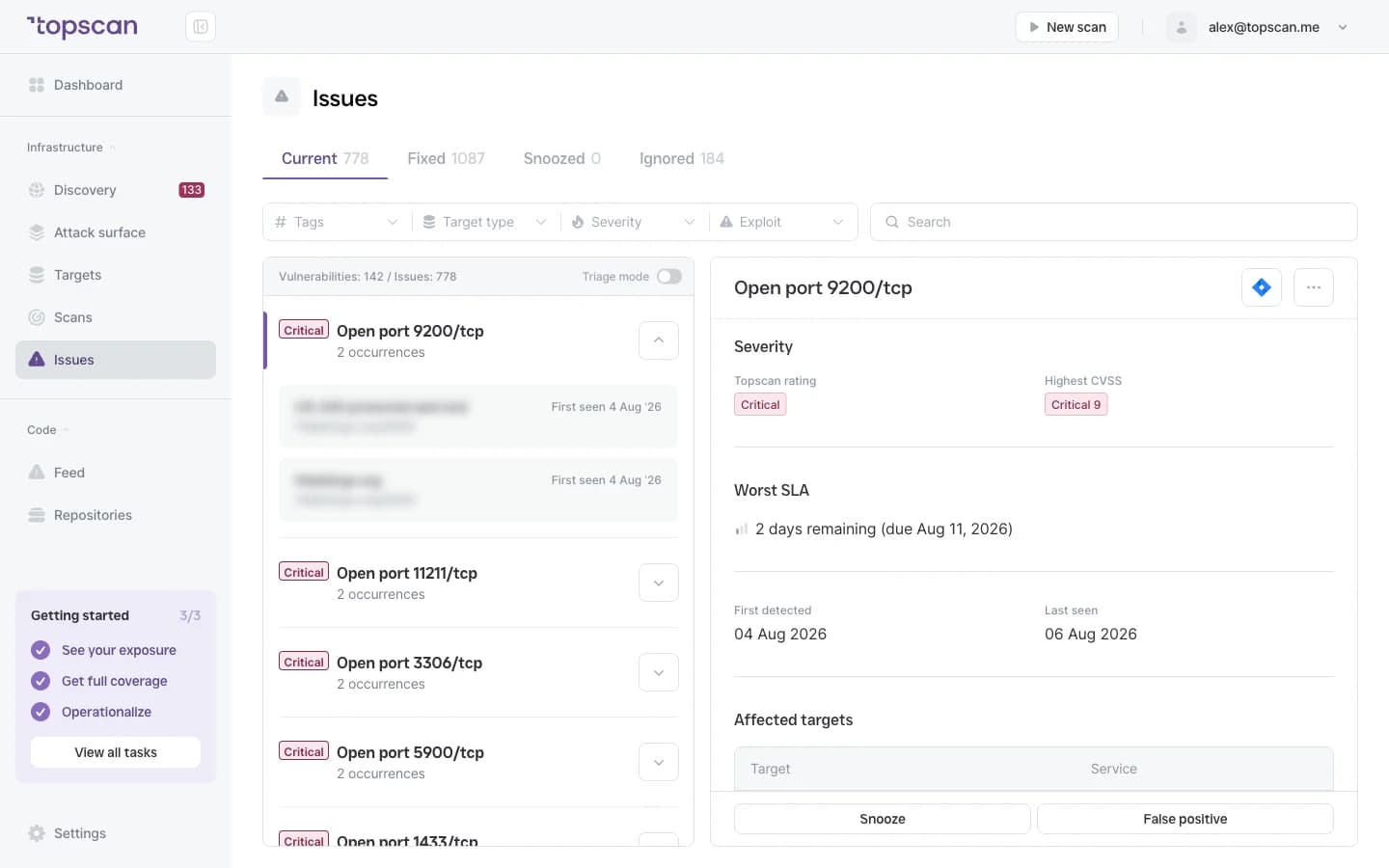
One list instead of scan reports
Findings from your external infrastructure and web applications arrive in a single issue list, each with the affected asset, the CVE where there is one, and a severity. There are no scanner logs to parse and no separate reports to reconcile.
The same vulnerability found on five hosts is one entry listing all five, so the list stays the length of your problem rather than the length of your infrastructure.
- Unified issue list
- Affected asset & CVE
- One entry per vulnerability
- No raw logs
Step 2
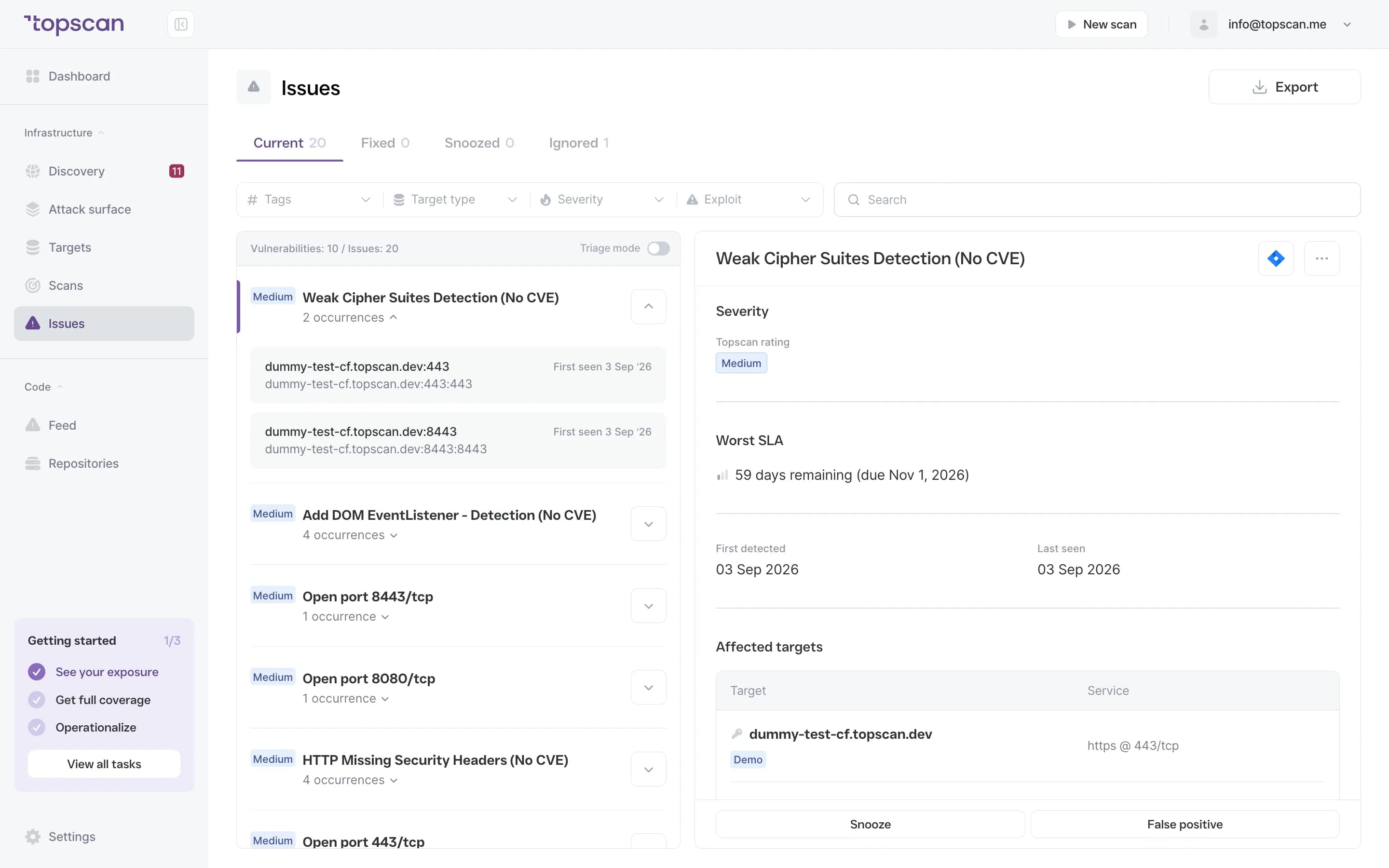
An order of work, decided before you open the first ticket
Issues are ranked CRITICAL to LOW, with exposed and exploitable ones first. An accepted risk can be snoozed without falling out of the list, and a false positive can be marked as one — so the list stays the real order of work rather than a backlog everyone has learned to ignore.
- CRITICAL → LOW
- Exposure-weighted
- Snooze
- Mark false positive
Step 3
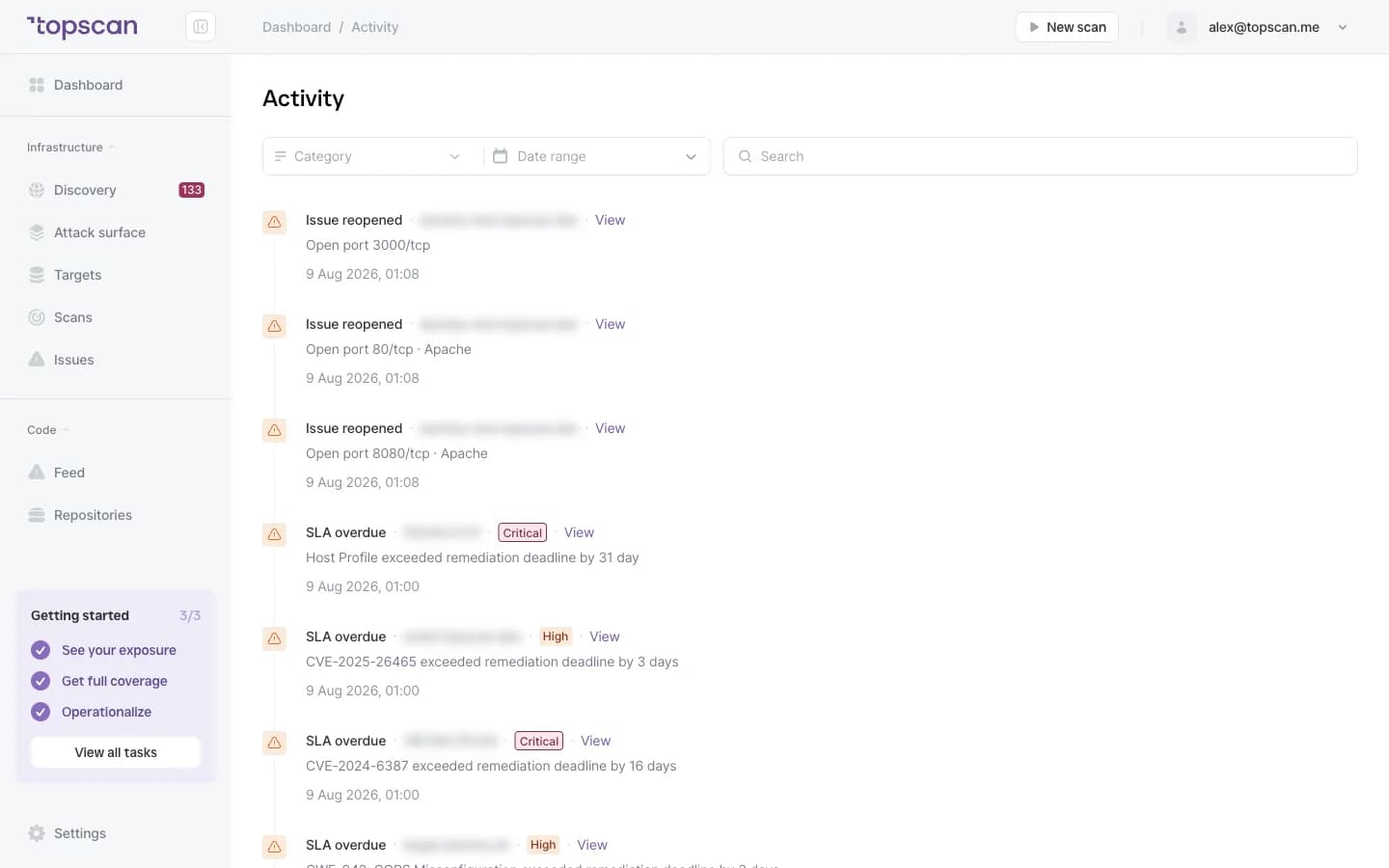
A deadline on every issue, counted from first detection
Each issue gets an SLA timer that starts when the issue was first found, not when someone opened it. Defaults follow severity — CRITICAL 7 days, HIGH 30, MEDIUM 60, LOW 90 — and overdue items are flagged automatically.
Customising those deadlines by severity and by target, and overriding a severity with an audit trail, are Pro features at $449 a month.
- Timer from first detection
- 7 / 30 / 60 / 90 days
- Overdue flagged
Step 4
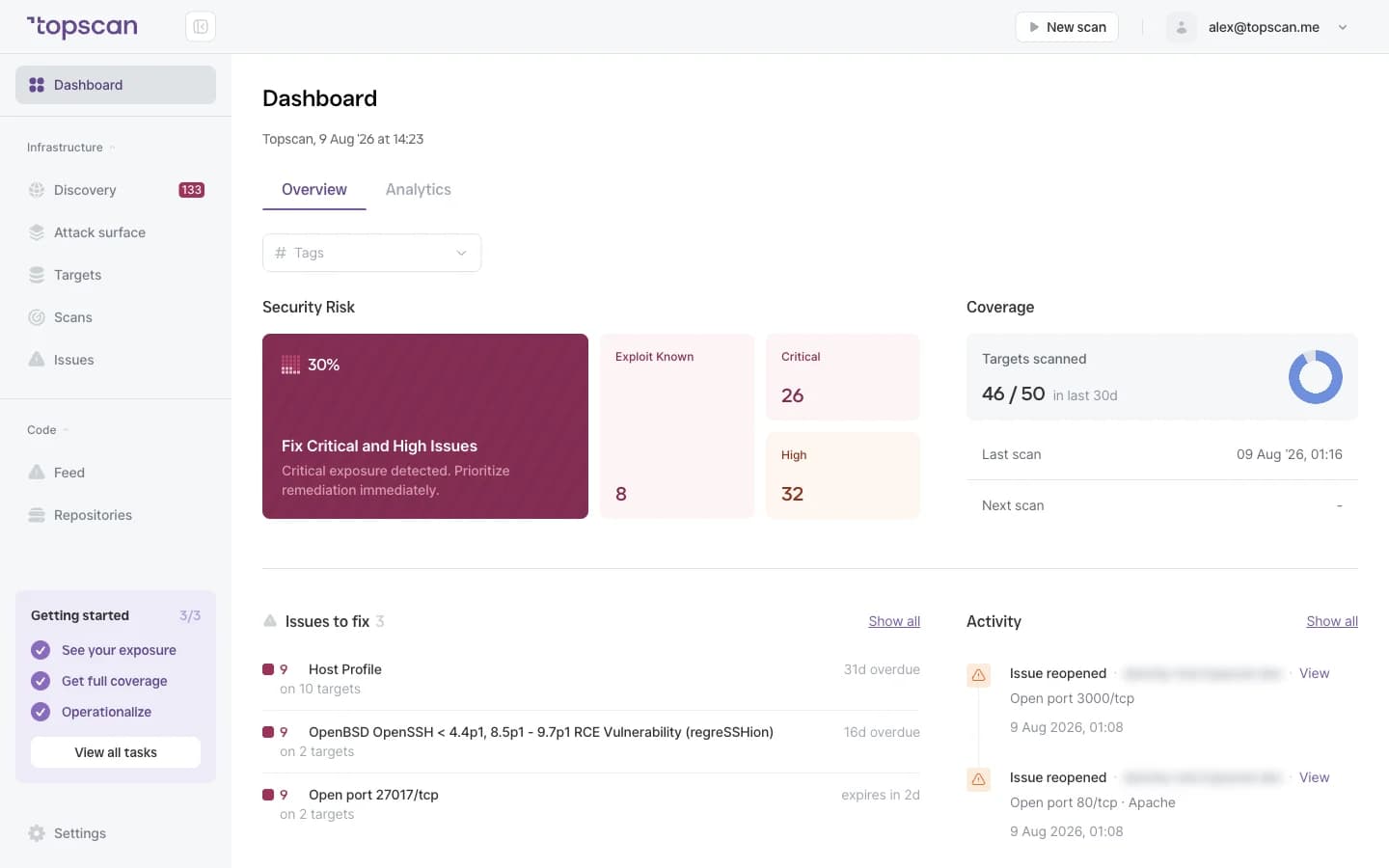
One number, with the history behind it
A Security Score from 0 to 100 turns dozens of findings into something leadership can read at a glance: it starts at 100 and deducts by severity and exposure. Behind it lies a timestamped activity log of every status change, scan and fix — the same record an audit conversation needs.
- Score 0–100
- Deduction model
- Activity log
- Remediation history
Features & Capabilities in one place
Unified issue list
Every vulnerability across infrastructure and web applications in one place, with severity, status and affected asset.
One entry per vulnerability, not per host
The same problem on five hosts is a single issue listing all five — so the list reflects how much work there is, not how many machines you run.
SLA timers with defaults that make sense
Deadlines start at first detection: CRITICAL 7 days, HIGH 30, MEDIUM 60, LOW 90. Overdue issues surface without anyone checking.
Issue lifecycle that survives real work
Open, snooze, mark false positive, resolve — and an issue that comes back is marked as reopened rather than arriving as new.
Who Topscan Is Built For
CTO
One view of what's open, what's overdue and what to fix first — without a security team to maintain it.
Head of DevOps
Track remediation across an environment that keeps changing, and keep deadlines from slipping quietly.
Senior DevOps Engineer
Work from a prioritized list instead of scanner exports, and snooze what you've consciously accepted.
Teams preparing for an audit
Keep issue and remediation history as evidence for SOC 2 or ISO 27001 preparation. Your auditor should confirm applicability.
Issues go where the work happens
Alerts land in your team channel and the remediation record follows them back.
 GitHub
 GitLab
 Slack
Slack Jira
Jira AWS
AWS- CI/CD webhook
Fair pricing for your workload
A busy month doesn't cost more than a quiet one: findings, scans and users are never metered. SLA customisation by severity and by target, and Severity Override with an audit trail, are on Pro at $449 a month.
Basic
$129/ month
For small teams without cloud infrastructure — one DevOps or CTO who owns security among other things.
- 3 infrastructure hosts — an IP, a hostname or a subdomain
- 1 web application tested while it’s running
- 10 repositories scanned by SAST
Advanced
14 days free trialBest value$269/ month
For companies of 20–60 with AWS infrastructure and active CI/CD.
- 8 infrastructure hosts, 2 web applications, 20 repositories
- AWS integration — cloud assets discovered automatically
- Slack routing and Jira tickets for findings
Pro
$449/ month
For companies of 30–100 with mature DevOps, first enterprise customers and audit requirements.
- 15 infrastructure hosts, 4 web applications, 40 repositories
- Custom SLA by severity and per target, Severity Override with an audit trail
- Two-way CI/CD webhook and Attack Surface change tracking with alerts
You pay for what you monitor — not for seats, scans or findings
Discovery costs nothing: it maps your whole footprint and a licence is used only when you put a host under monitoring. Scans are never billed, so a weekly schedule costs the same as a monthly one, and the whole team reads findings on any paid plan — developers, whoever tracks remediation, and read-only seats for auditors.
In every paid plan
- External infrastructure scanning
- Static code analysis, all supported languages
- Remediation history with dates
- Role-based access control
- Attack Surface and Security Score
- Dependency scanning (SCA)
- CI/CD webhook to trigger a scan
- Unlimited scans and users
- Web application scanning
- Statuses, SLA and snooze on every finding
- Email alerts
- Free read-only seats for auditors
Walk through it before you sign up
Five clicks through the real product. No form, no demo call.
Step 1 · Open the issue list
Everything found across every target, in one place.
Step 1 of 5 — click the highlighted spot
FAQ
Topscan builds on the best in class scanning engines
Still have questions?
Contact usTurn scanning into a process you can stand behind
Add one domain. Everything it finds arrives as a list with deadlines rather than a report.
14 days of the full Advanced plan · no card required