
Vulnerability Scanning Engine
What actually runs against your systems, and what deliberately doesn't. Discovery is passive; active checks run only on targets you have confirmed; every finding carries the evidence it came from, so you can verify it yourself before touching anything.
14 days of the full Advanced plan · no card required · first results in 5–10 minutes
- Public records only, before you confirm
- One ordinary HTTP request
- No ports touched by discovery
- Active checks on confirmed targets only
the boundary, stated up front
Security Challenges
Every Team Faces
What happens in practice
A finding says «possible» and there's no way to tell whether it's real
The report names a CVE, not the request that produced it
Nobody knows whether the scanner will hit production hard enough to matter
A team disables scanning entirely rather than risk an incident during a release
Nobody can say what the tool is allowed to do in their infrastructure
How Topscan handles it
Every finding carries its evidence: the host, the response, the date
Discovery uses only public registries, DNS and one ordinary HTTP request
Active checks run only on targets you have explicitly confirmed
The engine is built to observe, not to exploit — nothing destructive is sent
Rechecks are scheduled, so the picture stays current without anyone starting a run
How Engine Works
Step 1
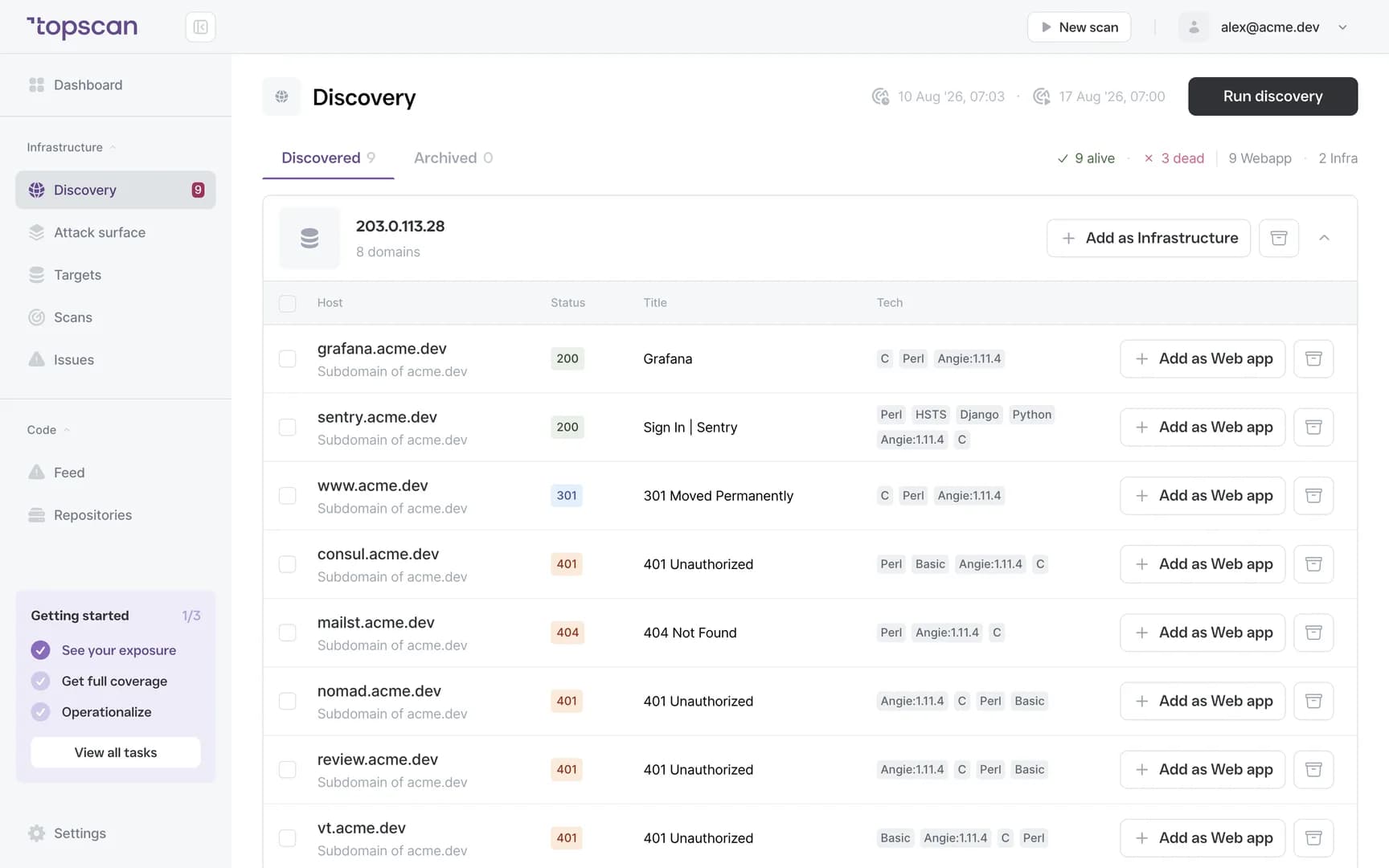
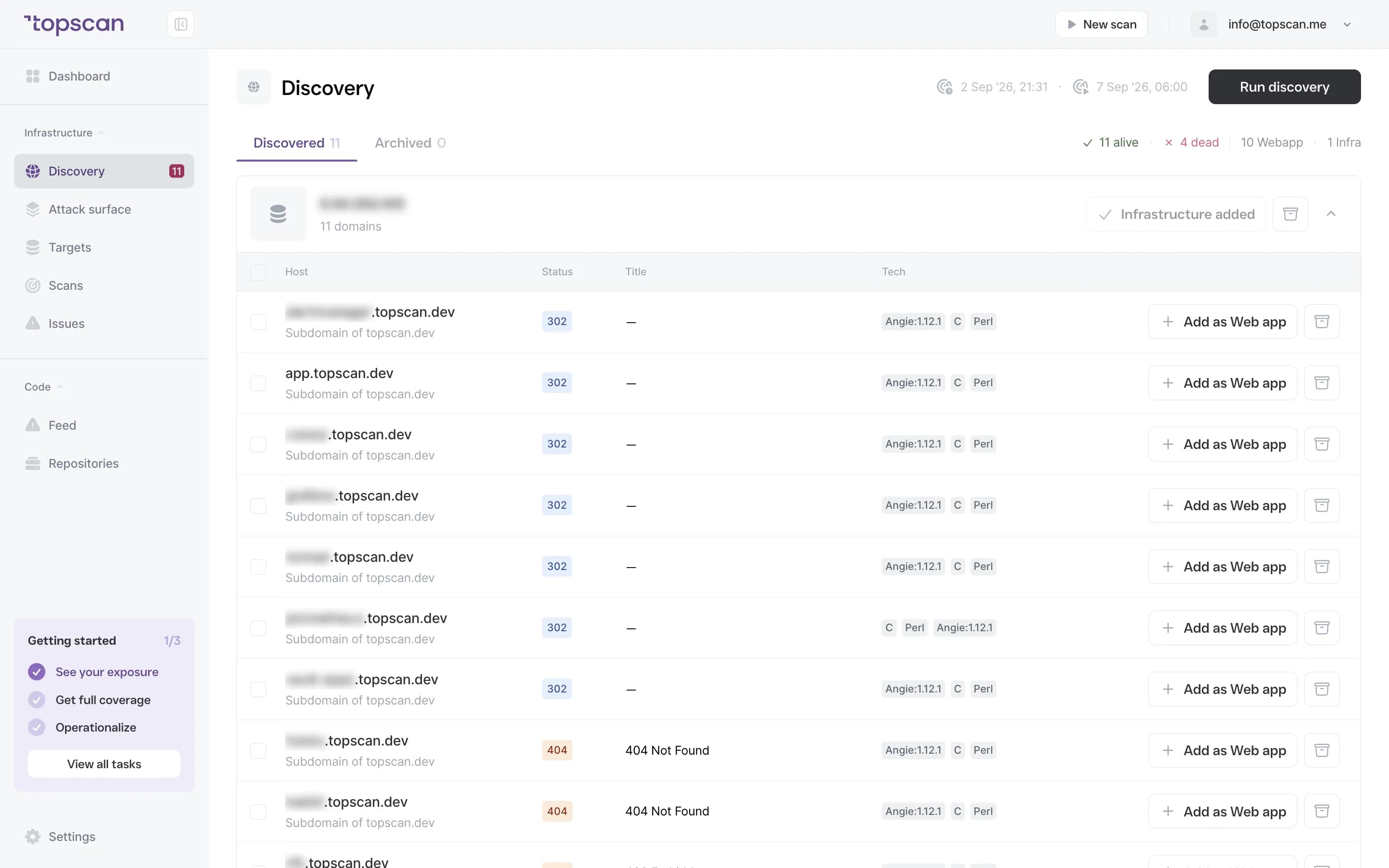
Map first, from public records only
The starting point is passive: certificate transparency logs, DNS, and a single ordinary HTTP request per host — the same request a browser makes. No ports are touched at this stage and nothing is probed, which is why discovery can run before you've confirmed anything.
Discovery identifies services, but it never launches a scan against them. The most it will do is read an HTTP response.
- CT logs
- DNS
- One HTTP
- No port checks
Step 2
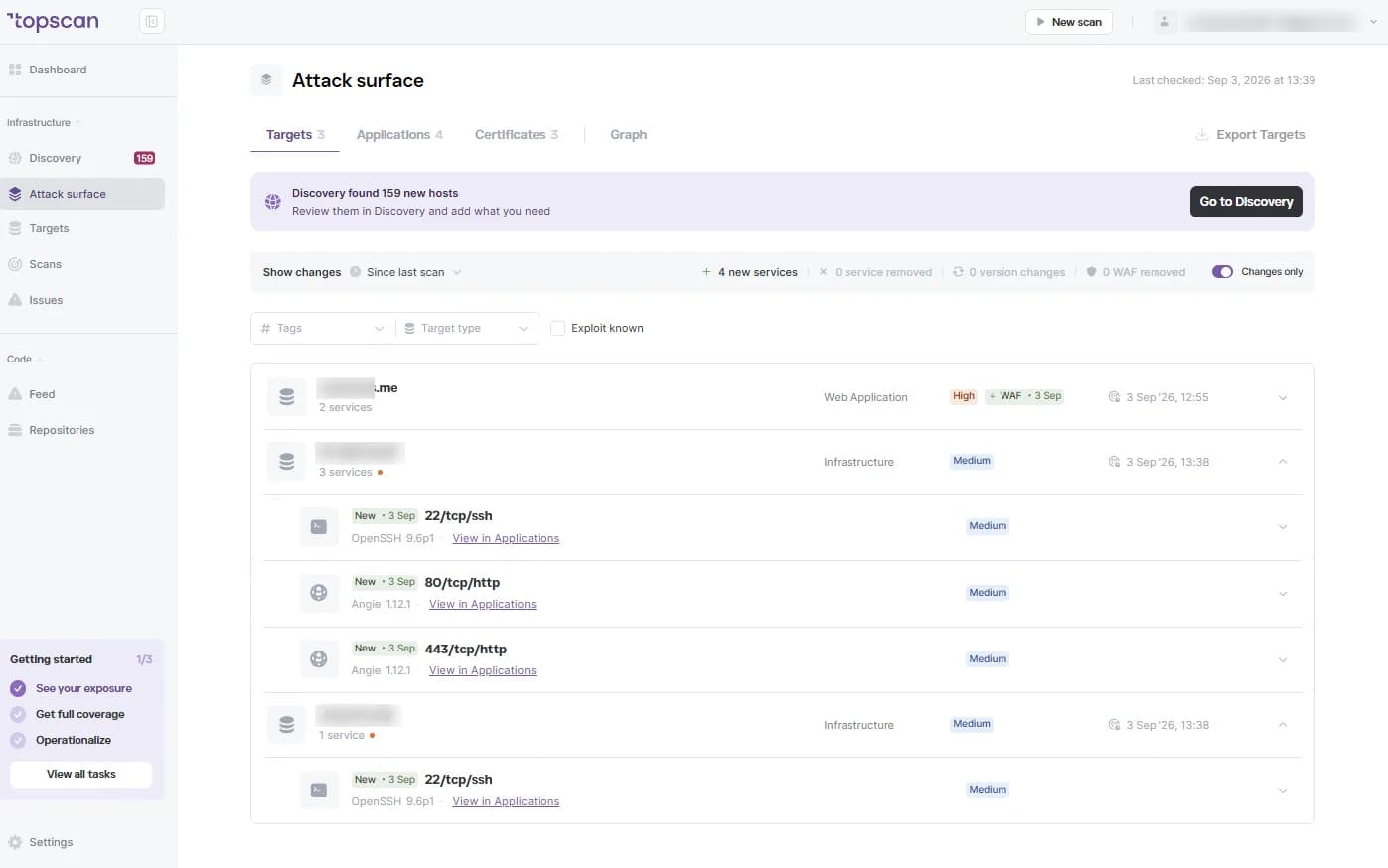
Active checks, only where you allowed them
Port checks and active templates run against confirmed targets and nowhere else. Confirming a target is also how you state you're authorised for it — the boundary is deliberate, because an unauthorised port scan is a criminal matter in some jurisdictions.
Request rate is limited so a check doesn't behave like load, and if you would rather not point it at production, point it at staging instead.
- Confirmed targets only
- Ports & services
- Rate limited
- Authorisation on you
Step 3
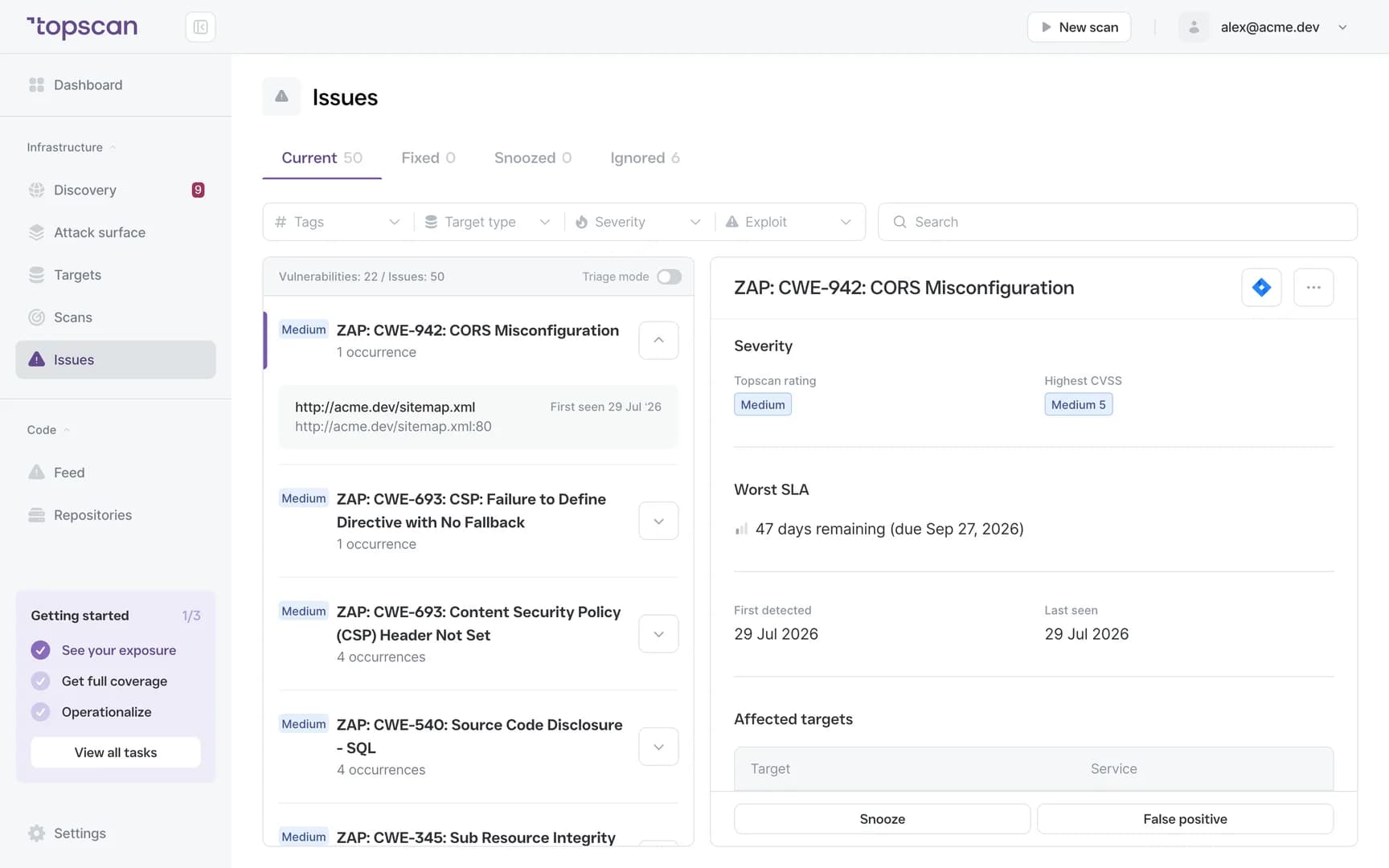
A finding you can verify in ten seconds
Every result ships with what produced it: the hostname, the status code, the response header or certificate date, and the time it was checked. You don't have to trust the label — you can check it.
- Host & URL
- Status & headers
- Timestamp
- Evidence attached
Step 4
Rechecks, and what changed since the last one
Confirmed targets are rechecked on a schedule. A finding that disappeared is closed with a date, one that returned is marked as reopened, and the history stays — which is what turns a scan into a process rather than an event.
- Recurring checks
- Closed with a date
- Reopened tracked
Features & Capabilities in one workflow
It doesn't exploit anything
Checks observe and fingerprint. Nothing destructive is sent and no data is modified.
It doesn't scan what you haven't confirmed
Discovery finds what exists and reads an HTTP response. Everything beyond that waits for your approval — no scan is ever launched against a service just because it was discovered.
It doesn't log in unless you ask it to
Authenticated scanning runs only with credentials you supply yourself. The scanner never tries to get past authentication it wasn't explicitly given.
It doesn't replace a human
Business logic, broken authorisation between two real accounts, an abuse path specific to your product — those need a person. A pentest is a deep look on one day; this is a shallow look every day.
Who Topscan Is Built For
Head of DevOps
Know exactly what runs against your systems and when.
Senior DevOps / Platform Engineer
Verify a finding from the evidence attached to it instead of reproducing it by hand.
CTO
Get recurring external checks without owning the question of what a scanner might break.
Teams preparing for an audit
Show what was checked, when, and what the check actually consisted of. Your auditor should confirm applicability.
Runs where your work runs, reports where your team reads
Scans trigger from your pipeline and findings arrive in your chat.
 GitHub
 GitLab
 Slack
Slack Jira
Jira AWS
AWS- CI/CD webhook
Fair pricing for what you scan
On paid plans scans are unlimited, so rechecking weekly costs the same as monthly. Free keeps one host on a fixed weekly scan.
Basic
$129/ month
For small teams without cloud infrastructure — one DevOps or CTO who owns security among other things.
- 3 infrastructure hosts — an IP, a hostname or a subdomain
- 1 web application tested while it’s running
- 10 repositories scanned by SAST
Advanced
14 days free trialBest value$269/ month
For companies of 20–60 with AWS infrastructure and active CI/CD.
- 8 infrastructure hosts, 2 web applications, 20 repositories
- AWS integration — cloud assets discovered automatically
- Slack routing and Jira tickets for findings
Pro
$449/ month
For companies of 30–100 with mature DevOps, first enterprise customers and audit requirements.
- 15 infrastructure hosts, 4 web applications, 40 repositories
- Custom SLA by severity and per target, Severity Override with an audit trail
- Two-way CI/CD webhook and Attack Surface change tracking with alerts
You pay for what you monitor — not for seats, scans or findings
Discovery costs nothing: it maps your whole footprint and a licence is used only when you put a host under monitoring. Scans are never billed, so a weekly schedule costs the same as a monthly one, and the whole team reads findings on any paid plan — developers, whoever tracks remediation, and read-only seats for auditors.
In every paid plan
- External infrastructure scanning
- Static code analysis, all supported languages
- Remediation history with dates
- Role-based access control
- Attack Surface and Security Score
- Dependency scanning (SCA)
- CI/CD webhook to trigger a scan
- Unlimited scans and users
- Web application scanning
- Statuses, SLA and snooze on every finding
- Email alerts
- Free read-only seats for auditors
Walk through it
before you sign up
Five clicks through the real product. No form, no demo call.
Step 1 · Watch discovery run
Public records and one HTTP request. No ports touched.
Step 1 of 5 — click the highlighted spot
FAQ
Topscan builds on the best in class scanning engines
Still have questions?
Contact usSee what’s there — and see how it was checked
Add one domain. Nothing active runs until you approve a target.
14 days of the full Advanced plan · no card required