
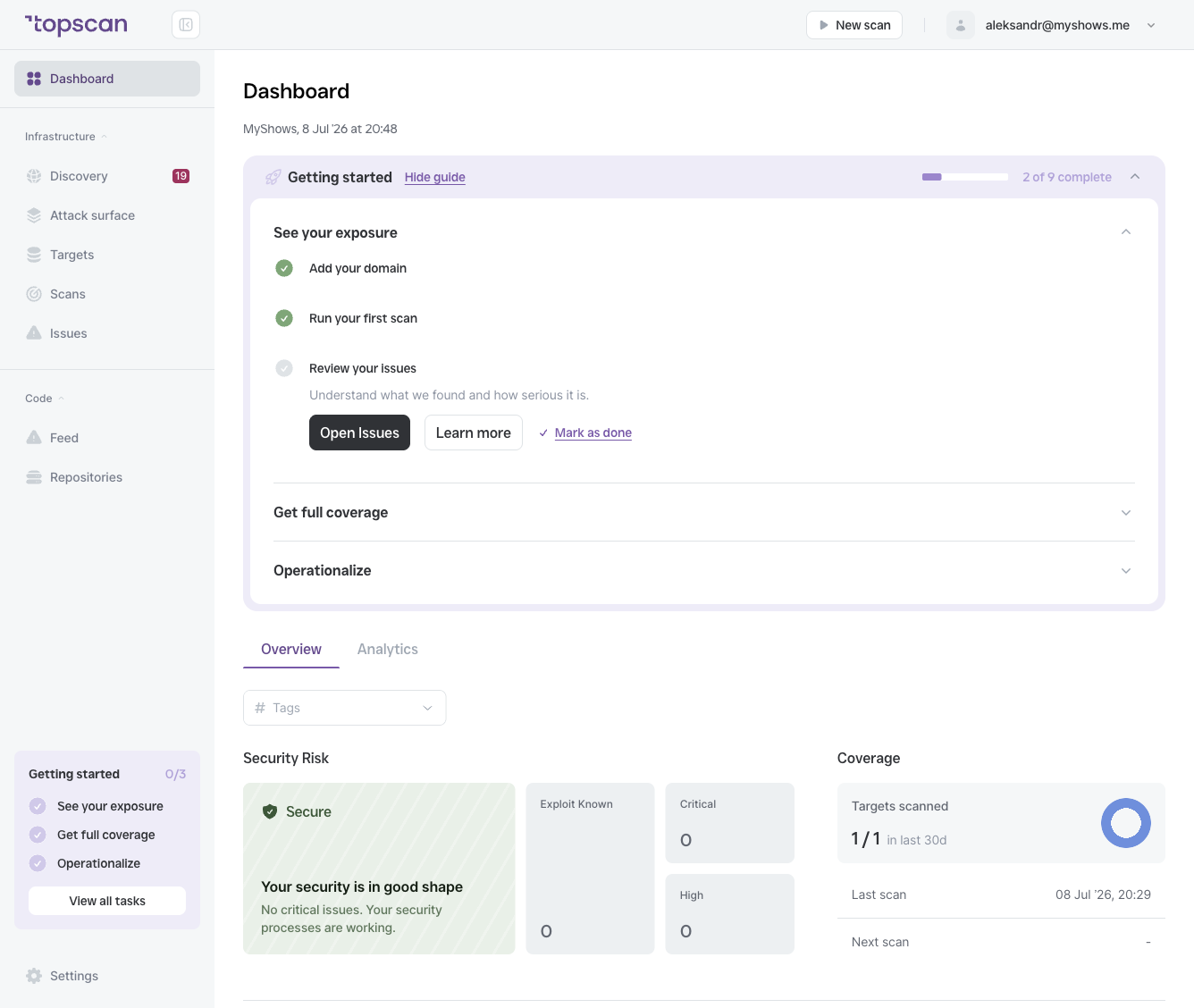
Status: Secure or At Risk
The panel leads with an overall status and a plain-language message:
- Secure — no critical issues, and your remediation processes are keeping up ("Your security is in good shape").
- At Risk — you have open high-severity problems that need attention.
The status is the fastest read on the whole workspace: green and calm, or something to act on.
Critical and High counters
Next to the At Risk count, you'll see separate totals for Critical and High open issues across all targets. These are the issues that:
- Have the highest CVSS scores
- Have the shortest SLA deadlines (7 and 30 days respectively)
- Have the largest impact on your Security Score if left unresolved
Exploit Known
When an issue is flagged Exploit Known, a working public exploit exists for that vulnerability. Topscan surfaces these prominently because the risk is no longer theoretical — an attacker could use a known technique to compromise your system today.
Exploit Known issues should be treated as the absolute top priority, regardless of their CVSS score.
"Fix Critical and High Issues" prompt
When At Risk > 0, the panel displays a call to action. Clicking it takes you directly to the Issues page filtered to Critical and High severity, so you can start remediation immediately.