
How to archive a host
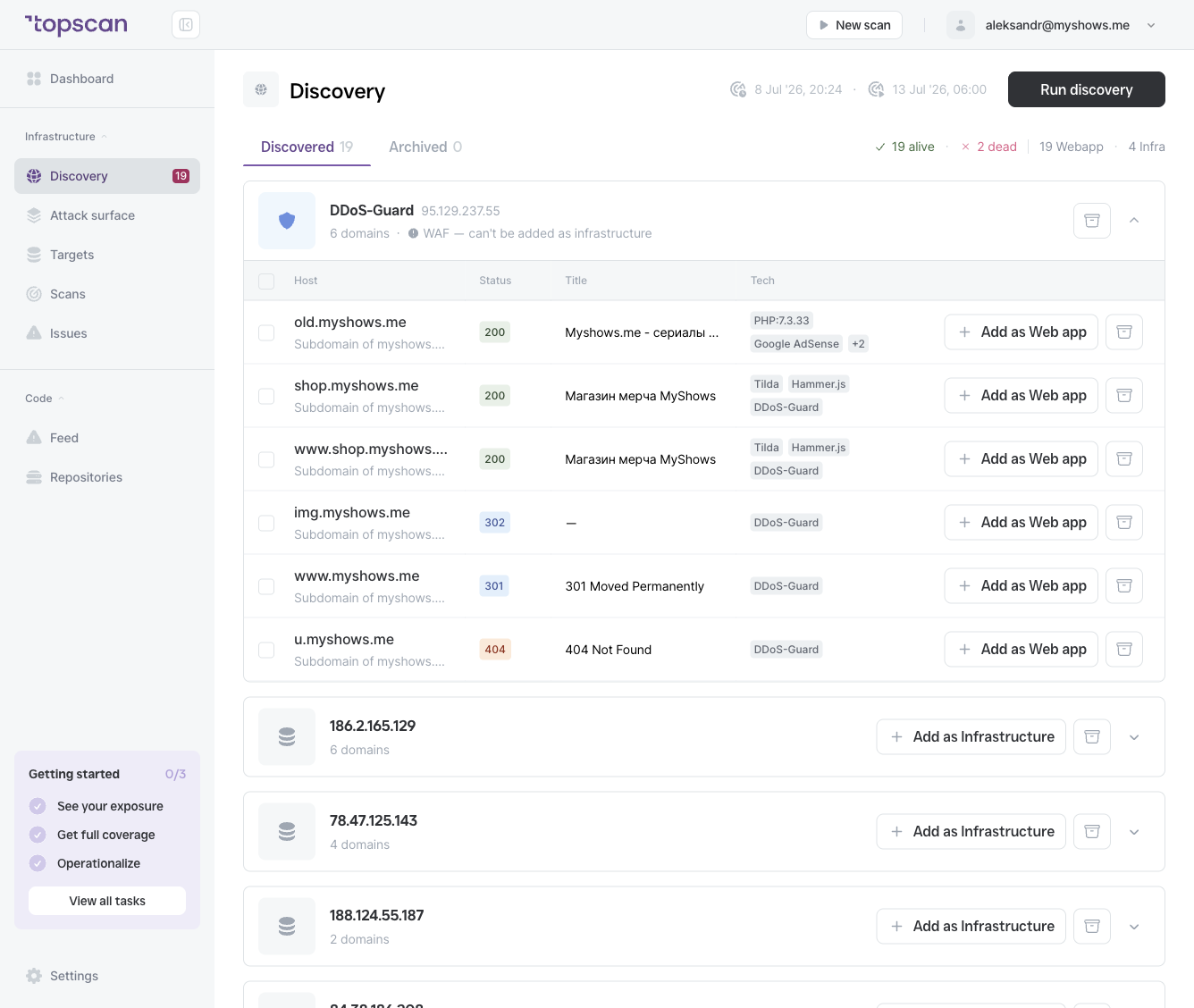
Click the archive (box) icon on the right side of a host row. To set aside a whole IP-address or WAF group at once, use the archive icon on the group header.
Archived hosts move to the Archived tab and are no longer shown in the Discovered list.
The Archived tab
Switch to the Archived tab (next to Discovered) to see everything you've set aside. The tab header shows the archived count.
Archived hosts are not added as targets and won't clutter the Discovered list on the next Discovery run.
Restoring an archived host
If you archived a host by mistake or your infrastructure changes, you can bring it back:
- Open the Archived tab.
- Find the host and restore it.
The host returns to the Discovered list, where you can add it as a target or archive it again.