
Add as Web app vs. Add as Infrastructure
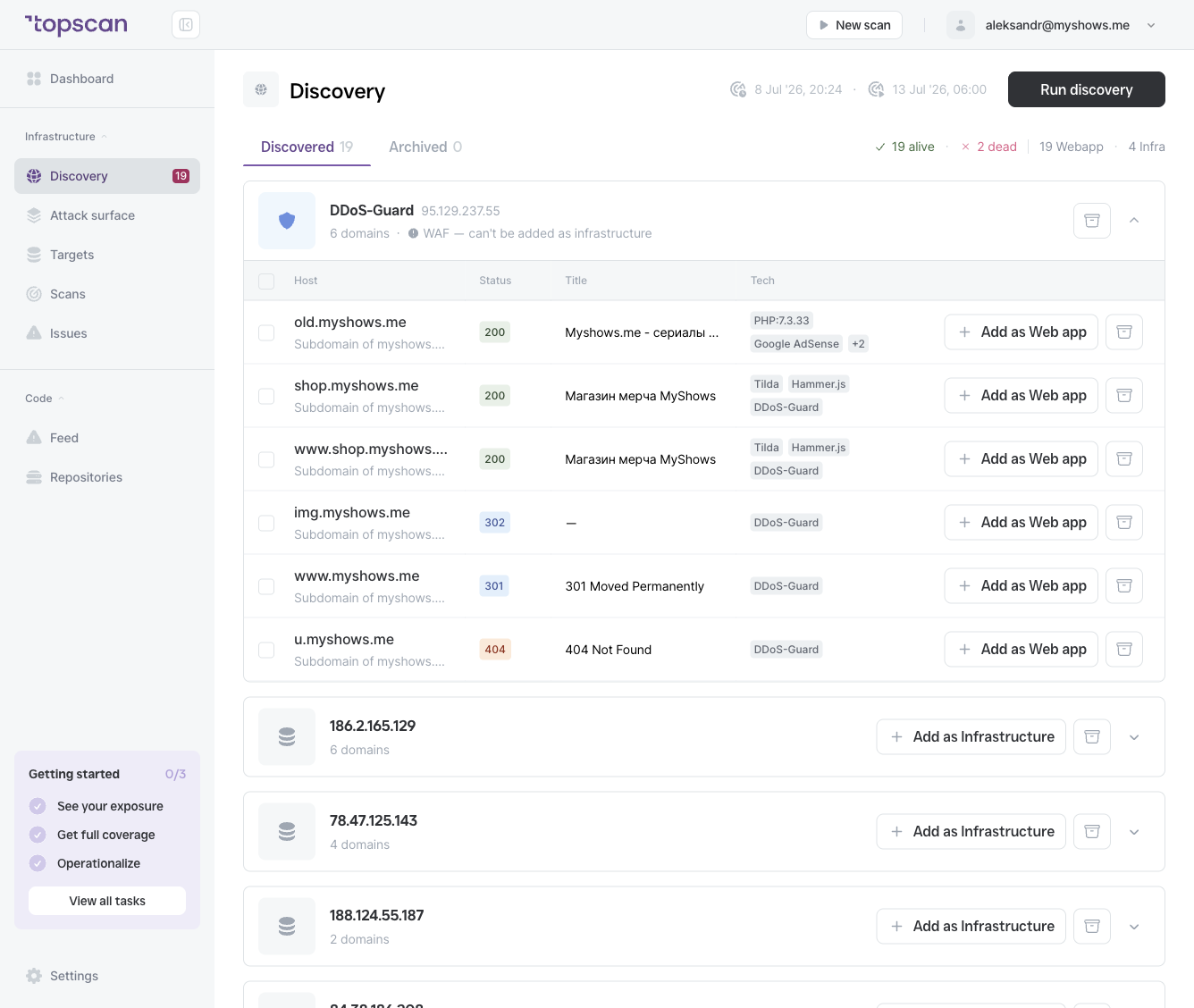
Topscan offers the action that fits what it detected:
| Action | Where it appears | When to use |
|---|---|---|
| + Add as Web app | On an individual host row | The host serves a website or web application (has a page title, web tech, HTTP 200/301/302) |
| + Add as Infrastructure | On an IP-address group | You want to monitor the server/network asset behind one or more domains on that IP |
Hosts sitting behind a WAF or CDN (e.g. DDoS-Guard) can only be added as Web app — the underlying server isn't directly reachable, so infrastructure scanning wouldn't reach your own host.
Each added target consumes a license of the matching type (Target licenses).
Adding a host
- Find the host in the Discovered tab.
- Click + Add as Web app on the host row, or + Add as Infrastructure on the IP-address group.
The target is added to your Targets list immediately and is ready to scan.
Adding multiple hosts at once
Use the checkboxes on the left of each host row to select several hosts, then add them together with the bulk action. This is faster when Discovery surfaces a large number of new assets at once.