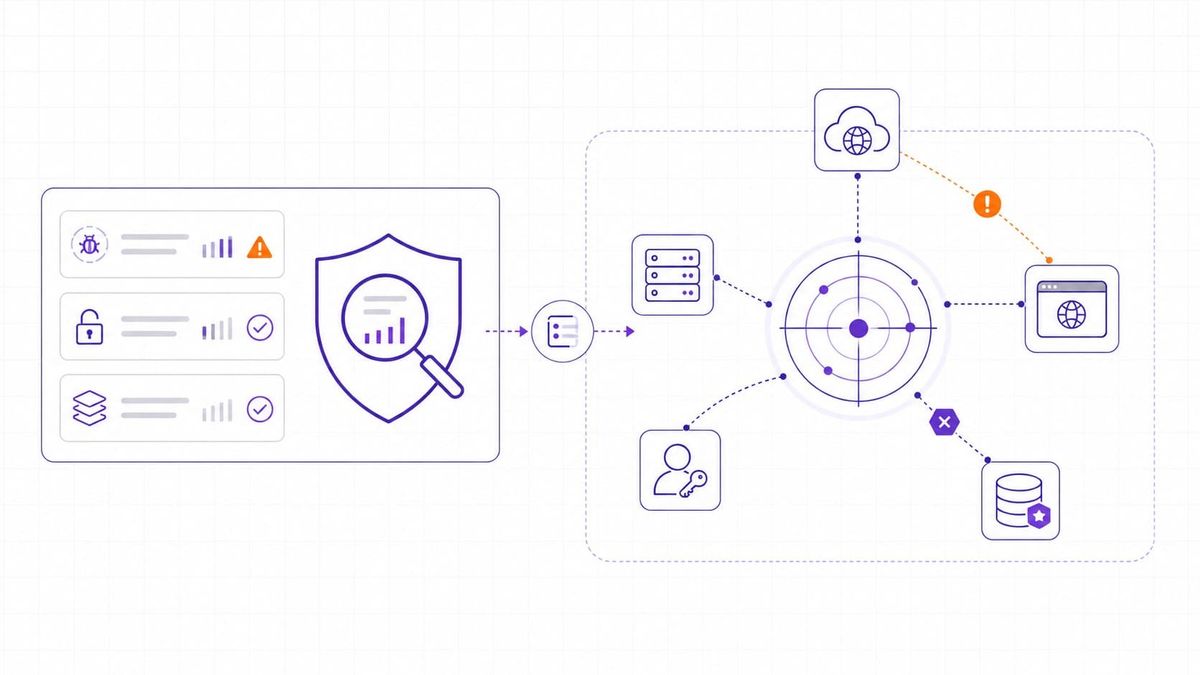
Security teams rarely have a shortage of findings. A scanner reports missing patches, a cloud tool flags risky settings, an identity system shows broad permissions, and an external scan finds internet-facing services. Each signal may be accurate, but none of them explains the full route an attacker could take.
Attack path analysis connects those signals. It maps how an attacker could move from an entry point to a critical asset by chaining exposed services, vulnerabilities, credentials, permissions, trust relationships, and misconfigurations. Instead of asking only "What is vulnerable?", it asks a sharper question: "Which connected weaknesses could lead to real impact?"
That difference matters in cloud and hybrid environments. Assets appear and disappear quickly, permissions change often, and many incidents involve more than one weakness. A single medium-severity issue may not deserve urgent work on its own, but it can become serious when it sits on a short route to customer data, production infrastructure, or privileged administration.
Attack Path Analysis Defined
Attack path analysis is a security method for modeling the routes an attacker could use to reach a valuable target. A path may begin with an exposed application, stolen credentials, a public cloud service, an unmanaged device, or a vulnerable host. It may then move through identity permissions, network reachability, trust relationships, weak segmentation, or service accounts until it reaches a system that matters.
The output is not just another vulnerability list. A useful attack path shows:
- The likely entry point, so the team can see where an attacker could begin rather than reviewing internal findings in isolation.
- The intermediate steps, such as lateral movement, privilege escalation, credential access, or misuse of a trusted relationship.
- The target asset, such as a production database, identity administrator role, code repository, payment system, or customer-facing service.
- The weakest break point, where one fix or compensating control can interrupt the route.
Microsoft's exposure management documentation describes attack paths as routes that combine assets and techniques from an entry point to critical assets, and notes that path quality depends on the data available from the environment. That caveat is important: attack path analysis is only as good as its asset, identity, vulnerability, and configuration inputs.
Attack Path Analysis Matters More as Environments Become Connected
Traditional perimeter thinking assumes a clear boundary between inside and outside. Modern environments do not behave that neatly. A small software company may have cloud workloads, SaaS identities, CI/CD runners, public APIs, contractor access, containers, VPNs, and third-party integrations. A weakness in one layer can become meaningful because of a relationship in another.
Attackers also work in sequences. The MITRE ATT&CK knowledge base organizes adversary behavior into tactics and techniques such as initial access, credential access, discovery, privilege escalation, lateral movement, and impact. Attack path analysis uses the same basic idea at the environment level: the risk is not only the individual weakness, but the route created when several weaknesses line up.
For a lean security team, this context changes the remediation conversation. A public development server with weak credentials, access to a shared file store, and a service account that can read production backups deserves attention before a higher-scored issue on an isolated test machine. The team is no longer sorting by severity alone; it is asking which fix removes the most reachable path to meaningful harm.
This is closely related to exposure management, where the focus is reducing the conditions, attackers can actually use, not just closing every ticket in a backlog.
The Core Components of an Attack Path
Most attack paths combine several types of security data. The exact model depends on the environment and the tools involved, but the main components are consistent.
- Assets define what exists. Domains, IP addresses, cloud services, repositories, endpoints, databases, containers, APIs, and SaaS applications form the map. Unknown or unmanaged assets weaken the analysis because they may create entry points the team is not monitoring.
- Identities define who or what can act. Human users, service accounts, API keys, workloads, roles, groups, and machine identities often determine whether an attacker can move from one system to another.
- Exposures define what can be used. These include unpatched vulnerabilities, public services, weak TLS settings, exposed admin panels, unsafe cloud configurations, missing MFA, default credentials, permissive firewall rules, or excessive IAM permissions.
- Relationships define the route. Network access, identity trust, shared credentials, repository access, deployment pipelines, and cloud role assumptions explain how a compromise in one place can influence another.
- Critical assets define impact. A path is more urgent when it leads to customer data, production systems, domain or cloud administration, payment infrastructure, regulated data, or services with high availability requirements.
Without these components, attack path analysis becomes a diagram with missing edges. With them, the team can see why a finding matters, which owner needs to act, and where a small change can remove a large amount of risk.
Attack Path Graphs Make Security Context Visible
Attack path analysis is often represented as a graph. Nodes represent objects such as users, roles, servers, cloud resources, repositories, databases, or applications. Edges represent relationships such as "can access," "can assume role," "runs on," "trusts," "contains credential," or "is reachable from."
This graph model is useful because attackers do not care which tool found a weakness. They care whether one step gives them another step. A public application vulnerability, a leaked token, and an over-permissioned service account may come from different systems, but together they can form one route.
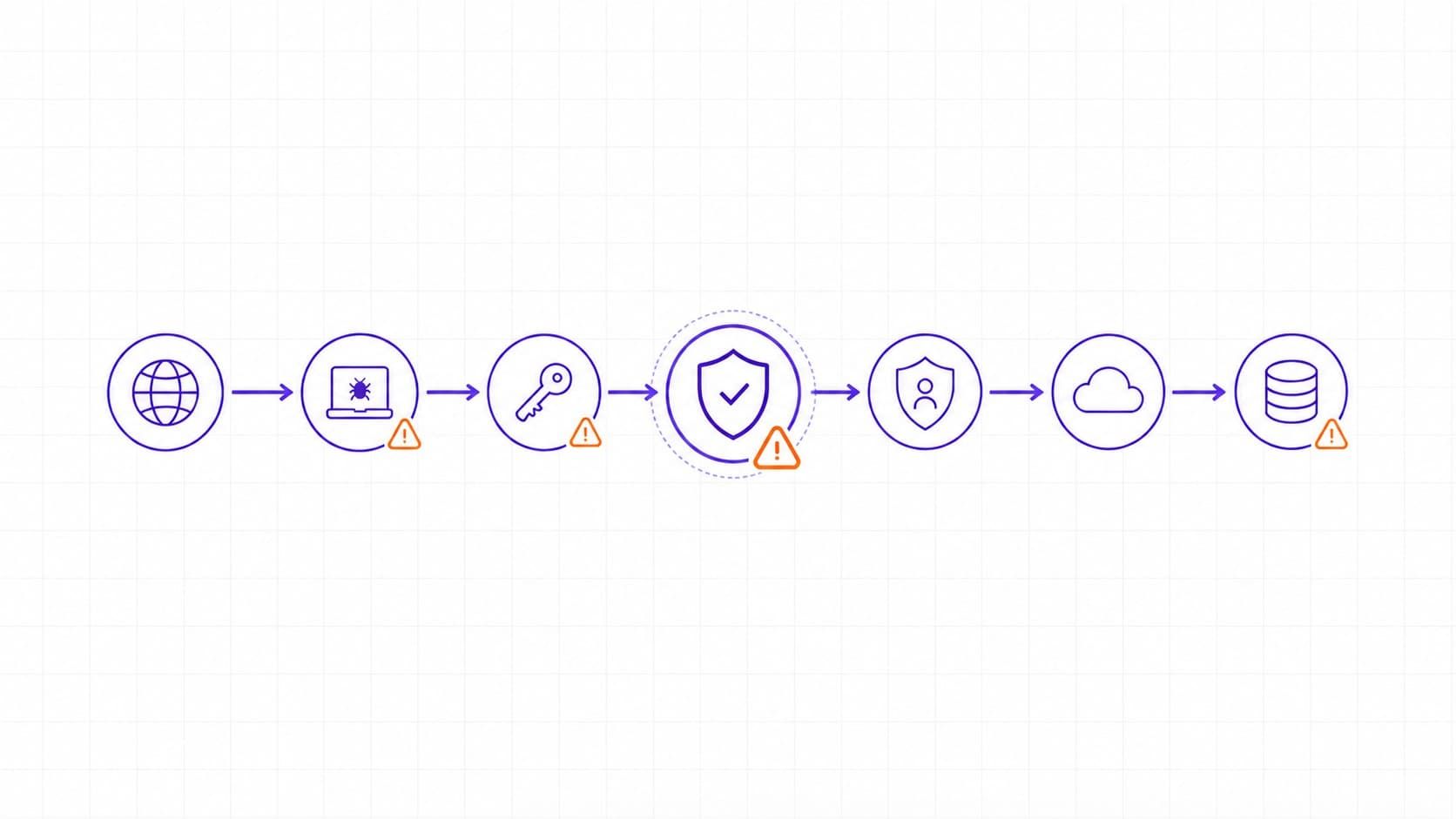
A simplified path might look like this:
- A staging application is reachable from the internet and runs an outdated framework.
- The application host contains a deployment token with access to a private repository.
- The repository stores infrastructure code that references a cloud role.
- The cloud role can read a production storage bucket.
None of those steps should be reviewed alone. The risk comes from the chain. If the team removes the public exposure, rotates and scopes the token, limits the role, or blocks the storage access, the path is broken. The best fix depends on ownership, urgency, and operational impact.
Attack Path Analysis and Vulnerability Scanning Solve Different Problems
Vulnerability scanning remains necessary. It identifies known weaknesses in software, services, and systems, often using CVEs, version checks, configuration checks, and safe probes.
Our guide to vulnerability scanning explains how scanning fits into a broader security process.
Attack path analysis uses vulnerability data, but it adds reachability, identity, relationship, and business context. It asks whether the weakness is usable in the current environment and what an attacker could reach if they exploited it.
|
Security question |
Vulnerability scanning |
Attack path analysis |
|
What does it find? |
Known weaknesses on assets, such as missing patches, risky services, or insecure configurations. |
Connected routes from entry points through assets, identities, and relationships to critical systems. |
|
How does it prioritize? |
Often starts with severity scores, affected versions, exploitability, and scanner confidence. |
Adds reachability, privileges, path length, choke points, compensating controls, and business impact. |
|
What is the main output? |
A list of findings to triage, assign, fix, suppress, or rescan. |
A set of paths to break, with context about which fix reduces the most risk. |
|
Where can it mislead? |
A high-severity issue may look urgent even when it is isolated or unreachable. |
A path may be incomplete if asset inventory, identity data, or cloud configuration data is missing. |
|
How should teams use it? |
Keep it as a core input for vulnerability management and verification. |
Use it to decide which connected exposures deserve the fastest action. |
The two approaches work best together. Scanning supplies the raw exposure data. Attack path analysis explains which findings are connected to impact.
For teams comparing outside-in discovery with backlog management, the distinction between attack surface management and vulnerability management is a useful next step.
Exposure Types That Commonly Appear in Attack Paths
Attack paths usually form when several ordinary weaknesses line up. The most common exposure types are familiar, but attack path analysis changes how teams read them.
- Public exposure becomes more urgent when it connects to internal access. An internet-facing service is not automatically critical, but it deserves close review if it can reach administrative interfaces, deployment systems, sensitive APIs, or cloud resources.
- Misconfiguration creates shortcuts around intended controls. A permissive security group, public storage bucket, broad IAM policy, or forgotten test endpoint can turn a controlled environment into a reachable one.
- Excessive permissions increase blast radius. A user, service account, CI/CD token, or machine identity with more access than it needs can let a small compromise become a larger one.
- Credential weaknesses create movement between systems. Cached credentials, long-lived tokens, shared passwords, missing MFA, or exposed secrets can connect otherwise separate systems.
- Unpatched vulnerabilities provide entry or escalation. CVEs still matter, especially when they affect reachable services or appear in known exploited vulnerability lists, but their priority depends on the surrounding path.
- Trust relationships can hide risk. Peered networks, shared identity providers, delegated admin roles, third-party access, and repository-to-cloud deployment paths may create routes that are not obvious from a single scanner result.
These exposures are also central to continuous threat exposure management, where teams repeatedly discover, prioritize, validate, and reduce the exposures most likely to affect the business.
Risk-Based Prioritization Uses Context Beyond CVSS
CVSS is useful for describing the technical severity of a vulnerability. FIRST defines CVSS as a standardized framework for communicating severity characteristics. It is not, by itself, a complete business risk model because it does not know whether an asset is internet-facing, whether an attacker can reach it, whether compensating controls are effective, or whether the affected system supports a critical service.
Attack path analysis adds the missing environment context. A practical priority model should consider:
- Reachability. Can an attacker reach the affected system from the internet, a compromised identity, a partner connection, or a lower-trust network segment?
- Required privileges. Does exploitation require administrator access, any authenticated user, a machine identity, or no credentials at all?
- Path length and complexity. Is the route short and direct, or does it require several uncertain steps that existing controls may interrupt?
- Asset criticality. Does the path lead to customer data, production infrastructure, identity administration, source code, payment systems, or regulated information?
- Choke points. Would fixing one node or relationship disrupt many paths at once?
- Exploitation evidence. Is the vulnerability being exploited in the wild, present in CISA's Known Exploited Vulnerabilities Catalog, or tied to credible threat intelligence?
- Remediation cost and safety. Can the team patch, rotate credentials, remove access, segment a network, or add a control without creating unacceptable operational risk?
NIST's risk assessment guidance frames risk around threat sources, vulnerabilities, likelihood, and impact. Attack path analysis fits that mindset because it connects technical weakness to a plausible route and a business consequence.
For teams already using scoring, article on how CVSS works in practice can help separate standardized severity from local priority.
A Practical Starting Workflow for Lean Teams
Attack path analysis can become complex, especially in large hybrid environments. Smaller teams do not need to model everything on day one. They need a bounded workflow that improves decisions without creating another dashboard no one trusts.
- Choose one critical service. Start with a customer-facing application, payment flow, authentication system, production database, or service that leadership already agrees is important.
- List the assets and identities around it. Include domains, IPs, APIs, cloud resources, repositories, CI/CD systems, admin roles, service accounts, and third-party access that could affect the service.
- Add exposure data. Pull in external scan findings, vulnerability data, cloud configuration issues, missing MFA, risky permissions, open ports, exposed secrets, and unmanaged assets.
- Map credible routes. Look for simple chains such as public service to host access, host access to token, token to repository, repository to cloud role, or cloud role to production data.
- Identify break points. Decide which fix interrupts the path with the least operational risk: patch, close a port, rotate a credential, reduce permissions, isolate a segment, remove public access, or add MFA.
- Assign owners and deadlines. A path is not reduced until someone owns the change, applies it, and verifies that the route no longer works.
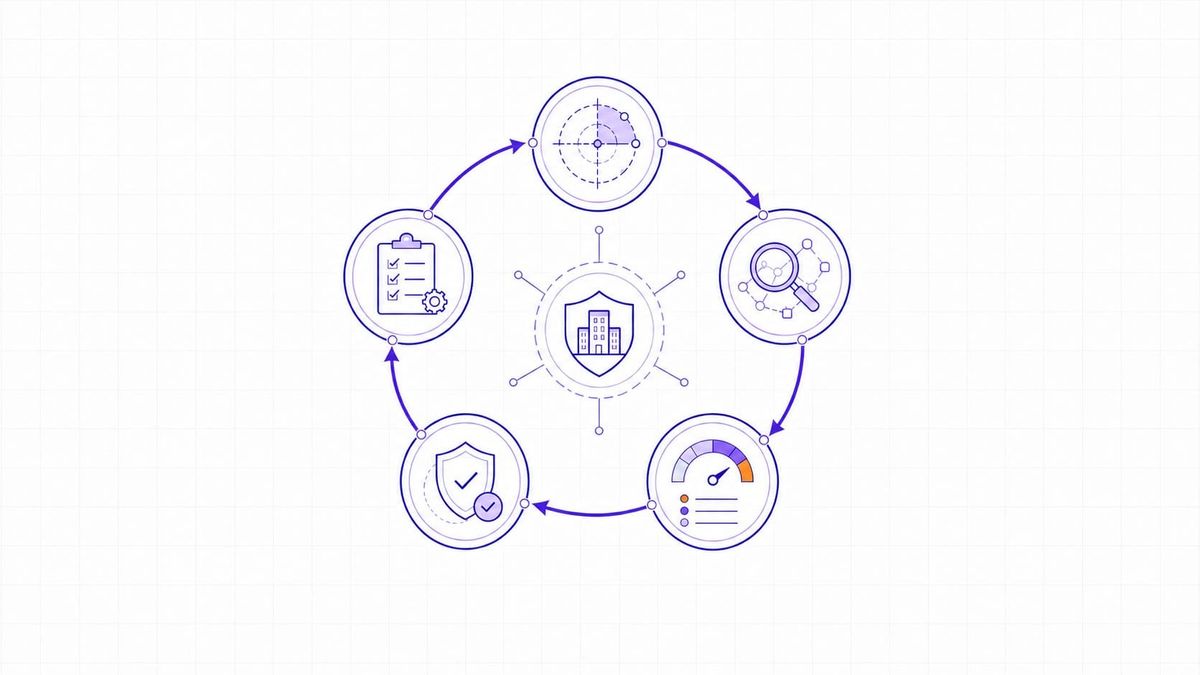
- Repeat after change. Cloud assets, identities, and deployment pipelines change often, so the map should be reviewed after major releases, infrastructure changes, new integrations, or security incidents.
This workflow gives lean teams a way to start without pretending they have complete visibility. It also creates a better conversation with engineering: the request is not "fix this because the score is high," but "fix this because it removes a route to a system we care about."
TopScan's Role in Reducing Entry-Point Exposure
Many attack paths begin with something reachable from the internet: a domain, API, host, open port, vulnerable service, forgotten subdomain, or cloud endpoint. Reducing those entry points does not replace internal identity analysis, segmentation, SIEM, incident response, or penetration testing, but it makes many paths harder to start.
TopScan supports that outside-in layer. It helps teams discover internet-facing assets, scan for vulnerabilities, monitor changes, and prioritize findings that need action. For a small or midsize software team without a full security department, this creates a cleaner starting point for exposure management: know what is exposed, understand what changed, fix the issues that matter, and verify the result.
Attack path analysis then adds a useful next question to every exposed finding: if this entry point were compromised, what could an attacker reach next?
Attack Path Analysis Turns Findings into Risk Decisions
Attack path analysis changes security prioritization from a flat list of findings into a map of possible movement. It connects assets, identities, exposures, permissions, and business impact so teams can see which weaknesses form real routes to critical systems.
The value is not in drawing a perfect graph. The value is in making better remediation decisions. A team that can break a short path to production, remove an over-permissioned identity, close an exposed service, or protect a choke point is reducing risk in a way a severity-only backlog often misses.
For lean teams, the best starting point is narrow: pick one critical service, map the reachable environment around it, combine exposure and identity context, and fix the break points that remove the most credible paths.