Vulnerability management is a continuous operating process for finding, evaluating, treating, and rechecking security weaknesses. The work covers more than patching. A team also needs to know which assets exist, decide which findings deserve attention first, assign each action to an owner, verify the result, and improve the process from one cycle to the next.
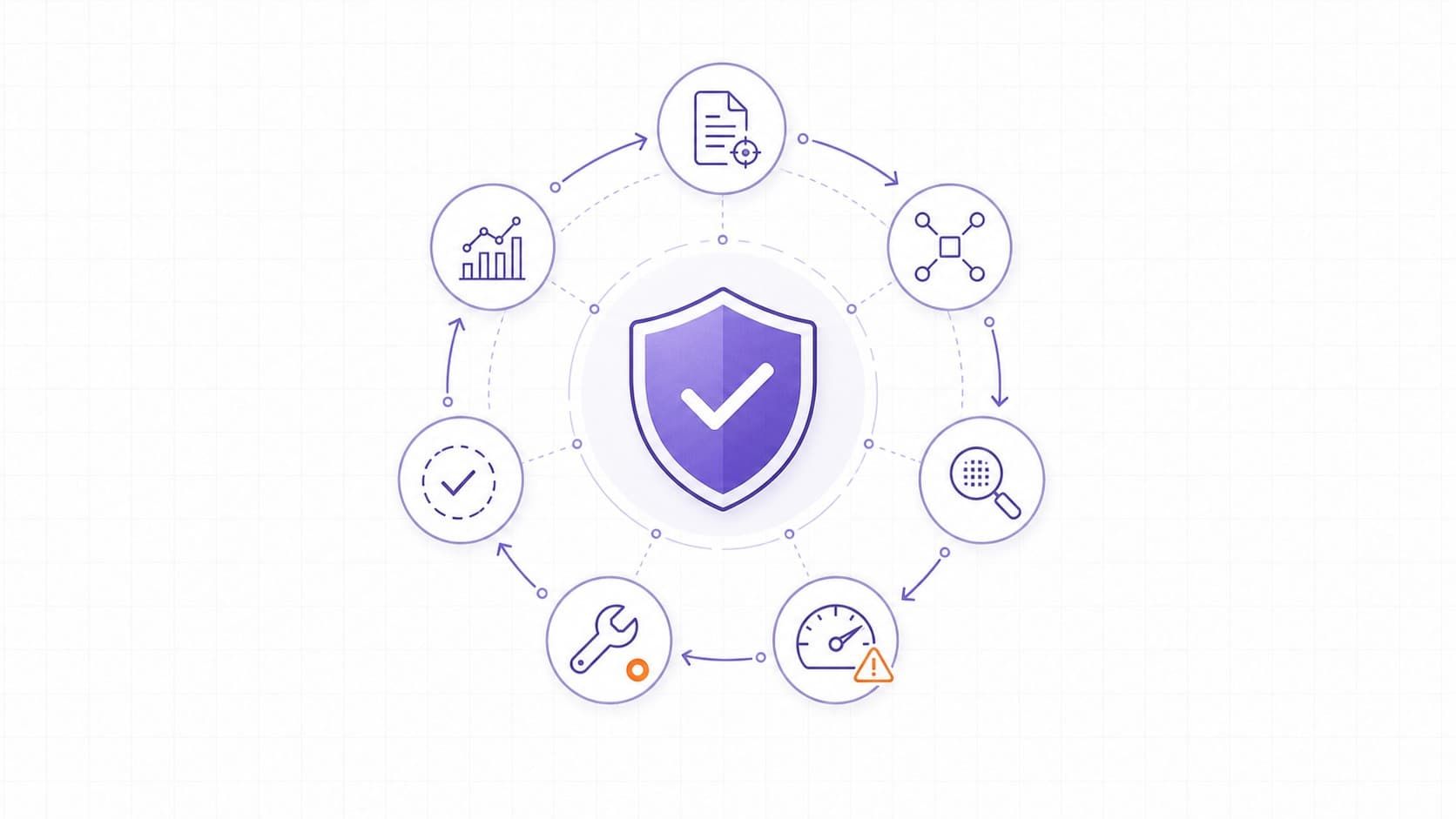
The exact labels differ among organizations and frameworks. This guide uses seven stages that make the work easy to run and measure: prepare, discover, assess, prioritize, remediate, verify, and improve. The cycle applies to infrastructure, cloud services, web applications, APIs, endpoints, and software dependencies, although each environment needs suitable discovery and testing methods.
The Vulnerability Management Lifecycle Turns Findings into Risk Reduction
A vulnerability management lifecycle is a repeatable workflow that moves a weakness from initial discovery to a verified outcome. It defines scope, evidence, priority, ownership, deadlines, treatment, and closure criteria. Once a fix is verified, monitoring continues because assets, configurations, software versions, and threat activity keep changing.
This distinction matters because a scanner does not manage risk by itself. It can identify potential weaknesses at scale, but teams still need to validate results and decide what to do.
Our guide to vulnerability scanning explains where scanning fits and why it can miss unknown, custom, or out-of-scope issues.
Patch management is narrower. NIST defines enterprise patch management as identifying, prioritizing, acquiring, installing, and verifying patches, updates, and upgrades. NIST also frames patching as preventive maintenance rather than an occasional emergency task. Vulnerability management includes that patching workflow but also covers insecure configurations, exposed services, unsupported systems, application flaws, and risks that need mitigation or formal acceptance rather than a software update.
The Seven Stages at a Glance
The table below gives every stage a clear output. Those outputs prevent findings from becoming an unowned backlog.
|
Stage |
Operating Question |
Exit Criterion |
|
Prepare |
What is in scope, who owns it, and what rules apply? |
Assets, owners, scan boundaries, review cadence, and treatment rules are documented. |
|
Discover |
What assets and potential weaknesses are present now? |
Relevant assets are inventoried and suitable checks have produced traceable findings. |
|
Assess |
Is each finding accurate, applicable, and exposed? |
False positives and duplicates are removed, and affected assets are confirmed. |
|
Prioritize |
Which issue should the team handle first? |
Each confirmed finding has a priority and deadline based on severity, exploitation evidence, exposure, and business impact. |
|
Remediate |
Should the team patch, reconfigure, mitigate, remove, or accept the risk? |
An owner completes and records the approved treatment. |
|
Verify |
Did the treatment remove or reduce the exposure? |
A rescan or targeted test confirms the result and checks for side effects. |
|
Monitor and Improve |
Is the process keeping pace with change? |
Metrics, exceptions, recurring causes, and coverage gaps feed the next planning cycle. |
Stage 1 - Prepare the Program and Define Scope
Preparation turns a collection of tools into an operating process. Start with the systems and services that support important business activity, then define who owns them and who can approve changes. Scope should include production assets, internet-facing services, cloud resources, applications, APIs, endpoints, network devices, and relevant third-party components. A smaller team can begin with its external and business-critical assets, then expand coverage deliberately.
Set rules before the first large scan. Define who validates findings, how severity maps to target response times, when a service owner can request an exception, what evidence is required for closure, and who accepts residual risk. Also define safe test windows and exclusions for fragile systems. These decisions reduce delays later, when a critical issue appears during a busy release.
Asset inventory cannot be treated as a one-time spreadsheet. New subdomains, cloud endpoints, and temporary environments can appear outside the original scan list. Attack surface management complements the lifecycle by finding exposed assets that the team may not know it owns.
Stage 2 - Discover Assets and Vulnerabilities
Use discovery methods that match the environment. External scans show what an unauthenticated internet user can reach. Authenticated infrastructure scans can inspect installed software and missing updates more deeply. Web application testing covers application-specific behavior. Software composition analysis checks dependencies, while static analysis examines source code patterns. Cloud configuration checks look for risky settings that may not have a CVE.
Combine scheduled checks with event-driven checks. A major deployment, newly exposed service, material network change, vendor advisory, or critical new CVE can justify a targeted scan before the normal cycle. Frequency should reflect how quickly the environment changes and how much risk the asset carries. A universal monthly schedule is too blunt for a public authentication service and may be excessive for an isolated, stable lab system.
Every finding should retain enough evidence for another person to review it: affected asset, detection time, test method, vulnerable component or configuration, supporting output, and a reference such as a vendor advisory or CVE record where applicable. This evidence becomes the basis for validation and remediation.
Stage 3 - Validate Findings and Assess Exposure
Scanner output can contain false positives, duplicate records, stale assets, or version matches that do not prove exploitability. Validation asks whether the vulnerable component is present, whether the detected version is accurate, whether the relevant feature is enabled, and whether an attacker can reach the affected path.
Do not turn validation into uncontrolled exploitation. Use vendor guidance, authenticated checks, configuration review, safe scanner probes, or a controlled test approved for the target. Intrusive testing belongs under explicit rules of engagement, especially for production systems.
Group duplicates when one root cause affects several observations. For example, one outdated reverse proxy may create multiple findings across several hostnames. Treating the root cause as one remediation unit gives the owner a clearer task while preserving the affected-asset evidence needed for verification.
Stage 4 - Prioritize With Severity, Exploitation, and Business Context
CVSS provides a consistent description of technical severity, but it does not know whether your asset is public, business-critical, well isolated, or protected by compensating controls. FIRST's current CVSS v4.0 standard separates Base, Threat, Environmental, and Supplemental metric groups.
The TopScan guide to using CVSS in practice explains why a base score should not become the entire priority decision.
A defensible priority combines several signals:
- Technical severity. Review the CVSS vector and affected functionality, not only the numeric score, so the team understands the conditions and possible impact.
- Evidence of exploitation. Check whether CISA lists the vulnerability in its Known Exploited Vulnerabilities catalog and review relevant vendor or government advisories. CISA recommends using KEV as an input to vulnerability management prioritization. Source: CISA Known Exploited Vulnerabilities Catalog (https://www.cisa.gov/known-exploited-vulnerabilities-catalog).
- EPSS can add a probability estimate for exploitation of a published CVE in the next 30 days. It is a prioritization signal, not proof that exploitation will or will not occur. Source: FIRST EPSS v3 model paper (https://www.first.org/epss/EPSS-v3_SIG_Review.pdf).
- Exposure and asset value. Increase urgency when the affected service is internet-facing, handles sensitive data, supports a critical business process, or provides a path to more valuable systems.
- Available controls and change risk. Consider segmentation, access restrictions, monitoring, rollback options, and the operational cost of a rushed change. Temporary protection can reduce immediate exposure, but it needs an owner and an expiration date.
Document the reason for the final priority. A medium-severity issue on a public authentication service may outrank a critical issue on an isolated test host. The record should explain that decision so engineering, leadership, and auditors can follow the logic.
Stage 5 - Select and Complete the Right Treatment
Remediation is broader than installing a patch. The owner may update a component, correct a configuration, rotate a credential, remove an exposed service, upgrade an unsupported platform, change application code, or retire the asset. When a permanent fix cannot be deployed immediately, the team can restrict network access, disable the affected feature, add a filtering rule, or increase monitoring as a temporary mitigation.
Test changes in a representative environment when the service is sensitive to downtime. Define a rollback plan and coordinate with the service owner. Emergency action may still be necessary for a known exploited vulnerability on a public system, but urgency does not remove the need to understand dependencies and verify the result.
Risk acceptance is a decision, not a status used to hide old tickets. Record the business owner, rationale, affected assets, compensating controls, review date, and expiration date. Reassess the exception when exploit evidence, exposure, asset value, or vendor guidance changes.
Stage 6 - Verify the Fix Before Closing the Finding
A completed ticket does not prove that exposure was removed. Rescan the affected asset or run a focused test that checks the original evidence. Confirm the corrected version or configuration, verify that the vulnerable path is no longer reachable, and make sure the change did not create a regression.
Closure criteria should distinguish among fixed, mitigated, accepted, false positive, and no longer applicable. Keep the validation evidence and timestamps. If the issue reappears after a deployment or configuration change, reopen it rather than creating a disconnected record. That history shows whether the organization is reducing recurring risk or repeatedly treating the same symptom.
TopScan's vulnerability management workflow supports issue states, severity-based deadlines, remediation tracking, and reopening findings that return after a later scan. The product page describes coverage for internet-facing assets, so it should not be presented as a replacement for every internal, endpoint, or code-security control.
Stage 7 - Monitor Results and Improve the System
Continuous monitoring checks for new vulnerabilities, exposed assets, configuration drift, expiring exceptions, overdue work, and previously closed issues that return. Feed those changes into the same validation and prioritization process rather than building a separate queue.
Measure outcomes that show whether risk is moving, not just how many findings a scanner produced. Useful measures include time from detection to triage, time to remediation by priority, percentage of critical findings verified within the target, age of overdue findings, recurrence rate, asset coverage, exception age, and the share of findings with a named owner.
Use recurring findings to improve upstream controls. If unsupported components keep returning, strengthen dependency and lifecycle policies. If unknown public services appear often, improve asset discovery and cloud provisioning controls. If fixes fail verification, improve change testing and closure evidence. The next cycle should start with those lessons.
CISA's KEV Program Shows How Prioritization Becomes an Operating Rule
CISA's Binding Operational Directive 22-01 created a concrete vulnerability management practice for US federal civilian agencies: remediate vulnerabilities added to the KEV catalog by their assigned due dates and report status. The directive is mandatory only for the agencies in its scope, but CISA strongly recommends that other organizations prioritize KEV entries as well.
The transferable lesson is not to copy a government deadline blindly. It is to turn reliable exploitation evidence into a documented rule: match KEV entries to affected assets, raise their priority, assign an owner, set a deadline, apply the vendor action or remove the product, and verify the result.
Editorial judgment: KEV status should raise urgency, but it should not erase operational context. A team still needs to confirm that the affected product and version are present. Conversely, an internet-facing vulnerability does not become safe simply because it is not yet in KEV; vendor evidence, exposure, and business impact may still justify immediate action.
Common Lifecycle Failures and Their Corrections
- Scanning more assets than the team can track. Findings arrive without clear ownership or closure rules. Start with critical and internet-facing assets, assign owners, and expand coverage as the workflow becomes reliable.
- Sorting the backlog only by CVSS. Technical severity crowds out active exploitation, exposure, and business impact. Add KEV, EPSS, asset criticality, reachability, and compensating controls to the decision.
- Sending raw scanner output to engineering. Developers receive duplicates and weak evidence, then lose confidence in the queue. Validate findings and provide the affected component, evidence, remediation guidance, and due date.
- Closing work when a patch is deployed. The vulnerable service may remain exposed because the deployment failed or another instance was missed. Require a rescan or focused validation before closure.
- Allowing exceptions to live forever. Temporary mitigations become permanent, while the original risk changes. Give every acceptance or mitigation an owner, expiration date, and review trigger.
Automation Should Accelerate Decisions, Not Hide Them
Automation is valuable for recurring discovery, scan scheduling, data enrichment, deduplication, ticket creation, deadline tracking, notifications, rescanning, and reporting. It reduces manual transfers between tools and makes overdue work visible.
Keep human review where context changes the outcome. A tool cannot reliably decide the business value of an asset, approve production downtime, judge every false positive, or accept residual risk on behalf of an accountable owner. Automating unsafe patch deployment across all systems can turn a security task into an availability incident.
A useful automation test is simple: every automated action should have a defined input, owner, failure signal, and recovery path. If the team cannot explain why a finding received its priority or how to reverse a change, the automation is too opaque for that step.
A Repeatable Fix-Verify Cycle Is the Real Deliverable
The strongest vulnerability management program is not the one with the largest scanner report. It is the one that repeatedly finds relevant weaknesses, gives each one a defensible priority and owner, completes an appropriate treatment, and produces evidence that exposure fell.
Begin with a manageable scope, write down the decision rules, and make verification part of the definition of done. Then use coverage, response time, overdue work, recurrence, and exception age to improve the next cycle. That approach gives a small technical team a process it can sustain as assets and threats change.