
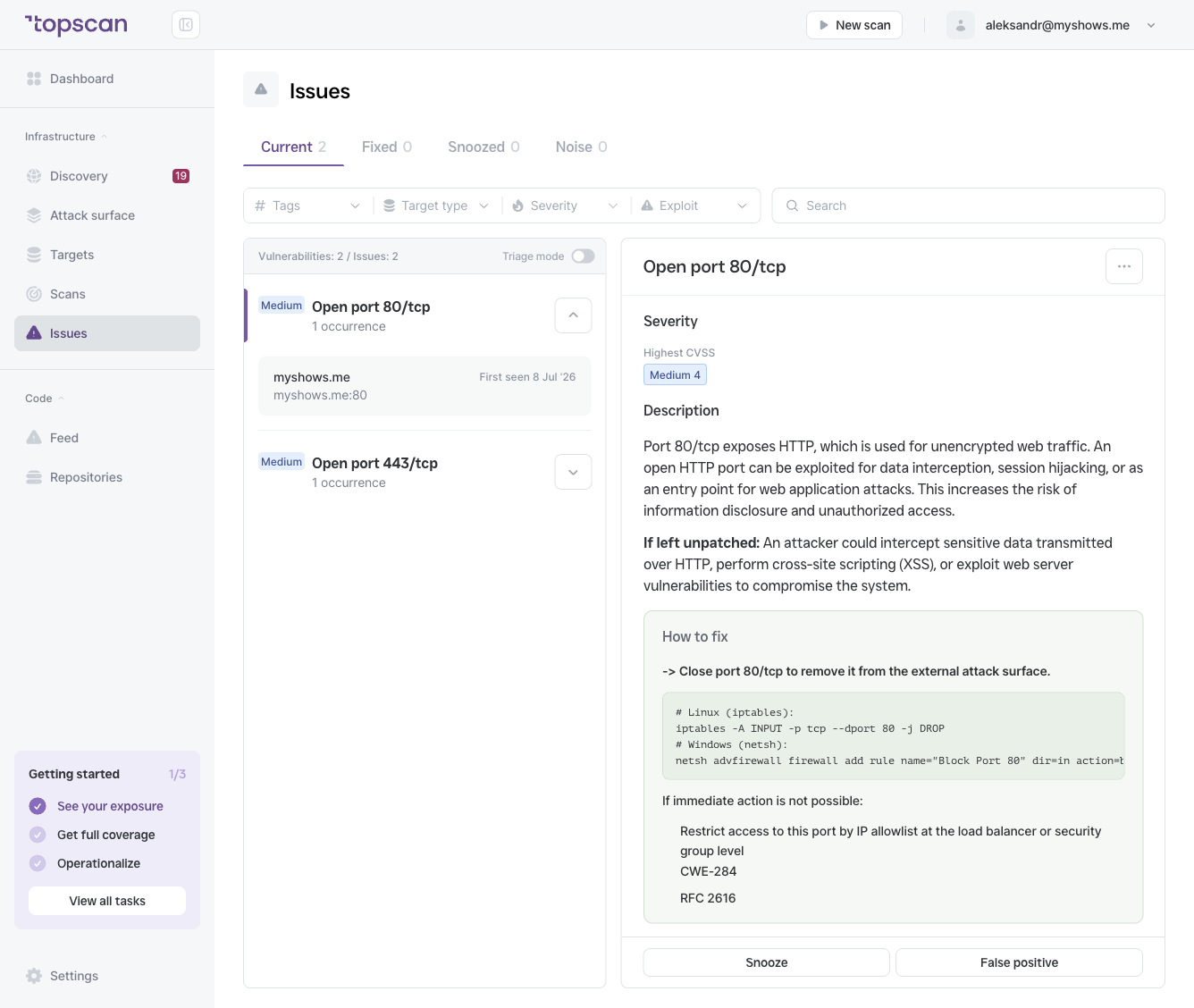
Severity and CVSS score
The badge at the top shows the severity level: CRITICAL, HIGH, MEDIUM, or LOW.
The number next to it is the CVSS score (Common Vulnerability Scoring System) — a standardized 0–10 scale used across the security industry to rate the intrinsic severity of a vulnerability. Higher scores indicate greater potential impact.
Highest CVSS score is shown when an issue has multiple CVEs — it displays the worst-case score across all of them.
Attack characteristics
| Field | What it means |
|---|---|
| Attack vector | How the vulnerability is reached: Network (remotely exploitable), Adjacent, Local, or Physical |
| Attack complexity | How difficult it is to exploit: Low (straightforward) or High (requires specific conditions) |
| Privileges required | Whether an attacker needs prior access: None, Low, or High |
| User interaction | Whether a victim needs to take an action for the exploit to succeed |
Exploit likelihood
A signal specific to Topscan indicating how probable it is that this vulnerability is actively being exploited in the wild. Ratings range from Low to High.
When Exploit Known is shown on an issue, a working public exploit exists. These should be prioritized regardless of CVSS score.
CVEs
Links to the CVE identifiers associated with this issue (e.g. CVE-2022-28615). Clicking a CVE opens the official advisory in the National Vulnerability Database.
Description
Technical background on the vulnerability: what it is, what it affects, and what an attacker could do if it were exploited.
If left unpatched
The concrete consequence of leaving this issue open — what an attacker could actually achieve. Use it to judge urgency in your own context.
How to fix
Specific, actionable guidance for resolving the issue. For package vulnerabilities this is typically "install the updated package"; for misconfigurations it describes the correct configuration; for an exposed service it explains how to close or restrict it.
Occurrences
An issue can appear on multiple targets or multiple ports of the same target. Each occurrence is listed separately below the issue name, showing the target hostname and port. This helps you understand the full scope of exposure.