
License usage
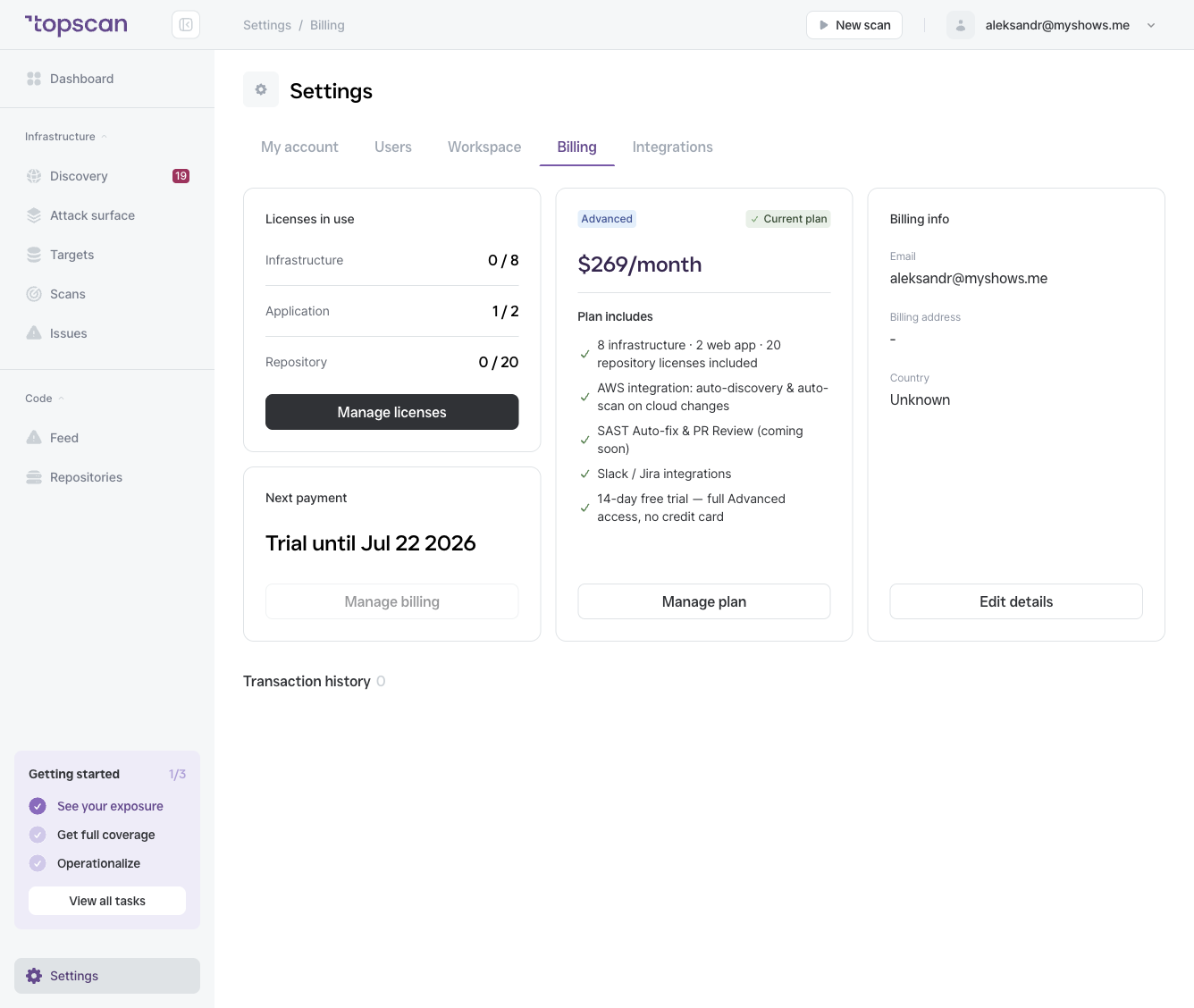
At the top of the Billing page you'll see your current license consumption across three pools:
- Infrastructure — Infrastructure target slots in use (e.g.
0 / 8) - Application — Web Application target slots in use (e.g.
1 / 2) - Repository — repository slots in use for SAST scanning (e.g.
0 / 20)
If you're approaching a limit, consider removing inactive targets or upgrading your plan. Targets over the limit are not scanned.
Click Manage licenses to view which specific targets are consuming licenses and when licenses are scheduled to be released.
Plan and next payment
The current plan (e.g. Advanced, $269/month) and the next payment are shown at the top. During a free trial this reads "Trial until <date>" instead of a charge — you're on full Advanced access with no card required until then. After the trial the monthly amount reflects your plan and license count.
Managing your subscription
Manage billing — update your payment method, billing address, and contact details.
Manage plan — view plan options, compare tiers (Basic / Advanced / Pro), and upgrade or downgrade your subscription.
Edit details — update the company name and address shown on invoices.
Invoice history
The transaction table shows all past payments with:
| Column | What it shows |
|---|---|
| Date | Payment date |
| Transaction ID | Reference number for this charge |
| Status | Paid, pending, or failed |
| Total | Amount charged |
| View invoice | Link to download the invoice PDF |
Plan tiers
| Tier | Key features |
|---|---|
| Basic | DAST scanning, CI/CD trigger, basic targets and scans |
| Advanced | + AWS integration, Slack/Jira/YouTrack, SAST auto-fix & PR review, 14-day trial available |
| Pro | + Custom SLA, Severity Override, two-way CI/CD webhook |
RBAC and SAST scanning are available on all tiers.
Contact sales@topscan.me for Enterprise pricing or custom license arrangements.