
How licenses work
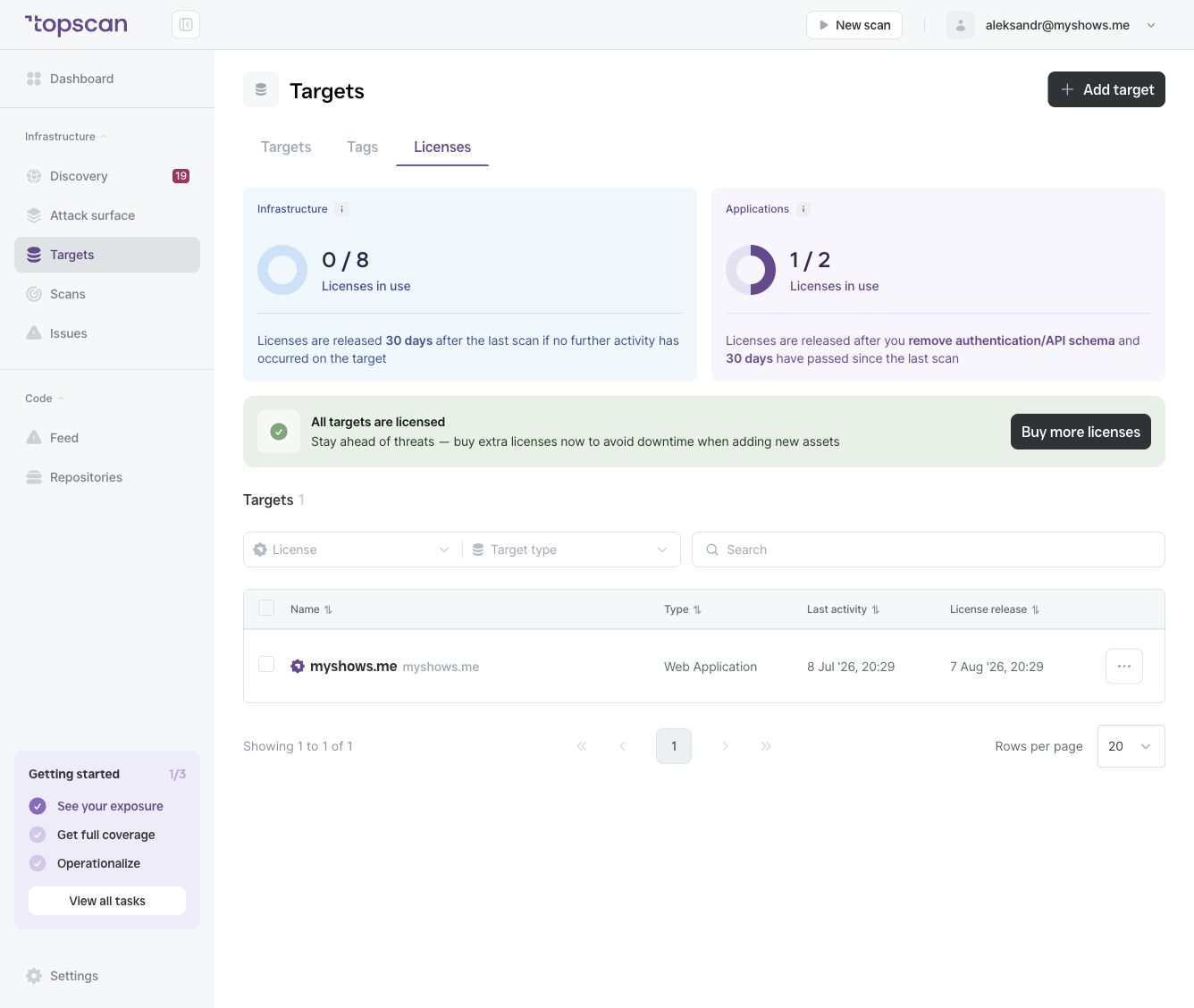
| Type | License pool |
|---|---|
| Infrastructure | Counted separately |
| Web Application | Counted separately |
A license is occupied as long as a target is active and being scanned. It is released automatically under the following conditions:
- Infrastructure target — released 30 days after the last scan, if no further scan activity has occurred.
- Web Application target — released after you remove any attached authentication or API schema, and 30 days have passed since the last scan.
Unlicensed targets
If you've added more targets than your license pool allows, those targets appear as unlicensed. Unlicensed targets are not scanned — they represent blind spots in your security coverage.
Topscan shows a warning when you have unlicensed targets:
To resolve this, either:
- Remove targets you no longer need, or
- Click Buy more licenses to upgrade your plan.
Viewing license details
Go to Targets → Licenses to see:
- Your current usage for each pool (e.g.
109 / 111 Infrastructure licenses in use) - A full list of targets with their license status, last activity date, and scheduled license release date